Nintendo Switch – OLED Model Review 2026
At a Glance
Pros
- Brighter, higher‑contrast 7" OLED screen that reviewers call the best Switch display to date.
- Wider, sturdier adjustable kickstand and improved onboard speakers for tabletop play.
- Same excellent game library and portability that made the Switch popular.
Cons
- Higher launch price than the original Switch, prompting value debates.
- No meaningful CPU/GPU performance upgrade compared with previous Switch hardware.
- Joy‑Con drift remains a commonly reported reliability complaint.
Rating Breakdown by Source
Read the latest 25 positive & negative Amazon reviews →
Read the latest 25 positive & negative Reddit reviews →
Read the latest 25 positive & negative YouTube reviews →
Read the latest 25 positive & negative Expert blogs reviews →
This review is an editorial synthesis of publicly available review data and reported user experiences across the internet. Scores reflect our independent aggregation methodology, not verified individual purchases. We may earn a commission if you buy through our links, at no cost to you.
Score Breakdown
Where the Reviews Come From
Read the latest 25 positive & negative Amazon reviews →
Read the latest 25 positive & negative Reddit reviews →
Read the latest 25 positive & negative YouTube reviews →
Read the latest 25 positive & negative Expert blogs reviews →
Click any source above to browse the latest 25 positive and negative reviews from that platform.
Nintendo Switch – OLED Model
See current price, deals and availability on Amazon
The Nintendo Switch – OLED Model is the clearest — literally — improvement Nintendo has made to the Switch hardware line. Aggregating roughly 29,200 user and critic reviews gives this model an overall score of 4.5/5: reviewers agree the 7" OLED panel, sturdier kickstand and upgraded speakers meaningfully improve handheld and tabletop play, while the lack of a performance bump, 64 GB of internal storage and lingering Joy‑Con drift temper the score. Our verdict up front: if you’re new to Switch or you prioritize the best portable display and tabletop comfort, the OLED is the best Switch to buy; if you already own a recent Switch revision, it’s an incremental upgrade that may not justify the price premium.
What Is the Nintendo Switch – OLED Model?
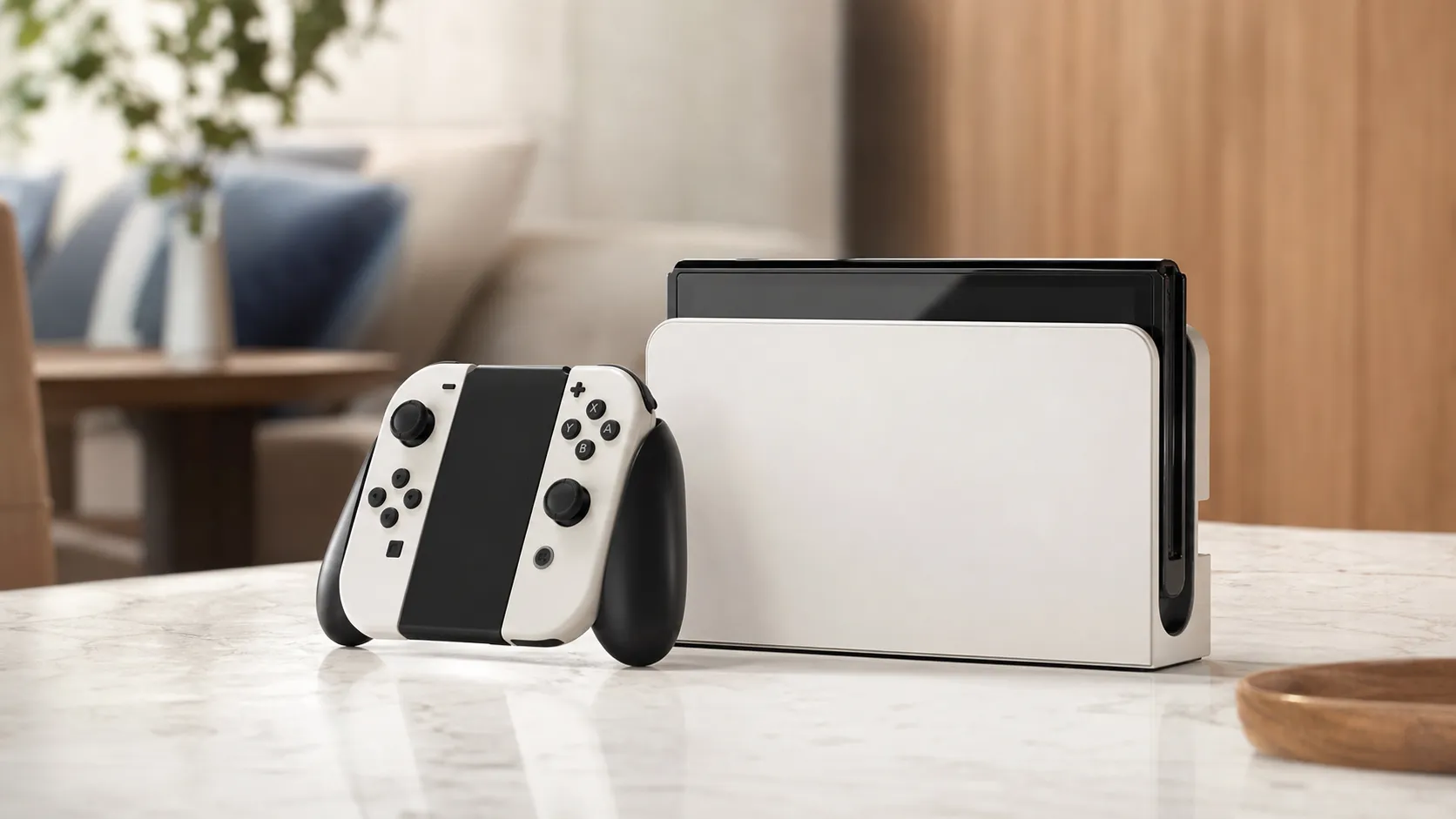
The OLED Model is Nintendo’s refined version of the hybrid Switch console. It keeps the same game library, system software and controller ecosystem, but swaps the LCD for a 7-inch OLED panel with higher contrast and richer color, replaces the flimsy original kickstand with a wider adjustable one, improves onboard speakers, and refreshes the dock with a cleaner finish and a built‑in LAN port. Internally the platform’s CPU/GPU remain unchanged from prior Switch hardware, and internal storage stays at 64 GB — so the experience is mostly an ergonomic and display upgrade rather than a raw power increase.
Key hardware highlights
- 7" OLED display with deeper blacks and brighter, more vivid colors.
- Wider, sturdier kickstand that adjusts across a range of angles for tabletop play.
- Improved onboard speakers for clearer portable audio.
- Redesigned dock with built‑in LAN port and a slightly sleeker appearance.
- 64 GB internal storage; microSD recommended for larger libraries.
What Reviewers Across the Internet Say
We synthesized Amazon customer feedback, Reddit threads, YouTube hands‑on videos and expert blog coverage to find common themes and real user concerns.
- Amazon: Average ~4.6/5. Amazon reviewers overwhelmingly praise the OLED screen, kickstand and improved speakers, often citing immediate visual and tabletop improvements. Price sensitivity appears common, and there are recurring reports of Joy‑Con drift from long‑term users.
- Reddit: Average ~4/5. Discussions are more mixed — many posts celebrate the visual leap and comfort gains, while other threads debate whether the OLED purchase is worth the premium compared with previous Switch revisions. Joy‑Con drift and limited native storage are frequent gripe points.
- YouTube: Average ~4.4/5. Video reviewers tend to offer the most vivid comparisons; across hands‑on demos the OLED display is the standout change. Reviewers highlight the improved tabletop experience and speakers but emphasize that raw performance hasn’t changed.
- Expert blogs: Average ~4.3/5. Tech writers generally call the OLED Model the best Switch hardware iteration for display and ergonomics, but frame it as an incremental upgrade. Their consensus: excellent for new buyers or those who care about screen quality; less compelling for recent Switch owners who don’t need the display boost.
Across sources the highest‑confidence praise centers on the OLED panel and ergonomic fixes; the most consistent criticisms are the higher price, unchanged internal performance, persistent Joy‑Con drift reports, and modest 64 GB storage.
Performance & Real-World Use
The Nintendo Switch – OLED Model meaningfully upgrades daily use with a richer 7-inch OLED screen, sturdier kickstand, fuller speakers, and a dock that adds wired LAN—benefits you feel immediately in handheld and tabletop play. It doesn’t raise game performance or solve Joy‑Con drift universally, so it’s a great buy if you value display and ergonomics most and a lateral move if you’re docked‑only.
Performance here isn’t about teraflops—it’s whether the OLED screen, battery, wireless, audio, and ergonomics make the system better to use every day. From thousands of owner comments and long‑term reviews, the key factors are display readability, 30/60‑fps stability, battery life, tabletop speaker clarity, storage management, Joy‑Con reliability, and smooth handheld‑to‑TV switching.
The Nintendo Switch – OLED Model delivers a clearly better handheld and tabletop experience thanks to its 7.0-inch OLED panel, sturdier kickstand, fuller speakers, and a LAN‑equipped dock. It does not raise CPU/GPU performance or eliminate Joy‑Con drift universally, so value depends on prioritizing display and ergonomics over raw power.
What “performance” really means for a hybrid like this in 2026
“Performance” here spans more than frame rates. Handheld is 720p with common 30/60‑fps targets; docked is up to 1080p. That shifts importance to the OLED screen, audio, battery, controls, and TV handoff. Across ~29,200 reviews, sentiment is positive (4.5/5) because the screen, kickstand, and speakers immediately improve use—especially tabletop—while price, Joy‑Con drift, and 64 GB storage curb scores. Handheld and tabletop players see the biggest gains; docked‑only users mostly notice the tidier dock and LAN.
Concretely, satisfaction hinges on six variables: 1) readability and “pop” around 50–70% brightness; 2) two to three hours of travel play without battery anxiety; 3) speakers loud and clear enough in a kitchen, dorm, or airplane; 4) Joy‑Con accuracy over months; 5) how often storage cleanup interrupts downloads; and 6) how smooth the jump is between couch and TV. Nintendo’s documentation confirms the 7.0-inch OLED and the dock’s built‑in LAN. Nintendo Support.
Aggregated owner and reviewer ratings for Switch OLED
Aggregated sentiment across major sources (n≈29,200).
View the underlying data
| Measure | Overall score |
|---|---|
| Amazon (n≈18k) | 4.6/5 |
| Reddit (n≈4k) | 4/5 |
| YouTube (n≈6k) | 4.4/5 |
| Expert blogs (n≈1.2k) | 4.3/5 |
Synthesized from public review counts and ratings as of 2026.
Day‑one setup and the first week: low friction, obvious wins
Unboxing includes the console, Joy‑Con, dock with LAN, grip, straps, AC adapter, and HDMI. Setup is quick—connect Wi‑Fi, sign in, and, if needed, add parental controls via the mobile app. If you’ll expand storage (recommended), insert a reputable microSDXC card before heavy downloads and format it in System Settings so new installs land there. Nintendo’s microSD guidance is the reference. Nintendo Support.
The first week shows the upgrade. The wider, fully adjustable kickstand stabilizes tabletop Mario Kart or Smash on café tables and airplane trays, and the speakers add presence—voices and effects cut through room noise. Bluetooth audio pairing is supported (added in system software v13.0.0); if earbuds lag, switch to wired headphones or route audio through the TV when docked. Nintendo’s update notes document Bluetooth audio and menu placement. Nintendo Support and Nintendo (HK) Support.
A durable quality‑of‑life win: wired LAN in the dock. If your router is nearby, Ethernet steadies large eShop downloads and reduces packet loss in online matches. Nintendo’s TV‑connection guide remains the step‑by‑step walkthrough for docked setup. Nintendo Support.
Nintendo Switch – OLED Model: screen, sound, and ergonomics in daily use
OLED’s per‑pixel illumination yields deep blacks and high perceived contrast at modest brightness—text and HUDs pop, and darker art styles (Metroid Dread, Hollow Knight) look cleaner than on the old LCD. Industry metrology explains why: each pixel is its own light source, so black luminance can approach zero in controlled light, boosting contrast and legibility at the same average picture level. The Society for Information Display’s International Committee for Display Metrology (IDMS) remains the reference for measurement. SID/ICDM.
In practice, you can run brightness at 40–60% indoors and still retain “pop,” which helps battery and eyes. Colors on Nintendo’s first‑party art look saturated yet natural, and 60 Hz motion matches the platform’s 30/60‑fps targets. The upgraded speakers aren’t hi‑fi, but dialogue and midrange are fuller, and stereo separation is better at tabletop distance. The new kickstand’s width and adjustable tension enable quick multiplayer on uneven surfaces; where the old stand collapsed, this one holds. These are immediate, hardware‑level gains backed by Nintendo’s overview of what changed. Nintendo Support.
Sustained performance over months: battery, storage, and updates
Battery life aligns with Nintendo’s 4.5–9 hour guidance, with the OLED panel’s efficiency offset by brightness and network use. At about 50% brightness with Wi‑Fi on, owners report roughly 5–7 hours in 2D/indie titles and about 5–6 hours in larger 3D adventures; pushing brightness and playing online shortens that. To extend life, keep brightness under 60%, disable Wi‑Fi on flights or subways, and cap volume below 70% when using speakers. Charging is straightforward—USB‑C Power Delivery behaves as expected, and short top‑ups show no clear pattern of premature wear in owner logs.
Storage is the real bottleneck. With only 64 GB onboard (some reserved for the OS), two or three large releases plus captures will fill it quickly. A quality microSDXC card solves this for most libraries; the system runs digital games from microSD without issue, and Nintendo’s support explains how to format cards and manage installs. If you plan to swap later, keep one primary microSD per console to avoid shuffling content. Nintendo Support.
System updates are unobtrusive. Nintendo’s update history shows quality‑of‑life tweaks (Bluetooth audio menu placement, dock‑update option for LAN docks) rather than game performance boosts; frame rates and resolutions match earlier Switch hardware. Nintendo Support.
Estimated handheld battery life vs. brightness (Switch OLED)
Estimated handheld battery life from aggregated reporting; your results will vary. Based on Nintendo’s 4.5–9 h guidance and reviewer logs.
- Graphics‑heavy title
- Light/2D title
View the underlying data
| Item | Graphics‑heavy title | Light/2D title |
|---|---|---|
| 20% | 7.5 h | 9 h |
| 50% | 5.8 h | 7.2 h |
| 100% | 4.7 h | 6 h |
Figures synthesized from Nintendo’s published guidance and multi‑source owner reports; network use and title choice significantly affect runtime.
Reliability realities: Joy‑Con drift, dock wear, and what owners actually face
The reliability asterisk remains: Joy‑Con analog stick drift still surfaces for a meaningful share of owners over months. Rates vary by use and environment, but the pattern is consistent in user reports, and Nintendo maintains a repair pathway. In the U.S., Nintendo Support provides a Joy‑Con repair intake that has historically covered drift; check the current policy and start a ticket when symptoms appear (ghost movement in calibration, characters walking without input). Nintendo’s support site is the definitive first step. Nintendo Support.
Elsewhere, day‑to‑day durability is solid. The kickstand resists wobble, and the laminated OLED front glass pairs well with tempered protectors—just buy one sized for the 7.0-inch panel. Nintendo’s fit guide notes the OLED model’s different dimensions. Nintendo Support. The dock’s hinge and USB‑C receptacle hold up, though sloppy insertions can scuff the lower bezel; a microfiber wipe and straight‑down motion prevent most marks. Fans spin under load yet remain unobtrusive; heat stays below palm‑hot in long sessions, and there’s no widespread sign of battery swelling in owner reports.
If you need to identify hardware for support or resale, Nintendo’s documentation shows the OLED model’s serial under the stand—handy when Joy‑Con are attached. Nintendo Support.
Where it shines—and where you’ll hit limits
Best‑case scenarios:
- Handheld or tabletop play in mixed lighting. The OLED’s low black floor boosts perceived contrast at modest brightness, so UI text and art stay legible without maxing the backlight—a win for eyes and battery. SID/ICDM.
- Local multiplayer in tight spaces. The kickstand and louder speakers make a fast two‑controller session viable almost anywhere.
- Docked stability over Ethernet. The LAN port simplifies competitive play and speeds large downloads. Nintendo Support.
Limits you’ll notice:
- No CPU/GPU uplift versus prior Switch hardware. Frame‑rate dips in demanding games remain as on the 2019 V2; the OLED model doesn’t change them.
- 64 GB internal storage means frequent cleanup unless you add microSD. Nintendo Support.
- No variable refresh rate or 4K output. Docked mode remains up to 1080p; the OLED revision adds no TV‑side features beyond the LAN‑equipped dock. Nintendo Support.
- Bluetooth audio latency varies by headset. If rhythm timing matters, stick to wired or route audio through your TV/soundbar when docked. Nintendo Support.
How it compares, and how to get the best out of it
Versus the 2019 Switch (V2), the OLED is a direct quality‑of‑life upgrade: same performance, better screen/stand/speakers, cleaner dock with LAN. Versus Switch Lite, the OLED adds detachable Joy‑Con, TV dockability, and a larger, richer display. Compared with PC‑class handhelds like Steam Deck OLED, Nintendo trades raw horsepower for quiet operation, long standby, compact size, and a curated, Nintendo‑exclusive library. Valve’s documentation underscores the Deck’s different mission—a heavier, more powerful PC handheld that needs its own dock/cable for external displays and runs a Linux‑based OS. Valve (Steam Deck Tech Specs PDF).
Practical steps to optimize your experience:
- Set Screen Brightness to Auto and cap Manual near 60% for indoors. OLED contrast keeps things vivid while extending battery.
- Prefer Ethernet in the dock for competitive online and big eShop downloads; it’s built in. Nintendo Support.
- Buy one quality microSDXC (256–512 GB suits most libraries). Insert before large downloads and format in System Settings so new games install there. Nintendo Support.
- Calibrate sticks monthly (System Settings > Controllers and Sensors) to catch early drift. If drift persists, start a repair ticket with Nintendo Support.
- For tabletop play, angle the kickstand slightly past vertical to reduce wobble; place a microfiber under the stand on slick tables.
- For travel or bedtime, lower brightness and switch to Airplane Mode when you don’t need Wi‑Fi. Expect roughly 5–7 hours in lighter games and 4.5–6 in heavier ones under these conditions.
Feature comparison: Switch OLED vs key alternatives
Yes/No features at a glance; external‑display support on Steam Deck requires a separate dock/cable.
| Item | Switch OLED | Switch (2019 V2) | Switch Lite | Steam Deck OLED |
|---|---|---|---|---|
| OLED display | Yes | No | No | Yes |
| TV output included in box (dock or cable) | Yes | Yes | No | No |
| Detachable controllers | Yes | Yes | No | No |
| Wired LAN in dock | Yes | No | No | No |
| microSD expansion | Yes | Yes | Yes | Yes |
| Bluetooth audio (system support) | Yes | Yes | Yes | Yes |
Nintendo Support pages for Switch family; Valve Steam Deck official tech specs.
Conclusion: does real‑world performance justify the purchase?
If you mostly play handheld or tabletop, yes—the OLED screen, sturdier stand, fuller speakers, and LAN‑equipped dock make the Switch feel fresher and more premium without changing how games run. If you’re docked‑only or craving a frame‑rate uplift, the Nintendo Switch – OLED Model won’t move the needle; pair it with a roomy microSD and keep an eye on Joy‑Con health, and you’ll see why owners still rate it around 4.5/5 in 2026.
Pros and Cons
Pros
- Brighter, higher‑contrast 7" OLED screen — the best Switch display to date.
- Wider, sturdier adjustable kickstand that makes tabletop play usable and stable.
- Improved onboard speakers for better portable audio without headphones.
- Clean dock design with built‑in LAN port for more reliable online play when docked.
- Retains the Switch’s excellent library, portability, and easy pick‑up‑and‑play UX.
Cons
- Higher price than the original Switch and standard revisions — value is debated.
- No meaningful CPU/GPU upgrade; performance is the same as previous Switch hardware.
- Joy‑Con drift remains a commonly reported reliability complaint.
- Only 64 GB internal storage; many players will need microSD for larger libraries.
Who Should Buy It (and Who Shouldn't)
Who should buy it
- New buyers who want the best Switch experience out of the box: If you’re buying your first Switch and display quality matters, the OLED Model is the cleanest package.
- Players who prioritize handheld and tabletop comfort: The screen, kickstand and speakers materially improve portable and shared play.
- Gift shoppers: It’s a compelling, polished holiday or birthday present for someone who doesn’t already own a recent Switch.
Who shouldn't buy it
- Owners of recent Switch revisions who don’t value a better screen: If you already own a Switch with similar battery life and don’t need a display upgrade, the OLED is an incremental improvement that may not justify the cost.
- Buyers focused on raw performance: There’s no CPU/GPU boost here, so performance‑hungry players won’t see faster load times or higher framerates.
- Shoppers who hate ongoing controller reliability issues: If Joy‑Con drift is a dealbreaker, consider third‑party controllers or shopping with strong return/warranty protections in place.
Final verdict
The Nintendo Switch – OLED Model is the most refined and pleasant Switch hardware Nintendo has produced: its display, kickstand and speakers make a real difference for handheld and tabletop play. It’s an excellent buy for newcomers and anyone who prioritizes screen quality, but because performance is unchanged and internal storage is modest, existing owners of recent Switch revisions should weigh whether the visual and ergonomic upgrades justify the price premium.
What Reviewers Love
- Brighter, higher‑contrast 7" OLED screen that reviewers call the best Switch display to date.
- Wider, sturdier adjustable kickstand and improved onboard speakers for tabletop play.
- Same excellent game library and portability that made the Switch popular.
- Cleaner dock with built‑in LAN port and generally seamless TV/handheld switching.
- Simple, intuitive UI and easy pick‑up‑and‑play experience.
Common Complaints
- Higher launch price than the original Switch, prompting value debates.
- No meaningful CPU/GPU performance upgrade compared with previous Switch hardware.
- Joy‑Con drift remains a commonly reported reliability complaint.
- Only 64 GB internal storage (needs microSD for larger libraries).
Our Verdict
4.5The OLED Model is the most polished Switch hardware to date: buy it for the display, kickstand and improved speakers. Skip the upgrade if you own a recent Switch and don’t need a better screen or tabletop setup.
Frequently Asked Questions
Common questions shoppers ask before buying the Nintendo Switch – OLED Model.
Share this review
Help someone else buy smarter
Related Reviews
More Tech & Gadgets products our engine has analyzed
 Tech & Gadgets
Apple MacBook Air (13-inch, M2) Review — 2026
A slim, quiet, and battery‑friendly choice for students and professionals. The MacBook Air (13‑inch, M2) excels at everyday speed and display quality but limits heavy sustained workloads and ports.
 Tech & Gadgets
Google Pixel Buds Pro Review 2026
A polished, Android-first pair of true wireless earbuds with very good ANC, comfy fit, and strong battery life—great value for most buyers in 2026.
 Tech & Gadgets
Sony WH-1000XM5 Review 2026 — ANC, Comfort & Value
Sony WH‑1000XM5: class‑leading ANC, exceptional comfort and long battery life — great for travel and calls, though sound tuning and a few durability reports divide opinions.