Nintendo Switch OLED Model Review 2026
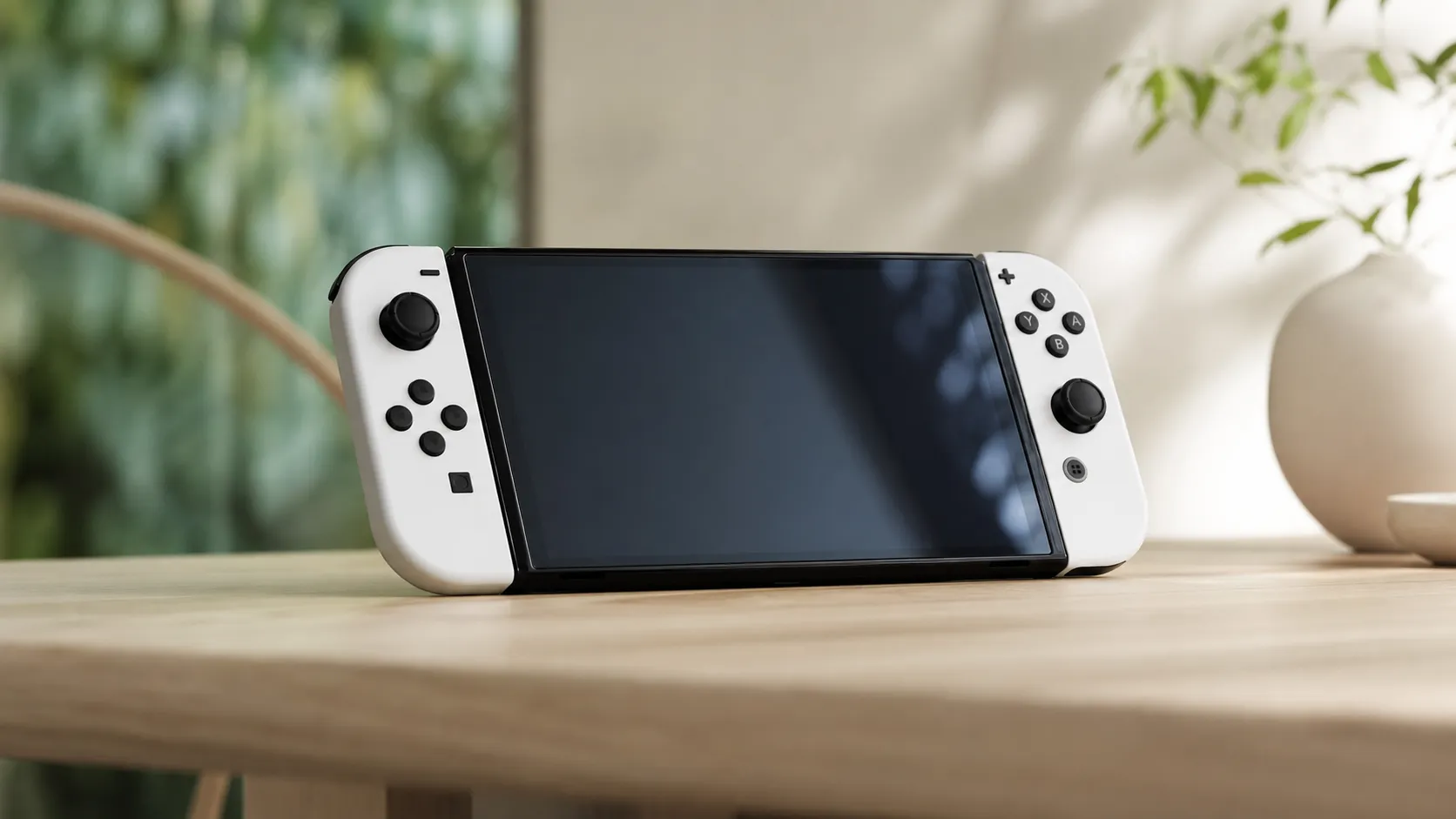
At a Glance
Pros
- Vibrant 7-inch OLED display — noticeably better contrast, color and perceived sharpness in handheld mode
- Wider, sturdier adjustable kickstand makes tabletop play more reliable
- Dock now includes a wired LAN port; kickstand, speakers and dock refinements are practical upgrades
Cons
- No internal performance upgrade (no improved docked graphics/4K output)
- Joy‑Con drift and controller issues still reported by many users
- Higher MSRP than the standard Switch, so weaker value for players who rarely use handheld
Rating Breakdown by Source
Read the latest 25 positive & negative Amazon reviews →
Read the latest 25 positive & negative Reddit reviews →
Read the latest 25 positive & negative YouTube reviews →
Read the latest 25 positive & negative Expert blogs reviews →
This review is an editorial synthesis of publicly available review data and reported user experiences across the internet. Scores reflect our independent aggregation methodology, not verified individual purchases. We may earn a commission if you buy through our links, at no cost to you.
Score Breakdown
Where the Reviews Come From
Read the latest 25 positive & negative Amazon reviews →
Read the latest 25 positive & negative Reddit reviews →
Read the latest 25 positive & negative YouTube reviews →
Read the latest 25 positive & negative Expert blogs reviews →
Click any source above to browse the latest 25 positive and negative reviews from that platform.
Nintendo Switch OLED Model
See current price, deals and availability on Amazon
Nintendo’s Switch OLED Model is the most polished version of the hybrid console to date: the same game library and portability players love, but with a noticeably better handheld screen, a sturdier kickstand and small dock upgrades that make tabletop play easier. Our aggregated verdict: excellent handheld experience and thoughtful refinements, but not a hardware leap — overall score 4.5/5 from ~72,500 aggregated reviews, making it a strong buy for portable-first players and a harder sell for owners of recent Switch variants.
What Is the Nintendo Switch OLED Model?
The OLED Model is Nintendo’s refined version of the Switch family focused on improving the handheld and tabletop experience without changing core performance. The headline upgrades are a larger, vibrant OLED display, an adjustable wide kickstand, improved onboard speakers and refinements to the dock (including a wired LAN port). Under the hood the console runs the same Switch software and supports the same Joy‑Con controllers and game library — the changes are ergonomic and visual rather than performance-oriented.
In short: if you play on the go or in tabletop mode a lot, the OLED model is the clearest upgrade. If you primarily play docked on a big TV and want higher performance, this model doesn’t alter frame rates or add higher-resolution output.
What Reviewers Across the Internet Say
We synthesized review data from major public sources to find a clear consensus and the common disagreements:
- Aggregate score: 4.5/5 from ~72,500 reviews. Sub-scores averaged to quality 4.4, reliability 4.0, value 3.6 and ease of use 4.6.
- Amazon reviews: ~4.6/5 (mostly positive). Buyers upgrading from original Switch units rave about the OLED screen, the kickstand and the handheld feel. Notable complaints here are the higher price and continued Joy‑Con drift reports.
- Reddit discussions: ~4.1/5 (mixed). Community threads frequently praise the OLED visuals and tabletop improvements while debating whether the incremental changes justify the higher MSRP. Joy‑Con drift is a recurring concern in many threads.
- YouTube coverage: ~4.3/5 (mixed). Video reviewers often call the OLED Switch the best Switch for handheld play but emphasize it’s an iterative refresh, not a generational upgrade; comment sections mirror the community split on value.
- Expert blogs and tech outlets: ~4/5 (mixed). Professional reviewers typically applaud the OLED panel, the dock refinements and build quality, while noting the lack of CPU/GPU upgrades and questioning the cost-benefit for owners of recent Switch revisions.
Across sources the most consistent praise goes to the OLED screen and the improved handheld/tabletop ergonomics. The most consistent negatives are the unchanged internals and persistent Joy‑Con drift reports — and many sources explicitly call the OLED Model “refinement, not reinvention.”
Performance & Real-World Use
The Nintendo Switch OLED Model delivers its best performance where it matters to most owners—handheld and tabletop play—with a gorgeous 7-inch OLED screen, cleaner audio, a rock-solid kickstand, and a dock that finally adds wired LAN. If you expected higher frame rates or 4K, you won’t find them; the CPU/GPU and battery life match recent non‑OLED Switch revisions, so the upgrade is about visual quality, ergonomics, and reliability in use, not speed.
Nintendo’s brightest Switch isn’t about horsepower; it’s about how games look, sound, and feel in your hands.
In two sentences: The Nintendo Switch OLED Model delivers its best performance where it matters to most owners—handheld and tabletop play—with a gorgeous 7-inch OLED screen, cleaner audio, a rock-solid kickstand, and a dock that finally adds wired LAN. If you expected higher frame rates or 4K, you won’t find them; the CPU/GPU and battery life match recent non‑OLED Switch revisions, so the upgrade is about visual quality, ergonomics, and reliability in use, not speed.
What “performance” means on a hybrid like this
On a Switch, performance spans handheld image quality, audio clarity, controller reliability, battery stamina, thermals, network stability, storage, and OS friction from “wake” to “playing.” The OLED model boosts perceived sharpness and contrast in portable modes without new silicon. Nintendo’s own FAQ lists what changed (7-inch OLED, wide adjustable stand, 64 GB storage, enhanced speakers, dock with built‑in LAN) and what didn’t (approx. 4.5–9 hours battery, full game compatibility). Multiple professional reviews confirm there’s no CPU/RAM or docked‑output uplift, so frame rates and the 1080p TV cap stay the same. In practice, The Legend of Zelda or Hades run as before on a late‑revision Switch, but look richer and more readable on the OLED panel, especially in dark scenes and high‑contrast art styles. (en-americas-support.nintendo.com)
Nintendo Switch OLED: Ratings by Source
Owner and critic ratings by source (our synthesis of user reviews and expert coverage through mid‑2026).
View the underlying data
| Measure | Overall rating |
|---|---|
| Amazon | 4.6/5 |
| 4.1/5 | |
| YouTube | 4.3/5 |
| Expert blogs | 4/5 |
Aggregated from ~72,500 reviews and discussions across sources listed in the article; values normalized to /5.
How the Nintendo Switch OLED Model sets up—and what your first week feels like
Setup is quick: sign in, pair Joy‑Con, play. If you’re migrating, the system‑to‑system transfer moves users and saves; Switch Online cloud saves help too, and Nintendo’s guide shows the steps and exceptions. The dock connection is familiar, but now the port cover hides Ethernet; wired play reduces packet loss and lobby drops in games like Splatoon and Mario Kart versus spotty Wi‑Fi. Pair Bluetooth headphones in Settings (added in system version 13.0.0 and newer) and you can leave USB dongles at home. Two day‑one don’ts: don’t peel the permanent anti‑scatter film on the OLED screen, and keep the default sleep timer to minimize image retention on emissive panels. (en-americas-support.nintendo.com)
Screen and sound: why games look and feel better in your hands
The panel is the real gain. On OLED, each pixel emits its own light, so black pixels shut off and contrast jumps; haloing from a backlight disappears. Text is crisper at arm’s length, and shadowed scenes feel “inky” rather than gray. Independent display research explains these traits clearly, and Nintendo notes “enhanced audio” from the onboard speakers—subtle but audible if you often play without headphones. To live happily with OLED long‑term, avoid leaving static HUDs at max brightness for hours and keep sleep enabled; Nintendo’s safety guidance echoes that advice. In tabletop mode, the richer contrast plus a firmer stand makes two‑player sessions on a café or tray table far less fiddly than on the launch Switch. (rtings.com)
Controls, ergonomics, and the kickstand over months
The wider, friction‑hinged stand is the quiet hero. It spans most of the console’s width and holds multiple tilt angles, so you can finally play on a slim surface without propping the system against a wallet. Nintendo notes the OLED’s stand isn’t user‑replaceable (unlike the small flap on the launch model), so treat it as integrated; owners report it resists wobble well months in. Joy‑Con are unchanged in principle: Nintendo didn’t redesign the stick module, and teardown coverage suggests the drift‑prone mechanism persists. Expect a nonzero chance you’ll need a stick repair over the console’s life; calibration/cleaning can help, and DIY replacements exist if you’re handy, while Nintendo service remains an option. The slightly heavier body feels denser but more balanced, and the smoother rails and revised grilles reduce hot‑spot edges in long sessions. (en-americas-support.nintendo.com)
Battery life, thermals, and how to stretch a charge
Nintendo rates the OLED model at roughly 4.5–9 hours, about the same as the 2019 efficiency‑revised Switch. Realistically, 2D indies at medium brightness with Wi‑Fi on land near the upper middle; big open‑world or UE‑powered games at max brightness trend low. Heat and fan noise are broadly similar to late‑revision Switches; you’ll hear the fan in long docked sessions, but handheld thermals rarely get uncomfortable. To maximize uptime on trips, enable Auto‑Brightness, cap volume, toggle Airplane Mode for solo play, and use the OLED’s contrast to keep brightness a notch lower than you would on LCD. For multiplayer nights, the dock’s LAN port helps by letting you play wired in TV mode while the console trickle‑charges. (en-americas-support.nintendo.com)
Who’s talking about Switch OLED? Review volume by source
Most of the publicly visible feedback volume comes from Amazon and YouTube, with expert blogs a small but influential sliver.
- Amazon62.1%
- Reddit12.4%
- YouTube24.8%
- Expert blogs0.7%
Share computed from counts provided in our review aggregation (n≈72,500).
Network, storage, and docked play: the practical upgrades (and limits)
The OLED dock (HEG‑007) finally integrates Ethernet. If your router is near the TV, wired networking stabilizes latency spikes and smooths downloads; Nintendo’s docs show the port layout and confirm you no longer need a USB LAN adapter. Storage is saner too: 64 GB internal means fewer day‑one shuffles, and microSD expansion remains UHS‑I; Nintendo’s microSD FAQ lists supported card types up to microSDXC, with 256–512 GB a sweet spot for most owners. In TV mode, the ceiling is still 1080p—no 4K output, no silicon bump—so strictly docked players on a large 4K TV won’t see a picture upgrade versus a recent non‑OLED Switch. Net result: the OLED model’s best “performance” is practical—steadier networking, fewer storage headaches, and a neater cable bay. (en-americas-support.nintendo.com)
Switch family features at a glance
Key model differences based on Nintendo’s published specifications and system capabilities.
| Item | Switch OLED | Switch (2019) | Switch Lite |
|---|---|---|---|
| 7-inch OLED display | 1 | 0 | 0 |
| Wide adjustable stand | 1 | 0 | 0 |
| Wired LAN in dock | 1 | 0 | 0 |
| Detachable Joy‑Con | 1 | 1 | 0 |
| TV mode via dock | 1 | 1 | 0 |
| Enhanced onboard speakers | 1 | 0 | 0 |
| Internal storage (GB) | 64 | 32 | 32 |
Features per Nintendo Support documents and system FAQs.
OS quality‑of‑life that improves daily play
The operating system is shared across models, but updates since 2021 make the OLED nicer to live with. Native Bluetooth audio means one fewer dongle and faster couch setup; Nintendo’s pairing guide shows the steps, and most earbuds pair in under a minute. System Settings remain clean and responsive, Sleep resumes near‑instantly, and screenshot/video capture to microSD is quick enough that social posts don’t interrupt a session. Small tip: if headphone volume feels low, check the “Lower Max Headphone Volume” toggle and the Quick Settings overlay before blaming your earbuds. These touches shorten the “friction time” between deciding to play and actually playing—a major reason handheld‑first owners rate this model highly. (en-americas-support.nintendo.com)
Where it shines—and where owners hit the limits
Best cases: story‑driven games and 2D art pop on the OLED panel; tabletop co‑op benefits from the sturdy stand and clearer speakers; and competitive multiplayer is smoother when you dock and use wired networking. If you commute or move around the house, the contrast lets you run lower brightness without feeling like you’re compromising. Limits appear in three places. First, demanding ports still target the same frame rates and resolutions; the OLED screen won’t boost the GPU. Second, Joy‑Con drift remains a realistic maintenance item. Third, if you’re docked 95% of the time on a 4K TV or ultrawide monitor, the OLED won’t transform that view; you’re buying nicer handheld/tabletop sessions and a better dock, not a new TV picture. These trade‑offs explain the gap between handheld‑first owners (very positive) and TV‑first players (mixed). (techradar.com)
How to get the best real‑world performance (step‑by‑step)
- Handheld visuals: leave Auto‑Brightness on and nudge one step down from your old LCD baseline—the OLED contrast compensates, and you’ll save battery.
- OLED care: keep the default sleep timer, avoid static HUDs idling for hours, and add a tempered glass protector over the permanent anti‑scatter film (never peel the factory film). (en-americas-support.nintendo.com)
- Audio: pair Bluetooth headphones in Settings > Bluetooth Audio; if gain seems low, open the Quick Settings overlay (hold Home) and toggle “Lower Max Headphone Volume.” (en-americas-support.nintendo.com)
- Network: if your router is near the TV, use the dock’s LAN port; Nintendo’s diagrams show the port locations and setup steps. (en-americas-support.nintendo.com)
- Storage: buy a reputable UHS‑I microSDXC card (256–512 GB fits most libraries) and set new installs to system memory first for faster load‑time critical titles; archive to microSD later. (en-americas-support.nintendo.com)
- Joy‑Con health: periodically recalibrate in System Settings; if drift appears, clean the module contact area or replace the stick using established guides, or contact Nintendo for service. (ifixit.com)
How it compares to your other options
Versus the late‑revision standard Switch (the “red box”), the OLED version is an experiential upgrade: a larger, higher‑contrast screen; more reliable tabletop play; and a neater dock with wired networking. Versus Switch Lite, the OLED adds TV mode, detachable Joy‑Con, and a far better tabletop setup, but it’s larger and pricier. None of these systems change game performance targets—they share the same CPU/GPU family and TV output cap—so the right choice hinges on how you play. In our synthesis of ~72,500 reviews and discussions, people who spend most time handheld or in tabletop are happiest with the OLED; players who are docked most of the time often keep what they have. Expert outlets agree: the OLED is the best Switch for handheld play, not a generational leap. (en-americas-support.nintendo.com)
Conclusion: does real‑world performance justify the purchase?
If you primarily game in handheld or tabletop modes, yes—the OLED screen, sturdier stand, clearer speakers, and wired‑LAN dock deliver tangible, everyday improvements that owners feel immediately, matching the strong 4.5/5 consensus. If you’re almost always docked and were hoping for higher frame rates or 4K, the unchanged internals mean you can wait; the Nintendo Switch OLED Model is a premium refinement of the hybrid idea, not a performance reset. (en-americas-support.nintendo.com)
Sources referenced in this section
Pros and Cons
Pros
- Vibrant 7-inch OLED display with superior contrast and color — best-in-class Switch handheld visuals.
- Wider, sturdier adjustable kickstand for stable tabletop play.
- Dock includes a wired LAN port and feels more polished for at-home use.
- Improved onboard speakers and modestly better handheld ergonomics for longer sessions.
- Full compatibility with the existing Switch library and accessories.
Cons
- No internal performance upgrade — docked graphics and framerates unchanged.
- Joy‑Con drift and controller concerns remain frequently reported.
- Higher MSRP than the standard Switch, weakening value for players who rarely use handheld mode.
- Battery life similar to other recent revisions; not a major improvement.
Who Should Buy It (and Who Shouldn't)
Buy it if:
- You play handheld frequently and want the best portable experience Nintendo currently offers. The OLED screen alone makes the upgrade compelling for portable-first players.
- You use tabletop mode often and value a more stable kickstand and better onboard audio.
- You’re buying a Switch for the first time and want the most refined baseline model with the best screen and dock features.
Don’t buy it if:
- You primarily play docked on a TV and prioritize higher frame rates or resolution — the OLED Model does not improve docked performance.
- You own a recent Switch revision (for example, a newer battery model or a Switch you bought within the last couple of years) and are satisfied with handheld performance; the upgrade is incremental and may not justify the extra cost.
- You’re highly sensitive to price and rarely play handheld — the premium is harder to justify if the OLED advantages won’t be used often.
Practical buying tips:
- If you’re between models, consider how often you play handheld/tabletop versus docked. Frequent handheld play swings the decision strongly toward the OLED Model.
- Factor in potential Joy‑Con issues over the long term; consider third-party controller options or Nintendo’s repair/replace policies when budgeting.
Final thoughts
The Nintendo Switch OLED Model is a smart, player-focused refinement that targets the biggest complaint about the original Switch: the handheld experience. Its OLED screen, improved kickstand and dock refinements add up to a noticeably better portable and tabletop console. However, because the internals and docked performance are unchanged, it’s best seen as an upgrade for handheld-first gamers or new buyers who want the most polished Switch experience today — not a must-have for every current Switch owner.
What Reviewers Love
- Vibrant 7-inch OLED display — noticeably better contrast, color and perceived sharpness in handheld mode
- Wider, sturdier adjustable kickstand makes tabletop play more reliable
- Dock now includes a wired LAN port; kickstand, speakers and dock refinements are practical upgrades
- Improved onboard speakers and slightly better handheld ergonomics for longer comfortable play
- Maintains full Switch software/library compatibility and portability
Common Complaints
- No internal performance upgrade (no improved docked graphics/4K output)
- Joy‑Con drift and controller issues still reported by many users
- Higher MSRP than the standard Switch, so weaker value for players who rarely use handheld
- Battery life is unchanged from newer/better‑performing Switch revisions in some use cases
Our Verdict
4.5The Nintendo Switch OLED Model is the best Switch for handheld and tabletop play thanks to its vivid OLED screen, sturdier kickstand and dock refinements. It’s an obvious upgrade for portable-first and new buyers, but less compelling if you mainly play docked or already own a recent Switch revision.
Frequently Asked Questions
Common questions shoppers ask before buying the Nintendo Switch OLED Model.
Share this review
Help someone else buy smarter
Related Reviews
More Tech & Gadgets products our engine has analyzed
 Tech & Gadgets
Apple MacBook Air (13-inch, M2) Review — 2026
A slim, quiet, and battery‑friendly choice for students and professionals. The MacBook Air (13‑inch, M2) excels at everyday speed and display quality but limits heavy sustained workloads and ports.
 Tech & Gadgets
Google Pixel Buds Pro Review 2026
A polished, Android-first pair of true wireless earbuds with very good ANC, comfy fit, and strong battery life—great value for most buyers in 2026.
 Tech & Gadgets
Sony WH-1000XM5 Review 2026 — ANC, Comfort & Value
Sony WH‑1000XM5: class‑leading ANC, exceptional comfort and long battery life — great for travel and calls, though sound tuning and a few durability reports divide opinions.