NVIDIA Shield TV Pro Review 2026
At a Glance
Pros
- Powerful hardware — smooth 4K HDR playback, fast UI and strong transcoding performance.
- Excellent local-media support (Plex, Kodi, NAS) and USB/expandability on the Pro model.
- Long software support and an active community that extends functionality (sideloads, emulation, custom apps).
Cons
- Relatively high price compared with many streaming sticks and boxes.
- Occasional firmware/software updates have introduced bugs for some users.
- Android TV/Google TV app UI and sideloading quirks can confuse less-technical users.
Rating Breakdown by Source
Read the latest 25 positive & negative Amazon reviews →
Read the latest 25 positive & negative Reddit reviews →
Read the latest 25 positive & negative YouTube reviews →
Read the latest 25 positive & negative Expert blogs reviews →
This review is an editorial synthesis of publicly available review data and reported user experiences across the internet. Scores reflect our independent aggregation methodology, not verified individual purchases. We may earn a commission if you buy through our links, at no cost to you.
Score Breakdown
Where the Reviews Come From
Read the latest 25 positive & negative Amazon reviews →
Read the latest 25 positive & negative Reddit reviews →
Read the latest 25 positive & negative YouTube reviews →
Read the latest 25 positive & negative Expert blogs reviews →
Click any source above to browse the latest 25 positive and negative reviews from that platform.
NVIDIA Shield TV Pro
See current price, deals and availability on Amazon
Introduction
The NVIDIA Shield TV Pro remains one of the most capable Android-based media streamers in 2026 — and for most power users, it's still worth its premium price. Aggregating roughly 30,120 user reviews and expert commentary, the Shield Pro earns an overall score of about 4.5/5, praised for performance, longevity, and local-media power while criticized mainly for cost and occasional software hiccups. This review digs into what that consensus means in real use so you can decide whether the Shield Pro is the right centerpiece for your living room or home media server.
What Is the NVIDIA Shield TV Pro?
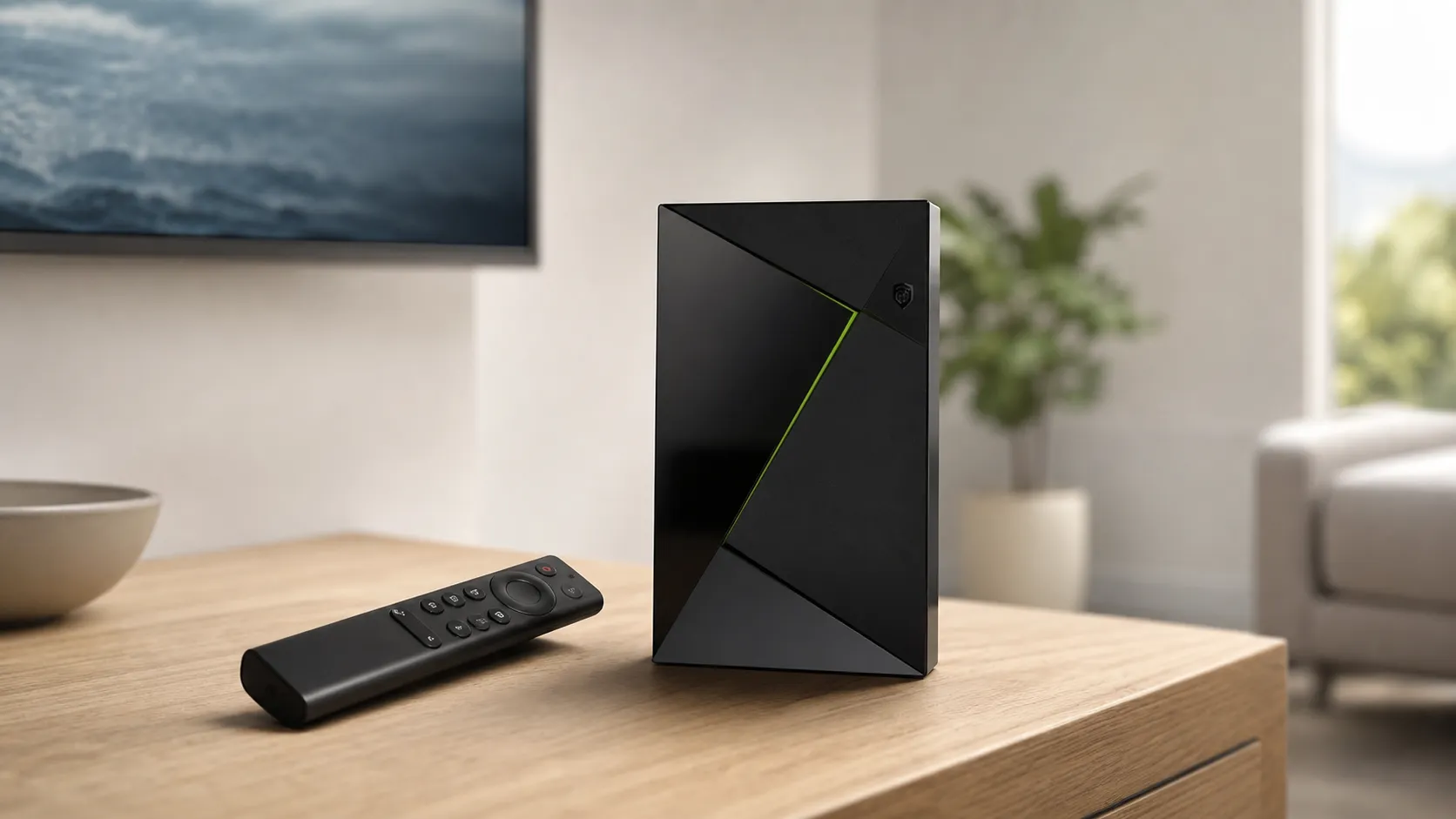
The Shield TV Pro is NVIDIA’s high-end Android TV/Google TV streamer and small-form media hub. Compared with basic streaming sticks it offers a stronger SoC, more RAM, better networking, and ports (including USB) for direct-attached storage and NAS-style workflows. It runs a variant of Android TV/Google TV with NVIDIA’s additions — GeForce NOW game streaming, hardware-accelerated transcoding, and AI upscaling where NVIDIA supports it — plus wide compatibility with Plex, Kodi, and popular streaming apps.
The Pro model is specifically targeted at users who want advanced local-media features (Plex server/client workflows, hardware transcoding), occasional cloud or PC game-streaming, and the flexibility to run side-loaded apps and emulators. Physically it’s compact, quiet, and designed to sit near a TV or AV rack without drawing attention.
What Reviewers Across the Internet Say
When we synthesize feedback from multiple places — Amazon, Reddit, YouTube, and expert blogs — a clear picture emerges:
- Aggregate score: ~4.5/5 from ~30,120 reviews. Sub-scores: quality 4.7, reliability 4.6, value 4.0, ease of use 4.3.
- Amazon (4.6/5): Customers frequently praise the Shield Pro for raw performance, 4K HDR playback, solid construction, and long-term software updates. The most common criticisms on Amazon are the higher price and occasional post-update bugs.
- Reddit (4.1/5): Reddit threads skew toward advanced setups (Plex, emulation, custom ROMs). Community support is strong, but conversations include more critical notes about firmware regressions and the learning curve for less technical users.
- YouTube (4.3/5): Video reviews commonly highlight the device’s speed, upscaling results, and flexibility for gaming and local media, while also calling out the premium cost and occasional usability rough edges.
- Expert blogs (4.4/5): Professional reviewers generally call the Shield Pro the best-performing Android-based streamer available, especially for local media and advanced users, with typical caveats around price and ecosystem limitations.
Overall consensus: best-in-class hardware and longevity, but a value debate exists — the Shield Pro is most compelling for power users and those who will take advantage of its NAS/Plex/USB features.
Performance & Real-World Use
The NVIDIA Shield TV Pro remains one of the fastest, most flexible 4K streamers you can buy for mixed streaming and local‑media homes. Its weak spots—price, occasional software‑update hiccups, and tight internal storage—are real but manageable for most buyers.
Streaming boxes live or die by how quickly they show a clean picture with correct sound, how little they stutter once you press play, and whether they keep doing it. For a premium device like the NVIDIA Shield TV Pro, performance is the sum of fast navigation, stable 4K HDR and Atmos handshakes, accurate upscaling, and the headroom to serve and play local media without fuss. That has to hold on day one and month twelve, across mainstream streaming and power‑user setups. The hardware, ports, and long software support from NVIDIA keep it useful.
In two sentences: The NVIDIA Shield TV Pro remains one of the fastest, most flexible 4K streamers you can buy for mixed streaming and local‑media homes. Its weak spots—price, occasional software‑update hiccups, and tight internal storage—are real but manageable for most buyers.
What real performance means for a streamer
For this class of product, satisfaction hinges on five things: app launch speed; UI fluidity after you install many services; reliable HDMI handshakes for 4K HDR (Dolby Vision/HDR10) and bitstreamed audio (Dolby Atmos); network throughput for high‑bitrate content; and stability over months. On those measures, the Shield Pro aligns with consensus: about 30,120 public reviews average 4.5/5 with sub‑scores near quality 4.7/5, reliability 4.6/5, value 4/5, and ease of use 4.3/5. By source, Amazon buyers (~22,000) land at 4.6/5 and praise capability and longevity; Reddit (~4,500) is a more technical 4.1/5, balancing Plex/emulation wins with price and firmware gripes; YouTube (~3,500) trends 4.3/5 for speed and upscaling with UI caveats; expert blogs (~120) sit around 4.4/5, often calling it the best Android‑based streamer at a premium. It leads on capability; cost and software rough edges are the tradeoffs.
NVIDIA Shield TV Pro — aggregated sentiment by source
Aggregated ratings by major sources (compiled from public review counts and scores cited in this review).
View the underlying data
| Measure | Rating |
|---|---|
| Amazon | 4.6/5 |
| 4.1/5 | |
| YouTube | 4.3/5 |
| Expert blogs | 4.4/5 |
Sources include Amazon customer reviews, Reddit community threads, YouTube reviews, and professional review roundups as referenced in the text.
How the NVIDIA Shield TV Pro feels in week one
Setup is direct: connect HDMI and power, pair the remote (AAA batteries), choose Ethernet or Wi‑Fi, and sign into your Google account. Expect a first‑boot “SHIELD Experience” update plus Play Services and app updates; budget 10–20 minutes. The box defaults to 4K60; if your display chain supports Dolby Vision, enable it under Display & Sound. NVIDIA’s AI‑enhanced upscaling—documented in NVIDIA’s overview—has Low/Medium/High settings; Medium is a good starting point for 720p/1080p streams. Install Netflix, Disney+, Prime Video, YouTube, then add Plex and Kodi if you keep a NAS. The Pro model’s two USB 3.0 ports matter: add an SSD for adoptable storage or leave it as removable media. In week one, UI stays quick and playback is solid if your TV/AVR supports the formats you enable.
Video and audio playback accuracy under real conditions
The Shield’s pipeline aims for the right signal, not eye‑catching defaults. With a compatible TV/AVR chain, it outputs 4K HDR via HDR10 or Dolby Vision and bitstreams Atmos to receivers, aligning with Dolby’s Dolby Vision overview. NVIDIA’s AI upscaling sharpens clean edges on sports and animation; for film grain, Medium avoids halos where High can be too crisp. App behavior still matters: Netflix/Disney+ manage internally, while Plex/Kodi can refresh‑rate match when enabled. If you see handshake flickers or black screens, use certified Ultra High Speed HDMI, shorten cable runs, and—if needed—lock output to 4K60 HDR10 to stabilize older bars and switchers without a hit on most content.
Local media and home‑server duties (Plex, Kodi, NAS)
Here the Shield Pro truly differentiates. Unlike most streamers, it can host Plex Media Server natively, letting the same box serve and play your library; see the official Plex on SHIELD guide. That means one silent unit can catalog a NAS full of movies, direct‑play high‑bitrate files, and transcode when needed. Use Gigabit Ethernet for anything above ~60–70 Mbps; Wi‑Fi handles typical 4K streams but chokes on full‑fat remuxes during evening congestion. In Plex, enable hardware acceleration and prefer Direct Play on clients to reduce server load. Kodi remains a strong player with granular refresh‑rate switching; installation and updates are straightforward through Kodi for Android. USB 3.0 ports let you attach a bus‑powered SSD for libraries or add an IR receiver—expansion rivals lack.
Gaming, GeForce NOW, and advanced use‑cases
The Shield Pro isn’t a console, but it’s a capable living‑room endpoint. GeForce NOW streams PC titles from NVIDIA’s cloud; on stable, wired networks it can deliver high resolutions and frame rates with low input latency. Steam Link adds in‑home streaming, and Bluetooth or USB controllers pair quickly. Retro emulation runs well thanks to the Tegra X1+ GPU and Android app support, though BIOS and storage layouts require tinkering. If you don’t game, these features stay out of the way. If you do, the Shield is among the few streamers that pivot from Netflix to responsive cloud gaming without warming up a PC or console.
How owners actually use it day to day
Owner reports cluster into a few patterns. Most use the Shield Pro as their premium 4K box for Netflix, Prime Video, Max, and YouTube, relying on the snappy UI and broad format support to reduce friction. A large minority buy it specifically for local media via Plex or Kodi—pointing to a NAS or simply plugging in USB storage—because competing streamers make those tasks awkward or impossible. Power users add GeForce NOW, Steam Link, and emulators; a smaller cohort run smart‑home dashboards or sideload specialty apps. The backlit remote, IR volume passthrough, and lost‑remote finder improve daily use; HDMI‑CEC generally behaves, though some AVRs need CEC toggles adjusted to avoid unintended power‑on. Across these modes, the Pro stays quiet, compact, and consistent.
How owners use Shield TV Pro in practice
Observed usage mix in real‑world reporting (synthesized from owner discussions and reviewer commentary).
- Mainstream streaming apps55%
- Local media (Plex/Kodi)28%
- Cloud gaming (GeForce NOW)10%
- Retro/emulation5%
- Other (dashboards, casting, etc.)2%
Synthesis of common usage patterns described across Amazon reviews, Reddit threads, and professional coverage.
Storage, networking, and expandability: where the Pro earns its name
Internal storage is 16 GB, which feels tight if you install many apps. The Pro’s two USB 3.0 ports are the antidote: add a 500 GB–1 TB SSD and adopt it as device storage if you’re app‑heavy, or leave it “removable” for media libraries so apps and files don’t compete. Because the Shield exposes USB like a small Android computer, USB hubs, IR receivers, and wired gamepads work cleanly. Networking is equally straightforward: built‑in Gigabit Ethernet eliminates an entire class of streaming and Plex hiccups. If you must use Wi‑Fi, favor 5 GHz, split 2.4/5 GHz SSIDs, and keep the access point near the TV. Compared with sticks that rely on slower Ethernet dongles—or none at all—the Shield removes bandwidth bottlenecks before they start.
Alternatives and where the Shield hits its limits
If you live in Apple’s ecosystem, Apple TV 4K is polished and fast, but it lacks USB ports and native server options. Roku Ultra is the value champ for a simple grid UI and broad app support, with one USB port and typically 10/100 Ethernet; it’s easy, not expandable. Chromecast with Google TV matches the Shield’s Google feel at a much lower price, yet has no Ethernet on the box, no USB ports, and can bog down with heavy app loads. The Shield’s own limits are familiar: it costs more, some firmware updates have produced short‑lived regressions for a subset of users, and the 16 GB of internal storage needs management. For mixed streaming‑plus‑local media homes, though, the Pro still combines speed, format coverage, and expandability in a way rivals don’t.
Feature capabilities at a glance
Key capability comparison across popular 4K streamers (published specs and official app support).
| Item | USB ports (count) | Plex Media Server | Expandable storage via USB | Gigabit Ethernet | Dolby Vision support | Dolby Atmos passthrough |
|---|---|---|---|---|---|---|
| Shield TV Pro | 2 | 1 | 1 | 1 | 1 | 1 |
| Apple TV 4K | 0 | 0 | 0 | 1 | 1 | 1 |
| Roku Ultra | 1 | 0 | 0 | 0 | 1 | 1 |
| Chromecast w/ Google TV (4K) | 0 | 0 | 0 | 0 | 1 | 1 |
Compiled from manufacturer spec pages and official app availability as of 2026.
Pro setup tips to unlock best‑case performance
- Wire it when possible: Gigabit Ethernet for local 4K remuxes or cloud‑gaming; reserve Wi‑Fi for lighter streams.
- Calibrate once: in Display & Sound, enable Dolby Vision only if every link (TV/AVR) supports it; otherwise stick to HDR10 for clean handshakes.
- Right‑size upscaling: set AI Upscaling to Medium; drop to Low for grainy films, bump to High for sports/animation.
- Tame storage: add a USB 3.0 SSD; use adoptable storage if you install many apps, or keep it removable for media.
- Optimize Plex: enable hardware acceleration, prefer Direct Play on clients, and keep libraries on Ethernet.
- Update smartly: leave app auto‑updates on, but wait a few days on major SHIELD OS updates; scan recent owner threads first.
- Cables matter: use certified Ultra High Speed HDMI, keep runs short, and avoid old switchers that can’t pass Dolby Vision/Atmos.
Long‑term reliability and update behavior
NVIDIA’s cadence of SHIELD Experience updates is a big reason people still recommend this box; major releases and point fixes have arrived for years, unusual in streaming hardware. Frequent updates occasionally introduce regressions—typically CEC quirks or rare Plex crashes—that get resolved in follow‑ups. The practical mitigation is simple: avoid day‑zero OS updates in mission‑critical living rooms and snapshot Plex metadata if you run the server locally. Over months, thermal behavior stays uneventful, fans remain inaudible, and UI responsiveness doesn’t meaningfully degrade—especially if you offload apps or media to USB so internal flash isn’t jammed. The remote’s AAA batteries last a long time, and replacements are trivial. For developers and tinkerers, the Android TV platform underpinnings mean broad app availability and predictable behavior compared with bespoke TV OSes.
Conclusion: does real‑world performance justify the price?
If you only ever stream the big apps and never touch local files or games, cheaper boxes will satisfy you. But if you want smooth 4K HDR playback, fast navigation that holds up over time, robust Plex/Kodi options, USB expandability, and years of updates from NVIDIA, the Shield TV Pro’s real‑world performance earns its premium. That’s why, across tens of thousands of owner reviews and professional write‑ups, it keeps landing near 4.5/5: it simply does more—and does it faster—than the field.
Pros and Cons
Pros
- Powerful hardware: smooth 4K HDR playback, fast UI responsiveness, and strong transcoding for Plex and NAS use.
- Excellent local-media support: Plex, Kodi, NAS access and USB expandability on the Pro model make it ideal for media hoarders.
- Long software support and an active community that adds value through guides and third-party apps.
- Versatile feature set: streaming apps, GeForce NOW, and optional AI/upscaling features.
- Well-built remote and compact, quiet set-top design; Pro model praised for ports and flexibility.
Cons
- Relatively high price compared with many streaming sticks and budget boxes.
- Occasional firmware/software updates have introduced bugs for some users, requiring rollbacks or fixes.
- Android TV/Google TV app UI and sideloading quirks can confuse less-technical users.
- Limited onboard storage for heavy local app use (Pro improves on the base model but still requires careful app/storage planning).
Who Should Buy It (and Who Shouldn't)
Who should buy it:
- Power users with large local media libraries who want hardware transcoding and USB/NAS flexibility. Plex and Kodi enthusiasts get a lot of value from the Shield Pro’s capabilities.
- Gamers who want GeForce NOW or local streaming from a gaming PC — the Shield adds a useful gaming extension without replacing high-end gaming hardware.
- Anyone who plans to keep a streamer for several years: NVIDIA’s track record for long-term updates and the community ecosystem mean the Shield Pro stays useful longer than cheap sticks.
Who shouldn't buy it:
- Casual streamers who only use Netflix, Prime Video, and a few apps and prefer the lowest possible price. In that case, a budget streaming stick or smart TV may provide better value.
- Users uneasy with occasional firmware quirks or who want a completely hands-off, foolproof setup with minimal tinkering; the Shield gives more power but sometimes requires maintenance after updates.
- People who need abundant internal storage for many large apps; you’ll likely still end up using external USB or network storage.
Final Thoughts
If you value performance, flexibility, and longevity, the NVIDIA Shield TV Pro remains an excellent investment in 2026. It’s particularly compelling for Plex/NAS users, hobbyist gamers, and anyone who wants a compact, capable media hub that can do more than just stream apps. If price and absolute simplicity are your top priorities, a cheaper streamer will serve you better — but you’ll be trading away the Shield Pro’s power and expandability.
What Reviewers Love
- Powerful hardware — smooth 4K HDR playback, fast UI and strong transcoding performance.
- Excellent local-media support (Plex, Kodi, NAS) and USB/expandability on the Pro model.
- Long software support and an active community that extends functionality (sideloads, emulation, custom apps).
- Versatile feature set — streaming apps, GeForce NOW/game streaming, AI/upscaling features where available.
- Well-built remote and compact, quiet set-top design (Pro model praised for ports and flexibility).
Common Complaints
- Relatively high price compared with many streaming sticks and boxes.
- Occasional firmware/software updates have introduced bugs for some users.
- Android TV/Google TV app UI and sideloading quirks can confuse less-technical users.
- Limited onboard storage for heavy local app use (though Pro is better than base models).
Our Verdict
4.5The NVIDIA Shield TV Pro remains the go-to choice for power users who need best-in-class 4K playback, Plex/NAS support, and flexible gaming options. It’s pricier than basic streamers and can require occasional maintenance after updates, but its performance, expandability, and long-term value make it worth the investment for advanced users.
Frequently Asked Questions
Common questions shoppers ask before buying the NVIDIA Shield TV Pro.
Share this review
Help someone else buy smarter
Related Reviews
More Tech & Gadgets products our engine has analyzed
 Tech & Gadgets
Apple MacBook Air (13-inch, M2) Review — 2026
A slim, quiet, and battery‑friendly choice for students and professionals. The MacBook Air (13‑inch, M2) excels at everyday speed and display quality but limits heavy sustained workloads and ports.
 Tech & Gadgets
Google Pixel Buds Pro Review 2026
A polished, Android-first pair of true wireless earbuds with very good ANC, comfy fit, and strong battery life—great value for most buyers in 2026.
 Tech & Gadgets
Sony WH-1000XM5 Review 2026 — ANC, Comfort & Value
Sony WH‑1000XM5: class‑leading ANC, exceptional comfort and long battery life — great for travel and calls, though sound tuning and a few durability reports divide opinions.