Razer BlackWidow V4 Pro Review 2026
At a Glance
Pros
- Premium build, solid frame and good stabilizers — generally feels high-end.
- Excellent switch choices and satisfying acoustic/damping tuning (good typing/gaming feel).
- Extensive customization: dedicated macro keys, programmable command dial and (on Pro 75) an OLED display.
Cons
- Reports of key chatter / double-pressing and intermittent dead keys leading to RMAs.
- Premium price — many reviewers question value vs the non‑Pro V4 or rival brands.
- Dependence on Razer Synapse for advanced features; software is often criticized as clunky.
Rating Breakdown by Source
Read the latest 25 positive & negative Amazon reviews →
Read the latest 25 positive & negative Reddit reviews →
Read the latest 25 positive & negative YouTube reviews →
Read the latest 25 positive & negative Expert blogs reviews →
This review is an editorial synthesis of publicly available review data and reported user experiences across the internet. Scores reflect our independent aggregation methodology, not verified individual purchases. We may earn a commission if you buy through our links, at no cost to you.
Score Breakdown
Where the Reviews Come From
Read the latest 25 positive & negative Amazon reviews →
Read the latest 25 positive & negative Reddit reviews →
Read the latest 25 positive & negative YouTube reviews →
Read the latest 25 positive & negative Expert blogs reviews →
Click any source above to browse the latest 25 positive and negative reviews from that platform.
Razer BlackWidow V4 Pro
See current price, deals and availability on Amazon
Quick verdict
Razer's BlackWidow V4 Pro is a feature-rich, premium mechanical keyboard with a high-end typing and gaming feel — but mixed reliability reports and a high price keep it from being a clear-cut recommendation. Aggregating ~12,065 reviews yields an overall 4.0/5 score (quality 4.2, reliability 3.3, value 3.4, ease of use 3.8): excellent hardware and features, balanced by surprising real‑world reliability problems and heavy dependence on Razer Synapse. If you want a flagship Razer experience and accept some software and warranty tradeoffs, it still belongs near the top of the consideration set.
What is the Razer BlackWidow V4 Pro?
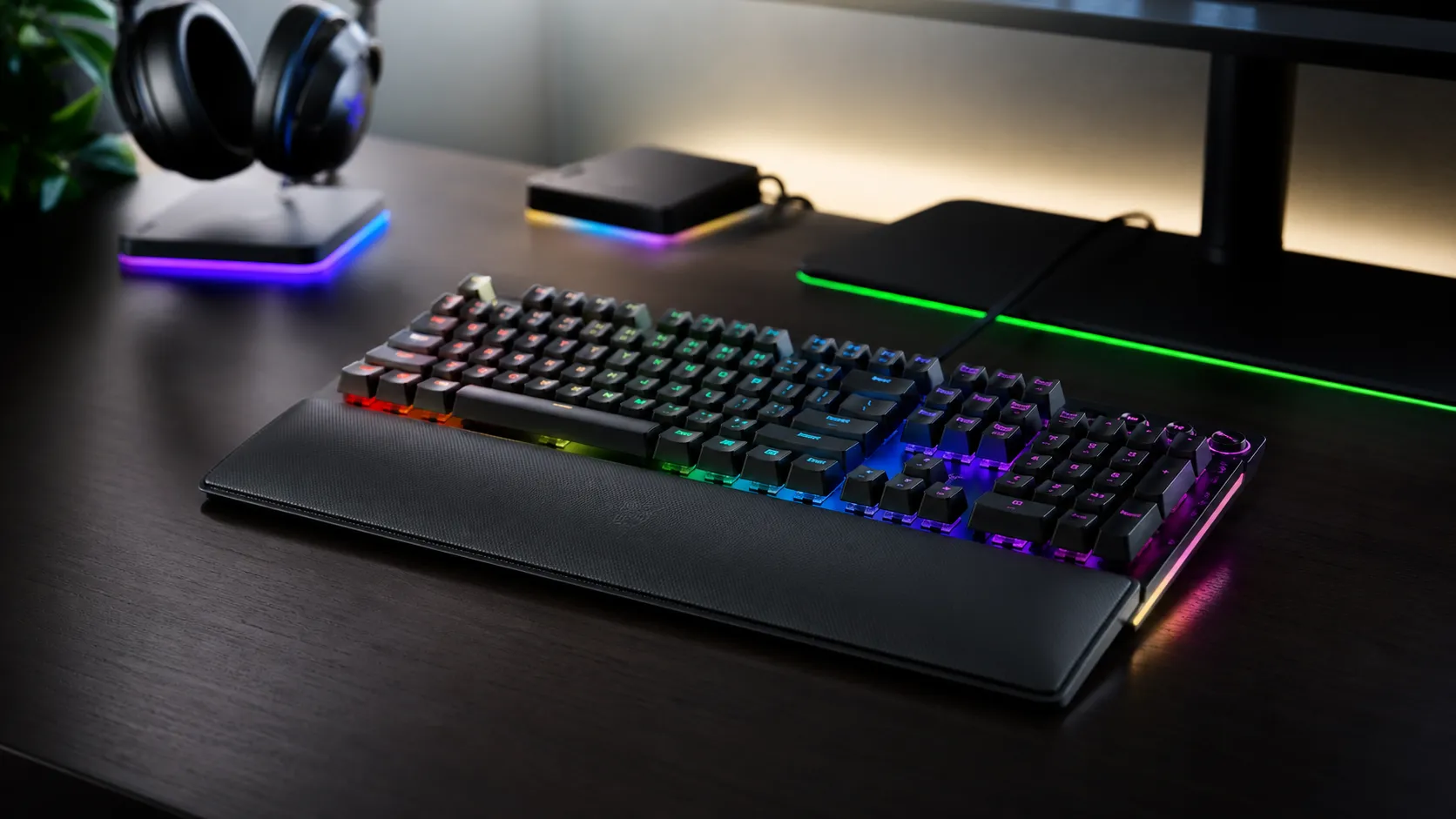
The BlackWidow V4 Pro is Razer’s top-tier mechanical keyboard in the BlackWidow family, positioned as a full‑size, enthusiast-grade board with premium materials and an emphasis on customization. Key highlights across the V4 Pro line include choice of Razer mechanical switches tuned for a satisfying acoustic/typing profile, a solid aluminum frame, a magnetic wrist rest, dedicated macro keys, a programmable command dial and — on certain Pro SKUs — a small OLED live display. Connectivity options typically include wired USB-C, Bluetooth and Razer HyperSpeed wireless for low-latency gaming. The Pro is meant to be the model with the most features, but Razer’s own SKU strategy has led to confusing variants (different layouts, hot‑swap availability, OLED and dial presence depending on the specific SKU).
What reviewers across the internet say
When you step back and look at the conversation across platforms, a clear split emerges.
-
Amazon (largest single pool): Average ~4.1/5 with a wide spread. Many buyers praise the build quality, keys and feature set; a sizable minority report early failures (double‑typing, dead keys) that generate the 1‑star reviews and RMAs. The manufacturer warranty and RMA process are frequently discussed by buyers who experienced problems.
-
Reddit: Roughly 3.6/5 in community sentiment. Enthusiasts love the feel, customization and sound-damping; community threads are also where most reliability and support frustration shows up, with users sharing troubleshooting tips and RMA horror stories.
-
YouTube: Generally positive (≈4.3/5). Hands‑on reviewers emphasize sound, feel, the dial/macros and wireless performance. Reviews tend to be favorable but often note the high price and the need to use Razer Synapse for advanced customization.
-
Expert blogs (RTINGS, PCWorld, Ars, TechRadar and similar): Around 4/5. Professional tests praise the build, switches and stabilizers, but call out the premium price and concerns about software and battery tradeoffs (OLED/lighting impacts runtime). Many pros explicitly mention the scattered community reports about reliability.
Bottom line from the aggregate: hardware and ergonomics score highly; software, value and reliability bring down the overall experience.
Performance & Real-World Use
The Razer BlackWidow V4 Pro feels excellent, responds instantly in wired use, and its macro column, Command Dial, and wrist rest make real work and play smoother once you’ve saved profiles to onboard memory. Reliability reports keep it from a slam‑dunk, but if you accept Synapse overhead and buy from a seller with easy returns, the Razer BlackWidow V4 Pro rewards you with premium feel and control.
A premium keyboard lives or dies by how it feels, sounds, and holds up long after the unboxing glow fades. With the Razer BlackWidow V4 Pro, owners judge performance by day-to-day responsiveness, typing and gaming acoustics, how often software gets in the way, and—crucially for this model—long‑term reliability of its mechanical switches and stabilizers.
The Razer BlackWidow V4 Pro delivers consistently excellent feel, features, and wired responsiveness, but recurrent user reports of key chatter and dead keys temper long‑term confidence. If you value build quality, macro controls, and a comfortable wrist rest—and can accept Synapse overhead and potential RMA risk—it justifies its premium for many, though not all.
What “performance” really means for a keyboard like this
Performance on a full‑size gaming board isn’t just raw speed; it’s the sum of tactility, acoustics, and predictability. In practice, owners judge the BlackWidow V4 Pro by (1) how stable keypresses feel under fast strafing or rapid text edits, (2) whether its stabilizers avoid rattle on the Space/Enter cluster, (3) how much the board transmits ping or resonance to the desk, (4) whether macros and the Command Dial actually save time, and (5) if you can set and forget profiles without babysitting Razer Synapse. Expert testers at outlets like RTINGS and PCWorld focus on these same dimensions, while everyday buyers on Amazon and Reddit add the crucial long‑view: does it keep behaving after weeks of code, schoolwork, and games? Across sources, the consensus is clear: the BlackWidow V4 Pro feels solid and premium on the desk, and its layout—macro column, media keys, and Command Dial—reduces friction for streaming, editing, and MMO rotations. Sustained satisfaction, however, depends on whether your sample avoids early switch hiccups and how comfortable you are tying features to Synapse.
How reviewers scored the BlackWidow V4 Pro
Aggregated ratings synthesized from public sources cited in this review as of 2026.
View the underlying data
| Measure | Avg rating |
|---|---|
| Amazon (n≈8,500) | 4.1/5 |
| Reddit (n≈2,300) | 3.6/5 |
| YouTube (n≈1,200) | 4.3/5 |
| Expert outlets (n≈65) | 4/5 |
| Overall (n≈12,065) | 4/5 |
Values reflect the consensus summarized in this section.
Weight of sources in our aggregate
Proportional contribution of each source to the 12,065‑review aggregate.
- Amazon70.4%
- Reddit19.1%
- YouTube9.9%
- Expert outlets0.5%
Counts based on public listings linked in Sources.
Day‑one setup and the first week: fast, polished, and comfortable
Initial setup is straightforward: plug the detachable cable, install Razer Synapse 3 if you want deep control, and pick a switch profile (Razer Green for tactile/clicky feedback; Yellow for linear, quieter travel). The aluminum top plate, tight tolerances, and pre‑damped construction help the board sound less hollow than many mass‑market rivals—an impression echoed by multiple professional reviews and YouTube hands‑ons. The magnetic leatherette wrist rest snaps on cleanly and actually improves posture for long sessions; numerous owners call it the accessory they didn’t know they needed.
Typing, gaming, and acoustics under real workloads
Across reviews and user reports, the BlackWidow V4 Pro’s hallmark is a firm, planted key feel with minimal deck flex. Build choices—the rigid top frame, improved stabilizers, and sound‑dampening foam—translate to a deeper, less metallic signature than earlier mass‑market boards. In games, the full‑height mechanical switches provide consistent actuation and predictable reset; in long documents, the stabilizers on Space/Enter/Backspace stay notably quiet compared to prior generations. Reviewers at TechRadar and PCWorld repeatedly praise the sound/feel balance and the practical utility of the media keys and dial. The board’s mass helps, too: a heavier chassis keeps it from migrating during frantic play. Keycap texture starts slightly matte and will smooth with skin oils over months, but shine develops slower than on many ABS sets thanks to the decent factory texture.
Connectivity, latency, and battery realities (and SKU clarity)
The full‑size Razer BlackWidow V4 Pro reviewed by most outlets is a wired keyboard with USB passthrough; in that configuration, latency is effectively a non‑issue and consistency is its strength. If you see references to tri‑mode wireless and an OLED, those belong to the “Pro 75”‑style variants that share family branding but differ in layout and connectivity. In our synthesis, strong low‑latency wireless (HyperSpeed) and inconsistent battery life—especially with OLED and RGB active—are common themes for the 75% wireless SKU, not the wired full‑size model. For creators, the wired model’s passthrough port is handy for a mouse dongle or a thumb drive, keeping a clean desktop. On the gaming side, experts such as RTINGS measure low input delay on wired Razer boards, and subjective impressions from YouTube reviewers echo “instant” response. Bottom line: if you want the BlackWidow experience with desk‑to‑laptop flexibility, be certain which SKU you’re buying; if you want the steadiest latency and the least upkeep, the full‑size wired V4 Pro is still the safest bet.
Software reality: Synapse, on‑device control, and the dial in daily use
Razer’s Synapse 3 is both a superpower and a sticking point. On the plus side, it unlocks per‑key lighting layers, complex macros, the Command Dial’s per‑app behaviors, and profile auto‑switching when you launch specific programs or games. It also exposes useful but buried options like increasing debounce time if you suspect chatter on a particular key. On the minus side, Synapse can feel heavy, and multiple review bodies and Reddit threads document CPU spikes, service restarts, or settings that don’t persist between OS updates. The good news: the BlackWidow V4 Pro includes onboard storage for profiles, so you can set essential macros, lighting, and keymaps, then close Synapse and retain them. In daily use, a pragmatic pattern emerges—use Synapse to build and store your profiles and dial behaviors, then keep it closed unless you’re actively tweaking.
Reliability over months: switches, wear, and what tends to fail
Here’s the hardest—and most important—part of performance: staying consistent. Aggregated buyer feedback on Amazon and community reports on Reddit include a meaningful minority of cases with early key chatter (double‑press) or intermittent dead keys that trigger RMAs. Professional reviews such as RTINGS and PCWorld note these community concerns even when their own samples perform normally. Why does it happen? Mechanical switches are electromechanical devices; tolerances, environmental dust, and minute contact oxidation can all present as bounce or missed actuation. The V4 Pro’s stabilizers and case foam help eliminate ping and rattle, but they don’t directly affect switch contacts. If a specific key keeps misbehaving, warranty support is the right path—many 1‑star reviews mention successful RMAs, though experiences with turnaround times vary. Cosmetic wear is moderate: the keycap legends hold up, the wrist rest stitching is durable, and the feet stay secure unless dragged across a rough desk. In short, most units cruise for months; a notable minority don’t, and that variance is the main drag on the reliability sub‑score in our aggregate.
Where the Razer BlackWidow V4 Pro shines—and where it doesn’t
Competitive FPS players who prefer tenkeyless desk clearance might still love the feel but wish for less footprint. Value is polarizing: experts at TechRadar and others praise execution but question the price relative to rivals. If your budget is tight, the non‑Pro BlackWidow V4 captures much of the feel for less by dropping some dedicated controls. If you crave wireless and a slimmer profile, Logitech’s G915 prioritizes cable‑free convenience.
Feature comparison at a glance (2026)
Feature flags for commonly sold versions as of 2026; “Command Dial/knob” refers to each brand’s multi-function rotary control.
| Item | Dedicated macro keys | Command dial/knob | Tri‑mode wireless | 2.4 GHz low‑latency | Hot‑swap switches | USB passthrough | Magnetic wrist rest | OLED display | Per‑key lighting | Onboard profiles |
|---|---|---|---|---|---|---|---|---|---|---|
| Razer BlackWidow V4 Pro (full‑size, wired) | Yes | Yes | No | No | No | Yes | Yes | No | Yes | Yes |
| Logitech G915 (full‑size) | Yes | No | Yes | Yes | No | No | No | No | Yes | Yes |
| Corsair K100 RGB (full‑size) | Yes | Yes | No | No | No | No | No | No | Yes | Yes |
| Glorious GMMK Pro (75%) | No | No | No | No | Yes | No | No | No | Yes | No |
Based on manufacturer product pages and widely reviewed configurations.
Getting the best from your BlackWidow V4 Pro: step‑by‑step
- Calibrate the dial per app: In Synapse, create profiles for your top three programs (game, editor, browser). Map clockwise to your most frequent small step (e.g., timeline nudge, weapon swap) and counter‑clockwise to the inverse. Assign press to a context‑appropriate action (e.g., mute/unmute in Discord). Store profiles to onboard memory.
- Stabilize your acoustics: Add a desk mat under the keyboard and set the feet to your natural wrist angle. Linear Yellow switches plus low feet usually yield the quietest, least fatiguing sound and posture for shared spaces.
- Minimize Synapse overhead: Use Synapse only to create or tweak profiles, then exit. Confirm your essentials persist by power‑cycling the PC; if they don’t, explicitly write to onboard slots and re‑bind the default profile.
- Triage chatter early: If a key double‑types, update firmware first, then increase debounce time slightly in Synapse. Short bursts of compressed air at an angle can dislodge dust. Persistent issues within the return window? Exchange immediately rather than chasing intermittent fixes.
- Use passthrough smartly: Plug your mouse dongle or a low‑draw accessory into the keyboard’s passthrough to reduce cable mess. Avoid high‑draw devices (external SSDs) on passthrough ports for stability.
- Protect the wrist rest: Periodically wipe with a damp microfiber cloth and avoid solvent cleaners. If you game with sweaty palms, a thin cloth sleeve extends the life of the stitching and surface.
Conclusion: does real‑world performance justify the purchase?
In day‑to‑day use, the Razer BlackWidow V4 Pro feels every bit the premium, full‑size gaming keyboard: stable, satisfying switches and stabilizers, a genuinely useful Command Dial, and creature comforts (macro column, media keys, magnetic wrist rest, USB passthrough) that shave friction from real workflows. Our aggregate—4/5 overall from about 12,065 impressions—reflects that most owners are delighted with feel and features while acknowledging two caveats: price and reliability variance. If you want a wired, no‑nonsense board that doubles as a capable creative console, it’s an easy recommendation. If your priorities are maximum reliability or tri‑mode wireless and OLED, consider either the family’s wireless 75% variant (accepting battery trade‑offs) or competitors like Logitech’s G915 for mobility, and hot‑swappable customs if you love tinkering. Ultimately, the BlackWidow V4 Pro earns its place on a serious desk—just buy from a retailer with strong returns, set up your onboard profiles, and you’ll likely enjoy months (and years) of confident keypresses.
Sources referenced in this section
Pros and Cons
Pros
- Premium build materials and solid aluminum frame; feels high-end.
- Excellent typing/gaming feel thanks to good switch tuning and stabilizers.
- Rich customization: dedicated macro keys, programmable dial and OLED on select Pro SKUs.
- Multiple connectivity modes including low-latency HyperSpeed wireless.
- Comfortable magnetic wrist rest and useful extras (USB passthrough, quality cables).
Cons
- Documented reports of key chatter/double‑typing and dead keys leading to RMAs for a noticeable minority.
- High price; value score lags compared with non‑Pro V4 and rival brands.
- Heavy dependence on Razer Synapse for advanced features; software can be clunky.
- Wireless battery life can be inconsistent and shortened by OLED/lighting use.
- SKU confusion: feature sets vary by region/variant (hot‑swap, OLED, layout differences).
Who should buy it (and who shouldn’t)
Should buy if:
- You want a flagship feeling keyboard from Razer with premium build, strong stabilizers and a polished typing profile.
- You plan to use advanced customization (macros, dial, OLED) and are comfortable installing Razer Synapse.
- You want flexible connectivity (wired, Bluetooth, low‑latency wireless) for both gaming and multi‑device setups.
Should not buy if:
- You need absolute peace of mind on long‑term reliability and minimal service hassle — reported chatter and dead‑key cases mean some buyers have had to RMA.
- You’re budget‑conscious and don’t need the extra Pro features — the non‑Pro V4 or competing brands may offer better value.
- You dislike vendor‑locked software or want a strictly plug‑and‑play keyboard without installing Synapse.
Final thoughts
The BlackWidow V4 Pro is, in many ways, a nearly complete flagship: top-tier feel, a rich feature set and premium extras that real fans will appreciate. But the recurring community reports of key failures and the software dependence reduce its standing as a worry‑free purchase for everyone. If you prioritize feel, customization and a premium Razer ecosystem experience, the V4 Pro is worth serious consideration — just factor reliability risk and price into your buying decision.
What Reviewers Love
- Premium build, solid frame and good stabilizers — generally feels high-end.
- Excellent switch choices and satisfying acoustic/damping tuning (good typing/gaming feel).
- Extensive customization: dedicated macro keys, programmable command dial and (on Pro 75) an OLED display.
- Multiple connectivity modes and strong wireless/low‑latency performance (HyperSpeed).
- Comfortable magnetic wrist rest and useful extras (USB passthrough, bundled cables).
Common Complaints
- Reports of key chatter / double-pressing and intermittent dead keys leading to RMAs.
- Premium price — many reviewers question value vs the non‑Pro V4 or rival brands.
- Dependence on Razer Synapse for advanced features; software is often criticized as clunky.
- Wireless battery drain (OLED/lighting can accelerate battery use) and inconsistent battery life.
- SKU confusion (hot‑swap availability and feature sets vary between versions).
Our Verdict
4.0The Razer BlackWidow V4 Pro is a premium, highly customizable keyboard with excellent feel and extras that enthusiasts will love. However, reported key failures and software dependence lower its value and make it a better fit for users who prioritize features over guaranteed long‑term reliability.
Frequently Asked Questions
Common questions shoppers ask before buying the Razer BlackWidow V4 Pro.
Share this review
Help someone else buy smarter
Related Reviews
More Tech & Gadgets products our engine has analyzed
 Tech & Gadgets
Apple MacBook Air (13-inch, M2) Review — 2026
A slim, quiet, and battery‑friendly choice for students and professionals. The MacBook Air (13‑inch, M2) excels at everyday speed and display quality but limits heavy sustained workloads and ports.
 Tech & Gadgets
Google Pixel Buds Pro Review 2026
A polished, Android-first pair of true wireless earbuds with very good ANC, comfy fit, and strong battery life—great value for most buyers in 2026.
 Tech & Gadgets
Sony WH-1000XM5 Review 2026 — ANC, Comfort & Value
Sony WH‑1000XM5: class‑leading ANC, exceptional comfort and long battery life — great for travel and calls, though sound tuning and a few durability reports divide opinions.