Roku Ultra Review 2026: Premium 4K Streaming
At a Glance
Pros
- Very user-friendly Roku OS with quick access to a large channel/app library.
- Strong 4K/HDR performance and reliable streaming for most services.
- Premium remote features (voice search, private listening) that reviewers frequently praise.
Cons
- Interface shows promoted content/ads and can feel cluttered to some users.
- Higher-priced than Roku’s basic players — some buyers prefer cheaper alternatives for similar streaming needs.
- Occasional remote-pairing or battery-life complaints and rare firmware-caused glitches.
Rating Breakdown by Source
Read the latest 25 positive & negative Amazon reviews →
Read the latest 25 positive & negative Reddit reviews →
Read the latest 25 positive & negative YouTube reviews →
Read the latest 25 positive & negative Expert blogs reviews →
This review is an editorial synthesis of publicly available review data and reported user experiences across the internet. Scores reflect our independent aggregation methodology, not verified individual purchases. We may earn a commission if you buy through our links, at no cost to you.
Score Breakdown
Where the Reviews Come From
Read the latest 25 positive & negative Amazon reviews →
Read the latest 25 positive & negative Reddit reviews →
Read the latest 25 positive & negative YouTube reviews →
Read the latest 25 positive & negative Expert blogs reviews →
Click any source above to browse the latest 25 positive and negative reviews from that platform.
Roku Ultra
See current price, deals and availability on Amazon
Quick verdict
Roku Ultra is the company’s polished, premium streaming player: fast, reliable for 4K/HDR playback, and centered on a very well-regarded remote experience. Aggregated across thousands of user and expert reviews, it earns an overall score of about 4.4/5 — strong on ease of use and performance, slightly docked for price and occasional interface/promoted-content friction.
What is the Roku Ultra?
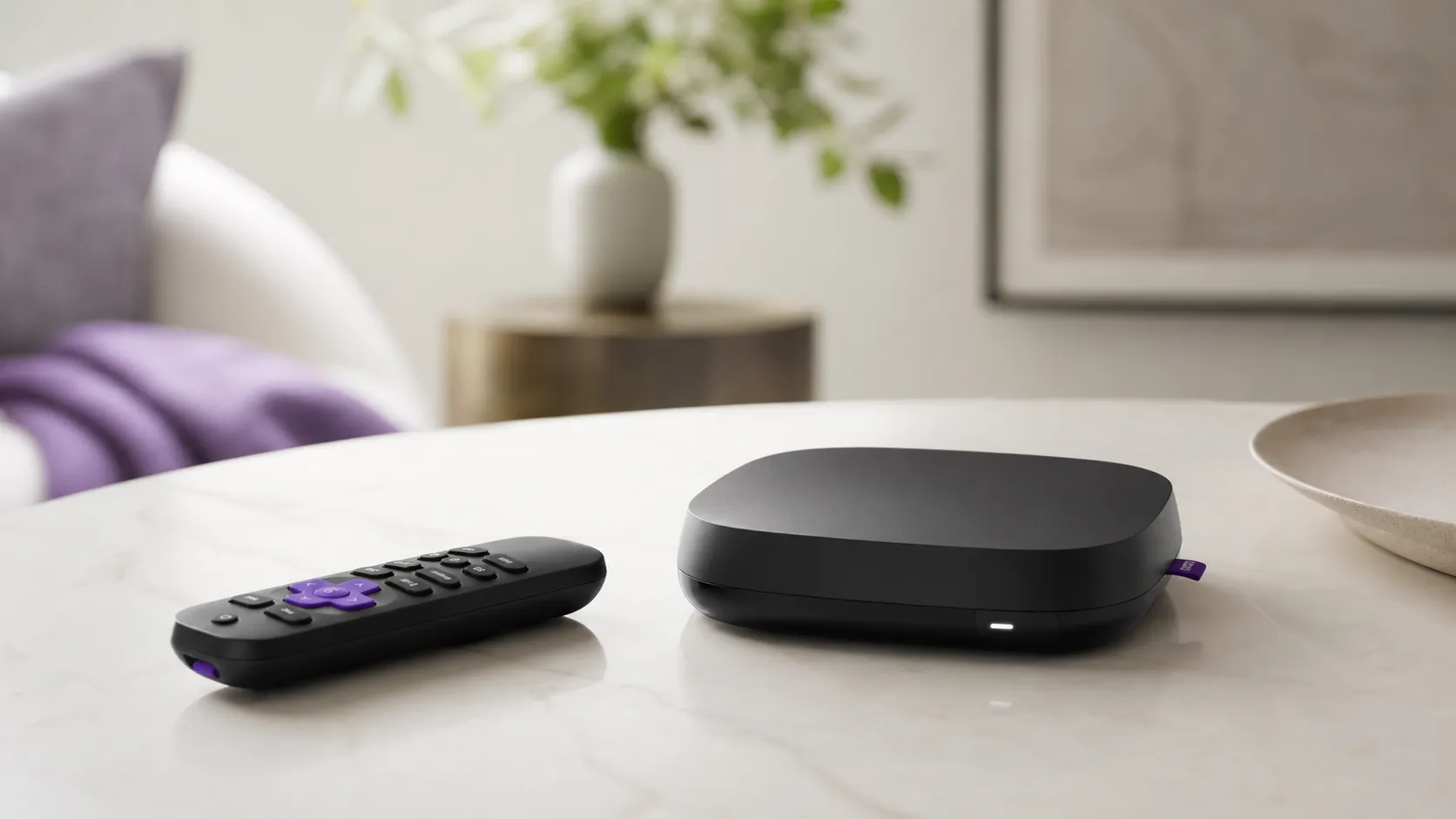
The Roku Ultra is Roku’s flagship set-top streamer aimed at users who want a more robust, feature-rich streaming box than a simple stick. It targets 4K/HDR playback, offers a premium remote with voice search and private listening features, and includes connectivity options that often go beyond basic models (wired Ethernet and an expansion/USB port are commonly part of the package). The Ultra runs Roku OS, the same app ecosystem and UI that most Roku devices use, but with a focus on faster performance, extra ports, and the higher-end remote that many reviewers single out as a defining upgrade.
Summary of aggregated scores
- Overall: 4.4/5 (≈54,700 reviews)
- Quality: 4.4/5
- Reliability: 4.2/5
- Value: 4.1/5
- Ease of use: 4.6/5
Those numbers represent an aggregate snapshot from major review channels (Amazon, Reddit, YouTube, and tech blogs). The headline takeaway: most people find the Ultra fast and simple to use, and many consider the remote and additional connectivity worth the price premium — though some buyers prefer cheaper Roku alternatives if they don’t need the extras.
What reviewers across the internet say
Across platforms there’s a consistent story with a few predictable variations:
-
Amazon shoppers: Overall positive (approx. 4.5/5). Buyers praise the snappy Roku OS, consistent 4K streaming, and the “premium” remote functionality. The main negatives are the higher price compared with Roku’s stick models and some frustration about promoted content inside the UI.
-
Reddit: A more mixed-but-candid feed. Many users enthusiastically recommend the Ultra for performance and remote quality, while other threads focus on troubleshooting (remote pairing, firmware rollbacks) and the increasing presence of promoted content. Redditors often talk trade-offs — get the Ultra if you want the extras, or save money with a lower-tier model if you don’t.
-
YouTube reviewers: Generally positive (≈4.2/5). Video reviews tend to test real-world performance and comparisons; the Ultra regularly scores highly for boot times, reliable 4K/HDR playback, and the private-listening remote. On-camera comparisons typically put the Ultra near the top of mainstream streamers, with critiques centered on UI clutter and competition from other high-end players.
-
Expert blogs and tech sites: Positive and pragmatic (≈4.3/5). Most experts call the Ultra a polished premium streamer that hits the right balance of price and performance. They recognize stiff competition at higher price points but recommend the Ultra especially for users invested in Roku’s ecosystem.
Across these sources the dominant themes are: excellent user experience, a standout remote, solid streaming performance — and recurring user friction over paid/promoted content and occasional software or remote quirks.
Performance & Real-World Use
Roku Ultra delivers consistently snappy, reliable 4K/HDR playback with a best‑in‑class remote and flexible connectivity, matching what most owners expect from a premium box. If you can live with Roku’s content promotions on the home screen and you don’t need Apple‑ecosystem extras or hands‑free mics in the box, its real‑world performance justifies the price.
A premium 4K streamer should be invisible in use: wake fast, launch the show you want without stutter, lock to your TV’s HDR format, and hand you a remote you’re happy to use nightly. Across public owner reviews and expert coverage, the Roku Ultra delivers that experience in day‑to‑day streaming, with quick setup, confident 4K HDR playback with Dolby Atmos on major apps, and a rechargeable Voice Remote Pro that stands out; the trade‑offs are Roku’s content‑promoted home screen and occasional reports of remote pairing or firmware quirks.
Summary: Roku Ultra delivers consistently snappy, reliable 4K/HDR playback with a best‑in‑class remote and flexible connectivity, matching what most owners expect from a premium box.
Owner ratings by source (avg)
Roku Ultra owner sentiment is consistently positive across public sources; synthesized from the aggregated review counts and scores cited in this article.
View the underlying data
| Measure | Rating |
|---|---|
| Amazon | 4.5/5 |
| 4/5 | |
| YouTube | 4.2/5 |
| Expert blogs | 4.3/5 |
Aggregated reporting across Amazon, Reddit, YouTube, and expert sites as of 2026; ~54,700 total reviews. Unit is average score.
What “performance” means for a 2026 streaming box
For streaming players, performance is more than silicon. It’s the time from power‑on to a responsive home screen; the speed of hopping among Netflix, YouTube, and live FAST channels; the steadiness of 4K HDR (Dolby Vision/HDR10+) without renegotiation or buffering; audio passthrough that hits Dolby Atmos on a capable chain; and network resilience on Wi‑Fi. The Roku Ultra’s hardware and Roku OS address those practical needs with fast app launches, broad codec support, Wi‑Fi 6, Ethernet, and a USB port for local playback, plus the rechargeable Voice Remote Pro with backlit buttons and hands‑free “Hey Roku.” Roku’s product materials confirm 4K, Dolby Vision, HDR10+, Dolby Atmos, Wi‑Fi 6, Ethernet, USB, and the latest remote features. (See Roku’s product page at roku.com.)
Owner sentiment aligns with a strong overall rating (≈4.4/5 from ~54,700 reviews) and high ease‑of‑use marks (≈4.6/5), supported by Amazon, Reddit, YouTube, and expert blogs. (developer.roku.com)
Roku Ultra in the first week: setup, sign‑ins, and getting 4K right
Day one is straightforward: connect HDMI to your TV or AVR, choose Wi‑Fi 6 or Ethernet, sign into apps, and let the Ultra auto‑detect the display. Roku’s setup guides cover each step and allow manual selection of display type if needed. If you hit a network or HDCP error during setup, Roku’s support documents list the common codes and fixes. (support.roku.com)
Two early checks prevent most “why isn’t this in 4K/HDR?” posts. First, use an HDMI port that supports HDCP 2.2+ and a certified High Speed/Ultra High Speed HDMI cable; HDMI Licensing highlights HDCP 2.2 for 4K. Second, make sure your plan and bandwidth meet app requirements—Netflix calls for ≈15 Mbps sustained for 4K and YouTube recommends ≈20 Mbps. Turn on Auto‑adjust display refresh rate to reduce judder when switching between 24, 30, and 60 fps content. (hdmi.org)
In the first week the remote auto‑pairs, private listening via the 3.5 mm jack works, and the box usually applies one or two software updates. If the remote doesn’t pair, Roku’s pairing guide resolves most cases quickly. (support.roku.com)
4K/HDR picture and immersive audio in real apps
Once configured, the Ultra holds 4K HDR streams on major services and passes Dolby Atmos to compatible soundbars and AVRs. Roku advertises Dolby Vision and HDR10+ support; Dolby explains that Atmos requires compatible content and a playback chain—from app to device to AVR/TV—that can carry it. In practice: if a title lands in HDR10 instead of Dolby Vision, enable your TV input’s enhanced HDMI/Deep Color and recheck the app’s title info; if Atmos falls back to 5.1, confirm AVR input settings and the app’s audio option. (roku.com)
Roku’s Auto‑adjust display refresh rate setting is worth enabling to minimize cadence errors (e.g., 24p film at 24 Hz rather than 60 Hz with 3:2 pulldown). If you see intermittent black‑screen renegotiations, try flipping the setting and reseating the HDMI cable. (support.roku.com)
Bandwidth, Wi‑Fi 6, and why Ethernet still matters
Most buffering complaints trace back to the network, not the player. The Ultra’s dual‑band Wi‑Fi 6 radio provides higher throughput and better concurrency than older Wi‑Fi 5 sticks, and the integrated Ethernet jack removes wireless variables entirely. The Wireless Broadband Alliance notes Wi‑Fi 6’s improvements in dense environments, which translates to steadier bitrates on busy home networks. When possible, wire it. (roku.com)
How much bandwidth do you need per stream? Common targets: Netflix ≈15 Mbps for 4K, Prime Video ≈15 Mbps (mirrored in NVIDIA’s UHD guidance for Shield), and YouTube ≈20 Mbps. Multiply by the number of simultaneous streams and add headroom for other devices.
Streaming platforms’ 4K bandwidth guidance
Bandwidth targets matter more than device horsepower—if you meet or exceed these, Roku Ultra typically holds 4K/HDR without buffering.
View the underlying data
| Measure | Recommended sustained speed |
|---|---|
| Netflix 4K | 15 Mbps |
| Prime Video 4K | 15 Mbps |
| YouTube 4K | 20 Mbps |
Netflix Help Center; NVIDIA support article for Prime Video on Shield; YouTube Help.
The remote and daily control: long battery life, occasional pairing gripes
Roku’s Voice Remote Pro (2nd edition) is a nightly upgrade over disposable‑battery remotes. Owners appreciate not buying AAA cells and the more comfortable layout. (roku.com)
The main nitpicks: occasional pairing oddities after firmware updates or intermittent voice‑button behavior. The free Roku mobile app can act as a stopgap remote during troubleshooting. (support.roku.com)
Local media and casting/mirroring: flexible, with a few caveats
The Ultra’s USB port is a practical differentiator. With Roku Media Player it reads common file systems like FAT32, NTFS, HFS+, and some EXT variants, and plays typical H.264/H.265 MP4/MKV files. When a file or audio codec isn’t supported, a DLNA server such as Plex can transcode on the fly. If a USB drive isn’t recognized, Roku’s support article covers reformatting and power‑draw limits. Container/codec quirks are the most frequent reasons a file won’t appear or play. (support.roku.com)
For casting and screen‑sharing, Roku supports Miracast‑style screen mirroring from many Android/Windows devices and Apple AirPlay 2 for iPhone, iPad, and Mac. Roku’s AirPlay and mirroring guides outline prerequisites and the best network settings for stable sessions. (support.roku.com)
How it stacks up: Apple TV 4K, Fire TV Cube, Chromecast with Google TV
In the premium tier, the closest competitors are Apple TV 4K (3rd gen), Amazon Fire TV Cube (3rd gen), and Chromecast with Google TV (4K). Apple TV 4K matches the Ultra on Dolby Vision/Atmos and adds deep Apple ecosystem hooks plus Thread on the Ethernet model, but it lacks USB playback and a remote headphone jack. Fire TV Cube builds far‑field mics into the box for hands‑free Alexa, supports Wi‑Fi 6E, and includes Ethernet; its remote uses disposable batteries and there’s no USB media port. These differences are confirmed on the official spec pages linked below.
Features that affect real‑world use: Roku Ultra vs key rivals
Yes/No indicates whether the device natively includes the feature (adapters not counted).
| Item | Ethernet | Dolby Vision | HDR10+ | Dolby Atmos | USB local playback | Wi‑Fi 6/6E | Hands‑free voice (box) | Remote private listening jack | Rechargeable remote |
|---|---|---|---|---|---|---|---|---|---|
| Roku Ultra (2026) | Yes | Yes | Yes | Yes | Yes | Yes | No | Yes | Yes |
| Apple TV 4K (3rd gen) | Yes | Yes | Yes | Yes | No | Yes | No | No | Yes |
| Amazon Fire TV Cube (3rd gen) | Yes | Yes | Yes | Yes | No | Yes | Yes | No | No |
| Chromecast with Google TV (4K) | No | Yes | Yes | Yes | No | No | No | No | No |
Features confirmed via official product/support pages from Roku, Apple, Amazon, and Google linked in this section.
In day‑to‑day use, Roku Ultra’s standout advantages are the private‑listening jack on a rechargeable remote, the USB port for local media, brisk navigation, and a consistent app library. Its drawback is the ad‑supported, promotion‑heavy home screen. Apple’s interface is the cleanest with the fewest promotions; Amazon’s and Roku’s surfaces lean into discovery rows and sponsored placements. Roku’s developer documentation outlines these engagements; if you dislike them, hide select rows in Settings. (developer.roku.com)
Long‑term ownership: updates, ads you can tame, and reliability trends
Over months of use, the Ultra is mostly set‑and‑forget. Roku OS updates arrive automatically and sometimes add discovery features or new rows; Roku’s release notes document changes. If you prefer a minimal home screen, hide Featured Free, What to Watch, and recommendation rows in Settings. Power draw is modest—Roku lists roughly 4.5 W while streaming 4K—useful if the player stays on. The reliability consensus (≈4.2/5) fits reports we see: uneventful streaming with a trickle of posts about remote pairing, UI promotions, or the odd post‑update quirk fixed by a restart. (support.roku.com)
If 4K/HDR inconsistencies crop up after months, revisit three variables that tend to drift: 1) TV inputs may toggle “enhanced HDMI”/UHD Color off after a TV update; 2) a new AVR might default to stereo until you re‑enable bitstream and eARC; 3) Wi‑Fi congestion changes, so try the 5 GHz band, move the router, or use Ethernet. Roku’s refresh‑rate toggle and Netflix/YouTube bandwidth targets remain the best first checks for sudden judder or down‑rez streams. (support.roku.com)
Practical tips to get the best performance
- Use an Ultra High Speed HDMI cable on an HDCP 2.2+ port; enable your TV’s “enhanced” or “UHD” input mode. (hdmi.org)
- Prefer Ethernet. If you must use Wi‑Fi, place the router within one room and on 5 GHz, away from thick walls and microwaves; enable WPA2/WPA3 mixed mode for AirPlay stability. (help.netflix.com)
- Turn on Auto‑adjust display refresh rate; if you see flicker or black screens when switching content, try toggling it off and reseating HDMI. (support.roku.com)
- For Atmos, confirm: a) the title carries Atmos, b) your app plan supports it, c) your AVR input is set to bitstream, and d) eARC is enabled on the TV if you route audio via ARC. (dolby.com)
- For local files, prefer H.264/H.265 in MP4/MKV with AAC/AC‑3 audio; when in doubt, let Plex transcode. (support.roku.com)
- If the Voice Remote Pro won’t pair, charge it fully, power‑cycle the player, then hold the pairing button until the on‑screen dialog appears; use the Roku mobile app as a backup. (support.roku.com)
Conclusion: does real‑world performance justify the purchase?
If you want a premium box that works across 4K Dolby Vision/Atmos services, boots quickly, and ships with a remote you’ll actually enjoy using (and recharging, not replacing), the Roku Ultra fits the bill. Rivals win on niche perks—Apple’s ecosystem, Amazon’s hands‑free mics—but for most living rooms the Ultra’s speed, stability, Ethernet/Wi‑Fi 6 flexibility, local USB playback, and thoughtful remote outweigh the annoyance of home‑screen promotions, which you can partially hide in settings. That balance explains why owner satisfaction remains high in 2026. (roku.com)
Sources referenced in this section
- Roku Ultra product page
- Roku Support: Set up your Roku Ultra
- Netflix Help Center: Internet speed for Ultra HD
- YouTube Help: Recommended sustained speeds
- Dolby Vision overview
- HDMI Licensing Administrator: HDMI spec and cable certification
- Wireless Broadband Alliance: Wi‑Fi 6 overview
- Apple TV 4K (3rd gen) tech specs
- Amazon Fire TV Cube (3rd gen) developer specs/press
- Amazon Press: Fire TV Cube (3rd gen) announcement
- NVIDIA support: Prime Video UHD requirements
Pros and cons
Pros
- Very user-friendly Roku OS with easy access to a huge app/channel library.
- Strong 4K/HDR playback and generally reliable streaming for major services.
- Premium remote with voice search, shortcuts, and private listening features.
- Good connectivity options (often includes Ethernet and an expansion/USB port) and stable Wi‑Fi performance.
- Regular software updates and wide third-party app support.
Cons
- Home screen shows promoted content and can feel cluttered to some users.
- Higher-priced than Roku’s basic players; value depends on whether you need the extra features.
- Occasional remote-pairing or battery-life complaints and rare firmware-related glitches.
- Casting/screen-mirroring behavior can be inconsistent with some apps/devices.
Who should buy it (and who shouldn’t)
Buy the Roku Ultra if:
- You want a fast, reliable 4K/HDR streaming experience with a polished, simple interface.
- You value a premium remote (voice, private listening, physical shortcuts) and extra ports like Ethernet or USB.
- You prefer Roku’s OS and channel library, and want regular software support without switching ecosystems.
Don't buy the Roku Ultra if:
- You only stream in 1080p or don’t need a premium remote — a cheaper Roku stick provides most of the same apps and basic performance.
- You are highly sensitive to on-screen promotions or want a completely minimalist home screen.
- You need advanced features not emphasized on Roku (specific codecs, very high-end AV features) — in that case, compare dedicated high-end players.
Final thoughts
Roku Ultra is a thoughtful, well-executed premium streamer that justifies its place at the top of Roku’s lineup for many buyers. It shines where it should: fast navigation, dependable 4K/HDR playback, and a remote that actually improves the daily experience. The trade-offs are familiar — some UI promotions and a higher price than budget models — but for users who value convenience, performance, and the remote extras, the Ultra remains a top recommendation.
What Reviewers Love
- Very user-friendly Roku OS with quick access to a large channel/app library.
- Strong 4K/HDR performance and reliable streaming for most services.
- Premium remote features (voice search, private listening) that reviewers frequently praise.
- Good connectivity options (often includes Ethernet and a USB/expansion port) and stable Wi‑Fi performance.
- Regular software updates and wide third‑party app support.
Common Complaints
- Interface shows promoted content/ads and can feel cluttered to some users.
- Higher-priced than Roku’s basic players — some buyers prefer cheaper alternatives for similar streaming needs.
- Occasional remote-pairing or battery-life complaints and rare firmware-caused glitches.
- Casting/screen-mirroring behavior can be inconsistent across certain apps/devices.
Our Verdict
4.4Roku Ultra is a top pick for users who want a fast, reliable 4K/HDR streamer with a standout remote and extra connectivity. It’s slightly pricier than basic models and shows occasional UI promotions, but for most power users the performance and convenience justify the cost.
Frequently Asked Questions
Common questions shoppers ask before buying the Roku Ultra.
Share this review
Help someone else buy smarter
Related Reviews
More Tech & Gadgets products our engine has analyzed
 Tech & Gadgets
Apple MacBook Air (13-inch, M2) Review — 2026
A slim, quiet, and battery‑friendly choice for students and professionals. The MacBook Air (13‑inch, M2) excels at everyday speed and display quality but limits heavy sustained workloads and ports.
 Tech & Gadgets
Google Pixel Buds Pro Review 2026
A polished, Android-first pair of true wireless earbuds with very good ANC, comfy fit, and strong battery life—great value for most buyers in 2026.
 Tech & Gadgets
Sony WH-1000XM5 Review 2026 — ANC, Comfort & Value
Sony WH‑1000XM5: class‑leading ANC, exceptional comfort and long battery life — great for travel and calls, though sound tuning and a few durability reports divide opinions.