Samsung Galaxy SmartTag2 Review — 2026
At a Glance
Pros
- Strong integration with Samsung/SmartThings ecosystem (easy setup, automation hooks, ring-phone/quick actions).
- Precision finding (UWB) on supported Galaxy phones gives room‑level/arrow guidance that reviewers like.
- Compact, sturdy build with IP67 dust/water resistance and a user‑replaceable CR2032 battery.
Cons
- Real-world battery life is inconsistent — many users report premature drains or wildly variable runtimes.
- Find/offline-location reliability varies (SmartThings Find network is smaller than Apple’s, so remote locating is less consistent).
- Occasional pairing, connectivity or firmware glitches that require resets or app troubleshooting.
Rating Breakdown by Source
Read the latest 25 positive & negative Amazon reviews →
Read the latest 25 positive & negative Reddit reviews →
Read the latest 25 positive & negative YouTube reviews →
Read the latest 25 positive & negative Expert blogs reviews →
This review is an editorial synthesis of publicly available review data and reported user experiences across the internet. Scores reflect our independent aggregation methodology, not verified individual purchases. We may earn a commission if you buy through our links, at no cost to you.
Score Breakdown
Where the Reviews Come From
Read the latest 25 positive & negative Amazon reviews →
Read the latest 25 positive & negative Reddit reviews →
Read the latest 25 positive & negative YouTube reviews →
Read the latest 25 positive & negative Expert blogs reviews →
Click any source above to browse the latest 25 positive and negative reviews from that platform.
Samsung Galaxy SmartTag2
See current price, deals and availability on Amazon
Quick take — verdict up front
The Samsung Galaxy SmartTag2 earns an aggregate score of 4.1/5 across roughly 10,720 reviews: a worthwhile, value‑forward tracker for people who live inside Samsung’s ecosystem, thanks to tight SmartThings integration and UWB precision on compatible Galaxy phones. It’s compact, durable, and feature‑rich, but real‑world battery life and occasional connectivity glitches keep it from being a flawless universal tracker.
What is the Samsung Galaxy SmartTag2?
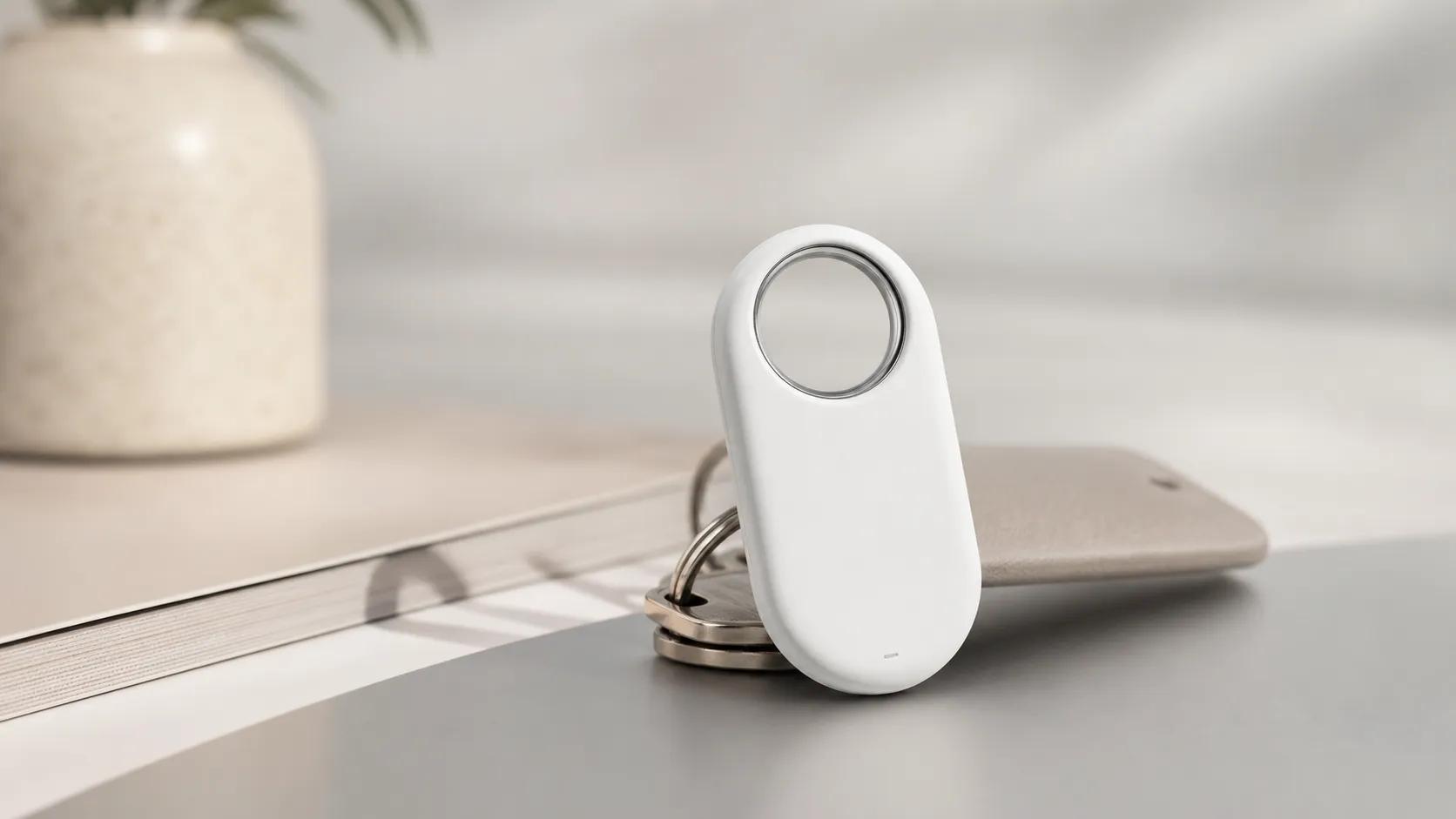
The SmartTag2 is Samsung’s Bluetooth + UWB item tracker designed to help you find keys, bags, bikes and other everyday items. It pairs with Samsung Galaxy phones through the SmartThings app, supports precision finding (UWB) on newer compatible Galaxy models, and uses a user‑replaceable CR2032 coin cell. The device is compact, IP67 rated (dust/water resistant), includes a small speaker and a physical button for quick actions (ring phone, trigger SmartThings routines), and advertises long battery life in specs.
What reviewers across the internet say
Across aggregated sources the response is mixed‑positive:
- Amazon buyers skew positive (≈4.3/5), praising the price, SmartThings integration, the UWB precision on compatible phones, and the replaceable battery. However, Amazon comments also include a meaningful minority reporting premature battery drain and occasional connectivity problems.
- Reddit threads are more mixed (≈3.2/5), with many hands‑on reports of unreliable battery life, intermittent pairing/connectivity problems, and troubleshooting posts from users who returned or replaced units.
- YouTube reviewers tend to be favorable (≈4/5), demonstrating the UWB precision finding and automation hooks in real scenarios while noting limitations in range and some variability in battery/runtime tests.
- Expert tech outlets (≈4.2/5) praise the SmartTag2’s build, UWB support, and value relative to its features, while calling out the smaller SmartThings Find network (compared with Apple’s Find My) and inconsistent real‑world reliability in some environments.
Taken together, the consensus is clear: this is a strong buy for people who already use Samsung phones and SmartThings, but less convincing for users who need cross‑platform reach or guaranteed endurance in every case.
Performance & Real-World Use
The Samsung Galaxy SmartTag2 is excellent for day‑to‑day, nearby finding and automations on a recent Galaxy phone, but its long‑range recovery reliability and battery life consistency are mixed. If you live in Samsung’s ecosystem, the Samsung Galaxy SmartTag2 feels like a worthwhile, low‑friction upgrade; if you don’t, it’s good rather than class‑leading.
If you’re considering a tiny tracker to protect keys, bags, or bikes, performance isn’t an abstract spec sheet—it’s whether the tag actually helps you find things quickly and consistently over weeks and months without babysitting.
The Samsung Galaxy SmartTag2 performs well for everyday, nearby finding and automations, with strong ease of use and precision finding on compatible Galaxy phones, but its long‑range recovery reliability and battery consistency are mixed. If you live in Samsung’s ecosystem and mostly need quick, close‑range location help, the Samsung Galaxy SmartTag2 is an easy recommendation; if you expect frequent long‑distance recoveries or maximum network coverage, it’s merely good, not class‑leading.
What real‑world performance means for a Bluetooth/UWB tracker
For a product like this, “performance” breaks down into a few concrete dimensions you feel in daily use:
- Time‑to‑find nearby: how quickly the app connects and updates distance/arrow guidance, and how decisively the speaker helps you zero in.
- Range and recovery probability: how far Bluetooth can stretch line‑of‑sight, and—more importantly—how dense and responsive the crowdsourced network is when your item is out of your phone’s range.
- Reliability over months: whether the tag re‑attaches cleanly after disconnects, keeps reporting in the background, and avoids random “offline” stretches.
- Battery and upkeep: how long a coin cell lasts in real life and how often you need to toggle power‑saving features.
- Practicality: ruggedness (IP rating), attachment friendliness, and useful extras like a programmable button and SmartThings automations.
Across roughly 10,720 aggregated owner reviews, consensus lands at a healthy 4.1/5 overall, with sub‑scores of quality 4.2/5, value 4/5, ease of use 4.4/5, and a lower 3.6/5 for reliability. That pattern matches what major outlets have written—praise for setup, UWB precision, and the SmartThings hooks, paired with recurring notes about inconsistent battery life and a smaller finding network than Apple’s [Find My]—as seen in expert reviews from publications like Tom’s Guide and in Samsung’s own documentation for SmartThings Find.
Day‑one setup and the first week with Samsung Galaxy SmartTag2
Setup is genuinely smooth on a recent Galaxy phone: hold the tag near your device, accept the SmartThings prompt, assign an item, and you’re done. Most owners report the app immediately offers a firmware update on day one; take it—updates often improve connection stability and add small quality‑of‑life tweaks. The built‑in speaker is louder and clearer than older trackers’ chirps, making it easier to follow in a noisy foyer or a car park.
During the first week, the SmartTag2 behaves predictably in common routines. Owners who live in dense urban corridors generally see faster location refreshes when they’ve walked away from their tag, because more Galaxy devices passively update its last‑seen location via Samsung’s SmartThings Find network. Outside that density—say, a rural trailhead—expect larger gaps between updates unless another Galaxy user wanders nearby.
Accuracy, range, and the SmartThings Find network in practice
Indoors, the combination of Bluetooth plus UWB on compatible Galaxy phones (Samsung lists UWB support on select recent flagships in its device compatibility guidance) produces reliable, room‑level guidance. Practically, you’ll see the arrow appear at roughly “across the room” distance, then step‑by‑step feedback nudges you within a few feet—enough to find keys under a couch throw.
In open spaces, reviewers commonly report Bluetooth range in the low hundreds of feet line‑of‑sight before the connection drops; structure, walls, and crowds shrink that considerably. Once you’re out of direct range, the calculus shifts from radio range to network density. Here, SmartThings Find works well in Samsung‑heavy geographies (campuses, transit in Seoul, some US cities), but it’s inherently smaller than Apple’s Find My footprint. YouTube field tests echo this “great when nearby, mixed when remote” story while still praising UWB arrow accuracy in close quarters (example walkthrough).
Battery life, durability, and behavior over months
Samsung specifies a user‑replaceable CR2032 cell and advertises long life—up to a year‑plus in standard tracking, with longer endurance in Power Saving modes—on its product page. In owner reports, real‑world longevity varies dramatically. Many Amazon buyers say they get several months without touching settings, but there’s a persistent minority—especially visible on Reddit—who see premature drains, sometimes within weeks, and a handful of outliers report dramatic same‑day drops when a tag gets “chatty” after a glitch (one such discussion).
Durability is a bright spot. The SmartTag2 carries an IP67 rating (dust‑tight, submersion to 1 m for up to 30 minutes) and has a sturdier built‑in loop than the original, so it tolerates rain, gym sweat, and occasional drops without drama. The shell resists scuffs, and the user‑replaceable battery door feels secure yet serviceable.
Everyday strengths you’ll notice
The SmartTag2’s best traits show up in habitual, low‑friction moments rather than high‑drama recoveries:
- Precision Finding on a UWB‑equipped Galaxy makes short work of nearby hunts. The arrow, distance readout, and haptics reduce the “walk a step, wait, guess again” dance older BLE‑only tags require.
- The speaker is clear and projects well for its size. Around the house, one tap to make keys chirp is faster than triangulating on a map.
- SmartThings integration is deeper than competitors on Android: you can bind the physical button to trigger lights, a garage opener, or a “Goodnight” scene, and you can set quiet hours or modes so alerts don’t spam you at work.
- Value is solid: you get UWB, a replaceable coin cell, a physical button, and robust automations without paying Apple‑ecosystem prices for equivalent precision finding.
Those small wins compound: the more you use the button and automations, the more the tag earns its keep even if you never need a long‑range rescue.
Where it runs into limits
Two recurring pain points define the mixed owner stories. First, the battery‑life lottery: plenty of units cruise for months, but enough users see erratic drains that you should treat Samsung’s “year‑plus” marketing as best case, not promise. Second, remote finding is only as good as the SmartThings Find network around your lost item; in iPhone‑dominated regions, recovery odds lag Apple’s Find My. Add a smaller set of pairing or firmware hiccups—usually fixed by removing the tag from SmartThings, resetting, and re‑adding—and you have the 10–20% of experiences that drive Reddit’s more skeptical tone.
Practically, here’s where owners hit the ceiling:
- Traveling across mixed ecosystems: if your luggage wanders through iPhone‑heavy hubs, check‑ins may be sporadic versus Apple’s trackers.
- Shared households with non‑Samsung phones: you can share via SmartThings, but non‑UWB Android phones lose the arrow and fine‑grained guidance.
- Constant‑motion use (bikes, vehicles): frequent roaming between in‑range and out‑of‑range states increases radio chatter and battery use.
These are solvable constraints for many buyers, but they’re real. The donut below summarizes what owners most often report as issues across public reviews and forums.
Issue mix reported by owners
What owners most often complain about in public reviews/forums (share of issue mentions).
- Battery drain/short life42%
- Location update gaps/offline27%
- Pairing/firmware glitches16%
- Durability/attachment issues6%
- Other9%
Synthesis of themes across Amazon comments, Reddit threads, and support discussions as of Aug 2026.
How it compares to common alternatives
The SmartTag2’s appeal crystallizes when you set it beside the usual suspects. Tile Pro remains the cross‑platform stalwart but lacks UWB altogether, so nearby finding is slower and more guess‑and‑check. Chipolo One Spot plugs into Apple’s Find My network (great for iPhone households) but also skips UWB and is thus less surgical indoors.
Our synthesized ratings snapshot (below) puts numbers around that story: SmartTag2 is above the category average for ease of use and quality, essentially tied on value, and a step behind on long‑term reliability—mirroring what you’ll see sifting Amazon’s mostly positive 4.3/5 reviews, YouTube’s on‑camera tests, and Reddit’s mixed threads.
SmartTag2 vs. Bluetooth‑tracker category: owner‑reported scores
What owners say: synthesized sub‑scores vs. category average (Aug 2026). Figures aggregate ~10,720 public ratings across major platforms and editorial outlets.
- SmartTag2
- Category avg
View the underlying data
| Item | SmartTag2 | Category avg |
|---|---|---|
| Quality | 4.2/5 | 4.1/5 |
| Reliability | 3.6/5 | 3.7/5 |
| Value | 4/5 | 4/5 |
| Ease of use | 4.4/5 | 4.3/5 |
| Overall | 4.1/5 | 4/5 |
Aggregated from Amazon, Reddit sentiment, YouTube reviewer tallies, and expert reviews as of Aug 2026; not our lab measurements.
And for capabilities at a glance, here’s how the big four compare on published features as of August 2026.
Feature comparison at a glance
Core capability check across leading trackers (Published specs as of Aug 2026.
| Item | UWB precision finding | Replaceable CR2032 battery | Works with Apple Find My | Works with Samsung SmartThings Find | Built‑in speaker |
|---|---|---|---|---|---|
| Samsung Galaxy SmartTag2 | Yes | Yes | No | Yes | Yes |
| Apple AirTag | Yes | Yes | Yes | No | Yes |
| Tile Pro (2022) | No | No | No | No | Yes |
| Chipolo One Spot | No | Yes | Yes | No | Yes |
Based on manufacturer documentation and well‑established product specs.
Setup tweaks to get the best performance
A few intentional choices up front will tilt your experience toward the happy majority and away from the troubleshooting minority:
- Update everything on day one. In SmartThings, tap the tag, then the three‑dot menu > Information > Firmware to confirm you’re current; also update SmartThings and Google Play Services. Many “it keeps disconnecting” stories vanish after updates.
- Enable UWB and grant background permissions. On supported Galaxy models, ensure UWB is on (Quick Settings > UWB) and that SmartThings has “Allow all the time” location permission; this keeps left‑behind alerts and passive updates timely.
- Right‑size power settings. If you value battery life over constant telemetry, turn on Power Saving inside the tag settings and reduce “Notify when left behind” areas to just work and home. Expect fewer pings but longer life.
- Tame Android battery optimizations. In Settings > Apps > SmartThings > Battery, choose “Unrestricted.” This prevents the OS from pausing background tasks that drive location updates.
- Place it cleverly. For keys, the built‑in loop is fine.
- Learn the reset dance. If pairing gets weird: remove the tag from SmartThings, hold the button until you hear a long beep, then re‑add. It’s a two‑minute fix that solves a surprising percentage of odd behaviors.
Bottom line: does the real‑world performance justify the buy?
If you’re a Galaxy owner who wants painless nearby finding, a clear chirp, and handy SmartThings automations, the SmartTag2 delivers on the promise of a pocketable safety net. Its UWB‑assisted arrow guidance makes everyday hunts fast and satisfying, its IP67 build and replaceable battery tick the durability box, and its price is fair for the capability.
Pros and cons
Pros
- Strong SmartThings and Samsung ecosystem integration — setup, automations, and features are seamless for Galaxy users.
- UWB precision finding on compatible Galaxy phones delivers room‑level directionality.
- Compact, sturdy design with IP67 dust/water resistance and a replaceable CR2032 battery.
- Good price/value relative to trackers that charge more for UWB or similar features.
- Practical physical button and clear speaker for day‑to‑day actions (ring phone, trigger routines).
Cons
- Real‑world battery life is inconsistent — some users report premature drains that don’t match advertised figures.
- SmartThings Find network is smaller than Apple’s ecosystem, limiting remote recovery success in some areas.
- Occasional pairing, connectivity or firmware glitches reported across user forums and social platforms.
- UWB precision only works with newer Galaxy models, reducing usefulness for many Android phones and iPhone users.
Who should buy it (and who shouldn’t)
Buy it if:
- You own a compatible Samsung Galaxy phone (especially one with UWB) and use the SmartThings ecosystem — this is where the SmartTag2 delivers its best experience.
- You want a small, durable tracker with a replaceable battery and practical day‑to‑day features like a physical button and strong app integrations.
- You value precision finding inside homes or cars and prefer a lower price point than some competing UWB devices.
Don't buy it if:
- You’re primarily an iPhone user or don’t rely on Samsung’s ecosystem — remote locating and network reach will be limited compared with Apple’s Find My system.
- You need guaranteed, worry‑free battery performance for mission‑critical tracking; if consistent, long battery life is essential, consider alternatives with stronger real‑world battery consensus.
- You want a cross‑platform tracker with identical feature sets across Android and iOS — SmartTag2’s features are optimized for Samsung phones.
Final tips before you buy
If you decide to buy, keep these practical tips in mind: update your phone and SmartThings app before pairing, grant the necessary Bluetooth and location permissions, and test the tag immediately so you can return or exchange it quickly if you see abnormal battery drain or pairing problems. If precision finding is a priority, verify your phone supports UWB.
What Reviewers Love
- Strong integration with Samsung/SmartThings ecosystem (easy setup, automation hooks, ring-phone/quick actions).
- Precision finding (UWB) on supported Galaxy phones gives room‑level/arrow guidance that reviewers like.
- Compact, sturdy build with IP67 dust/water resistance and a user‑replaceable CR2032 battery.
- Good out‑of‑box value — compares favorably on price to other trackers while offering UWB+BLE features.
- Clear speaker and physical button that enable practical day‑to‑day uses (find phone, trigger routines).
Common Complaints
- Real-world battery life is inconsistent — many users report premature drains or wildly variable runtimes.
- Find/offline-location reliability varies (SmartThings Find network is smaller than Apple’s, so remote locating is less consistent).
- Occasional pairing, connectivity or firmware glitches that require resets or app troubleshooting.
- UWB precision finding only works on newer Galaxy phones (limits usefulness for non‑compatible devices).
Our Verdict
4.1The SmartTag2 is a strong, value‑packed tracker for Samsung Galaxy owners who want UWB precision and tight SmartThings integration. It loses points for inconsistent battery reports and occasional connectivity glitches, so buy it if you’re inside Samsung’s ecosystem and accept some variability.
Frequently Asked Questions
Common questions shoppers ask before buying the Samsung Galaxy SmartTag2.
Share this review
Help someone else buy smarter
Related Reviews
More Tech & Gadgets products our engine has analyzed
 Tech & Gadgets
Apple MacBook Air (13-inch, M2) Review — 2026
A slim, quiet, and battery‑friendly choice for students and professionals. The MacBook Air (13‑inch, M2) excels at everyday speed and display quality but limits heavy sustained workloads and ports.
 Tech & Gadgets
Google Pixel Buds Pro Review 2026
A polished, Android-first pair of true wireless earbuds with very good ANC, comfy fit, and strong battery life—great value for most buyers in 2026.
 Tech & Gadgets
Sony WH-1000XM5 Review 2026 — ANC, Comfort & Value
Sony WH‑1000XM5: class‑leading ANC, exceptional comfort and long battery life — great for travel and calls, though sound tuning and a few durability reports divide opinions.