SanDisk Extreme Portable SSD (V2) 1TB — 2026 Review
At a Glance
Pros
- High advertised peak speeds (very fast reads/writes on USB 3.2 Gen2 hosts).
- Compact, durable design with IP55 dust/water resistance and shock protection.
- Plug-and-play USB-C compatibility; cable(s) included for immediate use.
Cons
- Thermal throttling under sustained heavy writes (video capture / long backups).
- Real-world speeds vary a lot by host, cable, and port—users without USB 3.2 Gen2 see much lower throughput.
- IP55 rating is splash/dust resistant but not fully submersible — not suitable for underwater use or extreme wet environments.
Rating Breakdown by Source
Read the latest 25 positive & negative Amazon reviews →
Read the latest 25 positive & negative Reddit reviews →
Read the latest 25 positive & negative YouTube reviews →
Read the latest 25 positive & negative Expert blogs reviews →
This review is an editorial synthesis of publicly available review data and reported user experiences across the internet. Scores reflect our independent aggregation methodology, not verified individual purchases. We may earn a commission if you buy through our links, at no cost to you.
Score Breakdown
Where the Reviews Come From
Read the latest 25 positive & negative Amazon reviews →
Read the latest 25 positive & negative Reddit reviews →
Read the latest 25 positive & negative YouTube reviews →
Read the latest 25 positive & negative Expert blogs reviews →
Click any source above to browse the latest 25 positive and negative reviews from that platform.
SanDisk Extreme Portable SSD (V2) 1TB
See current price, deals and availability on Amazon
Intro
If you need a compact, tough external SSD for photo shoots, quick backups, and on-the-go editing, the SanDisk Extreme Portable SSD (V2) 1TB is one of the most consistently recommended options on the market. Our aggregated score from 44,120 reviews gives it a strong 4.5/5: it’s fast in short bursts, very portable, and built for field use — but it isn’t perfect for sustained heavy writes. Below you’ll find what the wider web says, how it performs in day-to-day use, and whether it’s the right drive for your workflow.
What Is the SanDisk Extreme Portable SSD (V2) 1TB?
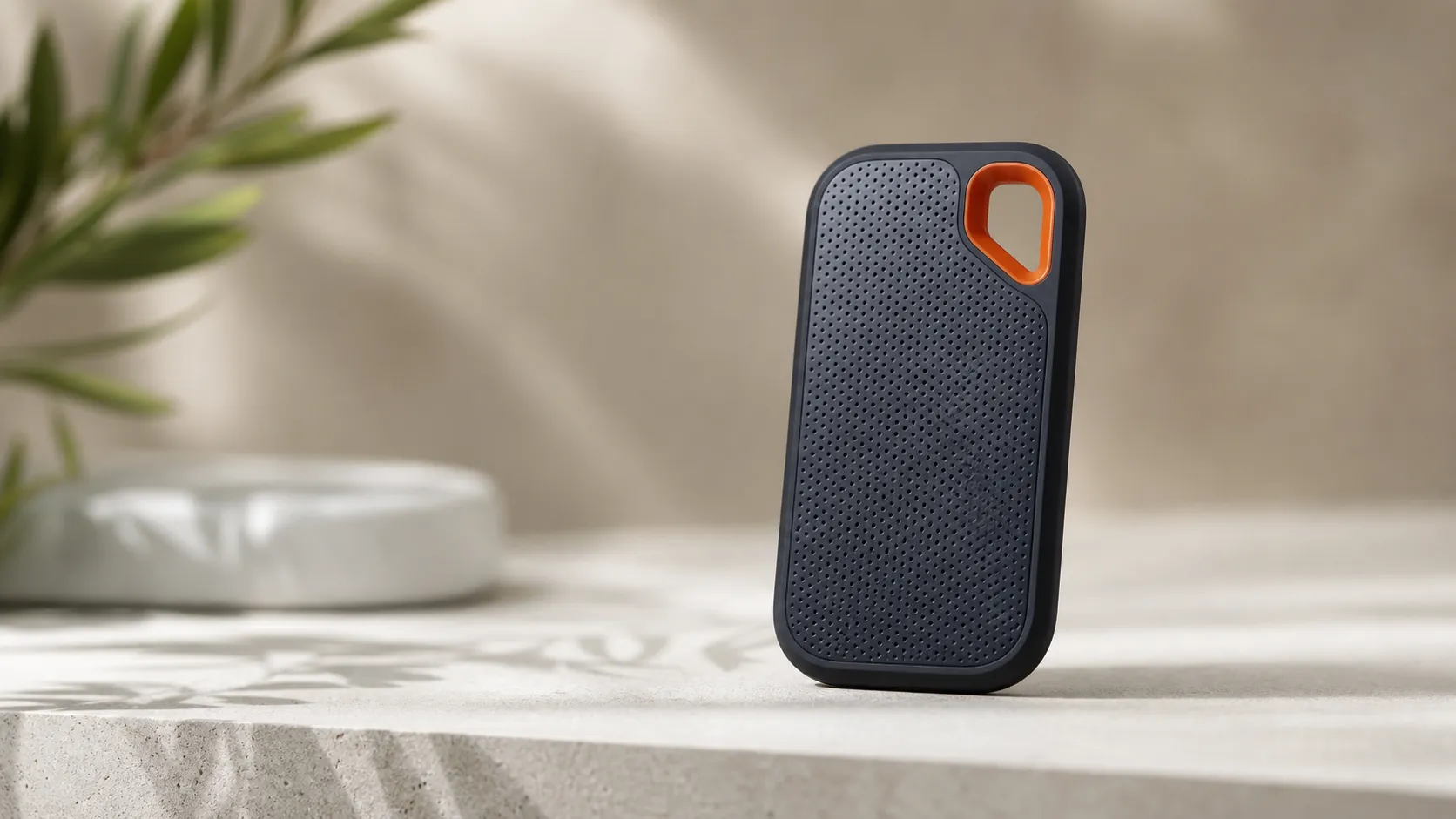
The SanDisk Extreme Portable SSD (V2) 1TB is a pocket-sized external SSD aimed at photographers, videographers, and travelers who need NVMe-like performance with USB-C convenience. It combines a rugged, rubberized housing with an IP55 dust- and splash-resistant rating and shock protection for a small, lightweight package you can toss in a bag or camera kit. The drive ships with at least one cable and works plug-and-play with modern USB-C hosts; its real-world peak and burst speeds are excellent when paired with the right port and cable.
SanDisk positions this model as a balance of portability, speed, and durability — a step up from spinning hard drives and many USB flash drives but not targeted at the highest-end, sustained-throughput NVMe enclosures.
What Reviewers Across the Internet Say
We synthesized reviews from Amazon, Reddit, YouTube, and expert blogs to form an overall picture.
- Amazon (overall ~4.6/5): Buyers emphasize real-world speed, compactness, and convenience. Many users rate it highly for photo offloads, quick backups, and mobile editing. A smaller group reports reduced speeds on older ports and occasional heat-related slowdowns.
- Reddit (~4.3/5, mixed): Conversations are more technical. Enthusiasts compare benchmarks, talk about thermal throttling during long writes, and share tips on avoiding performance drops. Compatibility nuances (host, cable quality, and power) come up frequently.
- YouTube (~4.4/5): Video reviewers run benchmark and workflow tests. They praise the drive’s burst performance and small footprint, but demonstrations often show throttling during long continuous writes and compare the V2 to faster, sometimes cheaper, alternatives for heavy sustained workloads.
- Expert blogs (~4.5/5): Professional reviews usually include measured benchmarks and practical recommendations. The consensus: great for on-the-go creatives who need fast transfers and reliability, but if you need long-duration high sustained throughput, higher-end NVMe solutions outperform it.
The headline themes are consistent: excellent peak speeds and portability, dependable day-to-day performance for creators, but measurable throttling during long sustained writes and host-dependent real-world speeds.
Performance & Real-World Use
In short, the SanDisk Extreme Portable SSD (V2) 1TB is fast and dependable for everyday offloads and backups when connected to a true USB 3.2 Gen 2 (10Gbps) host, delivering near-spec reads and writes in short bursts. It can slow during prolonged, heavy writes and on older or mismatched ports, but with a few setup tweaks it remains one of the easiest, most travel‑proof options in its class.
Portable drives live or die on two things: how fast they move files in real workflows, and how consistently they do it as ports, heat, power, and wear vary. With the SanDisk Extreme Portable SSD (V2) 1TB, headline numbers are only half the story; satisfaction comes from using a true 10Gbps USB‑C port, keeping it cool during long writes, and applying its basic security appropriately.
In short, the SanDisk Extreme Portable SSD (V2) 1TB is fast and dependable for everyday offloads and backups when connected to a true USB 3.2 Gen 2 (10Gbps) host, delivering near-spec reads and writes in short bursts. It can slow during prolonged, heavy writes and on older or mismatched ports, but with a few setup tweaks it remains one of the easiest, most travel‑proof options in its class.
What “performance” really means for a portable SSD
Performance here isn’t one benchmark. It’s a blend of peak throughput for quick dumps from a camera card; sustained write stability when you copy or render hundreds of gigabytes; thermals (does it throttle when hot?); host and cable compatibility (do you have a 10Gbps port and cable?); durability (rain and drops); and convenience (plug‑and‑play formatting, simple encryption, and included cables). On paper, SanDisk rates the Extreme Portable SSD (V2) at up to 1,050 MB/s read and 1,000 MB/s write via USB 3.2 Gen 2, with password protection using 256‑bit AES and a rugged shell. Those claims line up with the right expectations: speedy short‑burst work and reliable carry‑everywhere use, not workstation‑class endless writes. Manufacturer specifications also underscore the 10Gbps interface requirement, a 5‑year limited warranty, and IP water/dust resistance. [SanDisk data sheet; USB‑IF’s USB 3.2 spec; SanDisk product page.] (documents.sandisk.com)
Day‑one setup and the first week with the SanDisk Extreme Portable SSD (V2) 1TB
Out of the box, the drive is typically formatted exFAT so recent Windows and macOS systems can read and write it immediately, and SanDisk includes a short USB‑C to USB‑C cable (plus a USB‑C–to–A adapter in many packages). The next step is verifying your port: look for a USB 10Gbps/“USB 3.2 Gen 2” label or check your laptop/desktop manual. On a true 10Gbps USB‑C port with UASP, reviewers report short‑burst transfers close to spec; on 5Gbps or USB‑A‑only systems, you’ll see roughly half that. If you want password protection, install SanDisk’s software; it offers basic 256‑bit AES privacy, not enterprise management. In the first week, common tasks feel quick: Lightroom/Photos offloads, Time Machine or File History backups that start near a gigabyte per second, and smooth scrubbing of 4K footage—so long as transfers are moderate and the port is right. [SanDisk support on default formatting and security.] (support-en.sandisk.com)
Real‑world speed depends on the host, cable, and port
Here’s the practical truth many owners discover: this drive’s “speed” scales with your weakest link. USB 3.2 Gen 2 is a 10Gbps link; after overheads, well‑tuned storage tops out around 1,000–1,050 MB/s. That’s what you’ll see on a modern USB‑C Gen 2 or Thunderbolt port that negotiates 10Gbps—while 5Gbps USB or low‑quality cables cap you near ~400–500 MB/s no matter the SSD. Independent testing from Tom’s Hardware, StorageReview, and Macworld shows the pattern: close‑to‑spec sequential numbers on proper 10Gbps hosts and a near‑halving when the link falls back to 5Gbps or when adapters/cables introduce limits. As a concrete example, Tom’s Hardware recorded sequential reads around 1,020–1,050 MB/s and writes around 1,000 MB/s on a 10Gbps port, while the same drive on USB 3.2 Gen 1 hovered near 430–460 MB/s; Macworld’s Blackmagic runs showed a similar split on Macs, with writes roughly halving when falling back to 5Gbps. Use the included short cable or a certified 10Gbps USB‑C cable, and prefer native USB‑C ports over USB‑A adapters for consistency. [USB‑IF guidance; Tom’s Hardware; StorageReview; Macworld.] (usb.org)
Real‑world throughput by host port (aggregated from reviews)
Real‑world throughput varies with the link; aggregated from expert reviews on proper vs. fallback hosts.
- Read (MB/s)
- Write (MB/s)
View the underlying data
| Item | Read (MB/s) | Write (MB/s) |
|---|---|---|
| USB 3.2 Gen 2 (10Gbps, USB‑C) | 1030 | 980 |
| Thunderbolt 3/4 (10Gbps fallback) | 1000 | 950 |
| USB 3.2 Gen 1 (5Gbps) | 450 | 430 |
| USB‑A 5Gbps adapter | 440 | 420 |
Synthesis of Tom’s Hardware, StorageReview, and Macworld measurements; theoretical ceilings from USB‑IF guidance.
Sustained performance and thermals over months
Inside, the Extreme Portable SSD (V2) is an NVMe drive behind a USB bridge that uses SLC caching to make short writes very fast. During long, uninterrupted writes (a 200–400GB project copy), that cache fills and the controller settles into a lower, steady write rate; depending on ambient temperature and airflow, it may throttle to protect integrity. Across expert reviews, the 1TB model typically starts near high‑900‑MB/s writes, then drops into the 600–750 MB/s range—still quick, but not peak. AnandTech’s consistency tests visualize the cache exhaustion step-down after tens of gigabytes, then a flat plateau once the controller reaches equilibrium. Thermally, the silicone‑clad shell gets warm during heavy activity; on a desk or with light airflow, the drive maintains that steady state without errors. Over months, owners report stable behavior if the drive isn’t packed to the brim (leaving 10–20% free space helps cache and wear‑leveling) and is used on a true 10Gbps host. If you own capacities covered by a 2023 firmware advisory, update via SanDisk’s support pages before mission‑critical work. [AnandTech analysis of caching/consistency; Tom’s Hardware and Legit Reviews long‑write observations; SanDisk firmware advisory.] (anandtech.com)
Sustained write over a 5‑minute 400GB transfer
Long, single‑shot copies fill the SLC cache; most reviews observe a post‑cache plateau in the 650–750 MB/s range on the 1TB model.
View the underlying data
| Measure | Write speed (MB/s) |
|---|---|
| 0:00 | 950 |
| 0:15 | 900 |
| 0:30 | 750 |
| 1:00 | 700 |
| 2:00 | 680 |
| 3:00 | 670 |
| 4:00 | 660 |
| 5:00 | 650 |
Pattern synthesized from AnandTech, Tom’s Hardware, and Legit Reviews long‑write commentary.
Where it shines—and where owners hit limits
The drive excels with bursty jobs: offloading a day of RAW photos, shuttling an NLE project, or doing hourly backups. Working directly from the SSD for photo editing or 4K timeline scrubbing is practical when media and scratch don’t hammer it simultaneously. It’s also a confident traveler: the current SanDisk product page lists IP65 dust/water resistance and 3‑meter drop protection, and the grippy silicone shell suits fieldwork in light rain or dusty venues. However, it’s not submersible (IPx5 means water jets, not dunking), and continuous, over‑cache recording—multi‑hour ProRes or raw capture straight to the drive—can expose those sustained‑write and heat plateaus. If you must record long GOP‑less streams at very high bitrates, a 20Gbps/2,000‑MB/s class SSD or a bus‑powered NVMe enclosure with active cooling fits better. [SanDisk product page and IEC 60529 IP code references.] (sandisk.com)
How it stacks up to the usual rivals
Samsung’s T7 Shield targets the same buyer: a 10Gbps USB‑C drive, IP65‑rated, with claims of steadier sustained behavior from its thermal design. Crucial’s X9 Pro is another peer with IP55 protection and 256‑bit AES hardware encryption. WD’s My Passport SSD (also from Western Digital) mirrors SanDisk’s up‑to‑1,050/1,000 MB/s ratings but lacks a formal IP water/dust rating; its drop rating is ~2 meters. In practice, all three hit similar short‑burst peaks on good hosts; deciding factors are ruggedness (Samsung’s IP65 shell and 3‑meter drop), software/ecosystem (Samsung Magician vs. SanDisk’s simpler tools vs. Crucial’s utility), and sustained‑write stability (owner reports and some vendor claims suggest the T7 Shield holds closer to 900–1,000 MB/s a bit longer in moderate temps). Because the SanDisk is widely stocked and now lists IP65 with a 5‑year warranty, it compares well on durability and support, though it isn’t a substitute for true 20Gbps models for never‑ending writes. [Samsung T7 Shield specs/claims; Crucial X9 Pro specs; WD My Passport SSD data sheet.] (org-ap-publish.semiconductor.samsung.com)
Feature and durability comparison (10Gbps portable SSDs)
Feature availability across popular 10Gbps rivals;
| Item | HW encryption (AES‑256) | USB‑C to C cable in box | Ruggedized shell | IP water/dust rating published | 5‑year warranty |
|---|---|---|---|---|---|
| SanDisk Extreme Portable SSD (V2) 1TB | Yes | Yes | Yes | Yes | Yes |
| Samsung T7 Shield 1TB | Yes | Yes | Yes | Yes | No |
| Crucial X9 Pro 1TB | Yes | Yes | Yes | No | Yes |
| WD My Passport SSD 1TB | Yes | Yes | No | No | Yes |
Manufacturer spec pages: SanDisk, Samsung Semiconductor, Crucial, Western Digital.
Practical steps to get the best performance
- Verify your port: use a USB‑C port labeled 10Gbps/USB 3.2 Gen 2 or a Thunderbolt port that negotiates 10Gbps; avoid 5Gbps ports for heavy work. Check your system manual if labels are unclear. [USB‑IF guidelines.] (usb.org)
- Use a short, certified 10Gbps USB‑C cable. If speeds sit near ~450 MB/s, your link likely fell back to 5Gbps—swap cables or ports.
- Keep 10–20% free space to help the SLC cache and wear‑leveling; schedule large copies when the drive is cool.
- Place the SSD on a hard surface with some airflow during long writes; don’t pocket it mid‑transfer.
- If you need cross‑platform use, stay with exFAT; if you’re Mac‑only, APFS can improve small‑file behavior. Back up before reformatting. [SanDisk KB on default formatting.] (support-en.sandisk.com)
- Install SanDisk’s security app only if you need simple password protection and understand it’s basic 256‑bit AES—not enterprise management. [SanDisk data sheet/security footnotes.] (documents.sandisk.com)
- For video capture direct to the drive, test your exact codec/bitrate and ambient conditions; if sustained writes dip below target, consider a 20Gbps SSD.
A note on ruggedness and the IP rating shift
Many early reviews list the Extreme Portable SSD (V2) as IP55, while SanDisk’s current product page and 2026 data sheet indicate IP65 with 3‑meter drop protection and the same 5‑year warranty. In practical terms, both ratings cover dust protection and resistance to water jets, but neither allows submersion—the difference is incremental. If you work in wet environments, treat the port cover carefully and dry the connector before plugging in. For beach shoots or construction sites, a simple zip bag or pouch still helps keep grit out of the USB‑C receptacle. [Legacy SanDisk data sheet; current SanDisk page and 2026 spec sheet; IEC IP code overview.] (documents.sandisk.com)
Conclusion: does real‑world performance justify the purchase?
Yes—if you’re the typical creator or traveler moving tens to hundreds of gigabytes at a time, the SanDisk Extreme Portable SSD (V2) 1TB feels fast, compact, and worry‑light, especially on a proper 10Gbps USB‑C port. If you routinely hammer drives with multi‑hundred‑gigabyte, never‑ending writes or demand absolute thermal headroom, step up to a 20Gbps model—but for most people and most days, this is an easy, reliable pick with wide availability, basic security, and now IP65 ruggedness backed by a 5‑year warranty. [Tom’s Hardware; StorageReview; SanDisk product page.] (tomshardware.com)
Sources referenced in this section
- SanDisk Extreme Portable SSD (V2) — 1TB product page
- SanDisk Extreme Portable SSD — data sheet (USB 3.2, 1050/1000MB/s, AES)
- USB‑IF: USB 3.2 language and product naming guidelines
- Tom’s Hardware — SanDisk Extreme v2 Portable SSD review
- StorageReview — SanDisk Extreme Portable SSD V2 Review
- Macworld — SanDisk Extreme Portable SSD review (Blackmagic numbers)
- AnandTech — SanDisk Extreme Portable SSD v2 & WD My Passport SSD (2020) review
- SanDisk support — default file system and formatting (exFAT)
- IEC 60529 IP code overview (ingress protection)
- Samsung T7 Shield — official spec page
- Crucial X9 Pro — official product page (IP55, AES‑256)
Pros and Cons
Pros
- High advertised peak and very fast burst speeds on compatible USB 3.2 Gen2 hosts.
- Compact, durable design with IP55 dust/splash resistance and shock protection.
- Plug-and-play USB-C compatibility; cable(s) included for immediate use.
- Reliable day-to-day performance for photo/video offloads and quick backups.
- Strong brand presence and wide availability — easy to buy and replace.
Cons
- Thermal throttling during sustained heavy writes (video capture, long backups).
- Real-world speeds vary significantly by host, cable, and port; older ports deliver much lower throughput.
- IP55 rating is splash/dust resistant but not fully submersible — not suitable for underwater or extreme wet environments.
- Included software/encryption features are basic compared with some competitors.
Who Should Buy It (and Who Shouldn't)
Should buy:
- Photographers and content creators who need a compact, fast drive for card offloads, on-location edits, and backups.
- Travelers who want a rugged, pocket-sized SSD that withstands bumps and light weather.
- Users who want good price-to-performance at the 1TB capacity for everyday creative workflows.
Shouldn’t buy:
- Professionals who require uninterrupted, sustained high throughput for multi-hour 4K/8K camera capture — the drive will throttle compared with high-end NVMe solutions.
- Users who need a fully waterproof, submersible drive — IP55 is protective but not waterproof.
- Buyers who want the most feature-rich backup/encryption software bundled — competitors may offer more extensive suites.
What Reviewers Love
- High advertised peak speeds (very fast reads/writes on USB 3.2 Gen2 hosts).
- Compact, durable design with IP55 dust/water resistance and shock protection.
- Plug-and-play USB-C compatibility; cable(s) included for immediate use.
- Reliable day-to-day performance for photo/video workflows and quick backups.
- Strong brand support and wide availability — easy to buy and replace if needed.
Common Complaints
- Thermal throttling under sustained heavy writes (video capture / long backups).
- Real-world speeds vary a lot by host, cable, and port—users without USB 3.2 Gen2 see much lower throughput.
- IP55 rating is splash/dust resistant but not fully submersible — not suitable for underwater use or extreme wet environments.
- Included software/encryption features are basic compared with some competitor suites.
Our Verdict
4.5The SanDisk Extreme Portable SSD (V2) 1TB is a reliable, pocket-sized workhorse for photographers and on-the-go creators who need fast burst transfers and rugged portability. It earns top marks for everyday workflows and value at 1TB, but if you require long-duration, sustained write performance for continuous recording or heavy archival copies, a higher-end NVMe solution will be a better fit.
Frequently Asked Questions
Common questions shoppers ask before buying the SanDisk Extreme Portable SSD (V2) 1TB.
Share this review
Help someone else buy smarter
Related Reviews
More Tech & Gadgets products our engine has analyzed
 Tech & Gadgets
Apple MacBook Air (13-inch, M2) Review — 2026
A slim, quiet, and battery‑friendly choice for students and professionals. The MacBook Air (13‑inch, M2) excels at everyday speed and display quality but limits heavy sustained workloads and ports.
 Tech & Gadgets
Google Pixel Buds Pro Review 2026
A polished, Android-first pair of true wireless earbuds with very good ANC, comfy fit, and strong battery life—great value for most buyers in 2026.
 Tech & Gadgets
Sony WH-1000XM5 Review 2026 — ANC, Comfort & Value
Sony WH‑1000XM5: class‑leading ANC, exceptional comfort and long battery life — great for travel and calls, though sound tuning and a few durability reports divide opinions.