Tempo Move Home Strength Trainer Review 2026
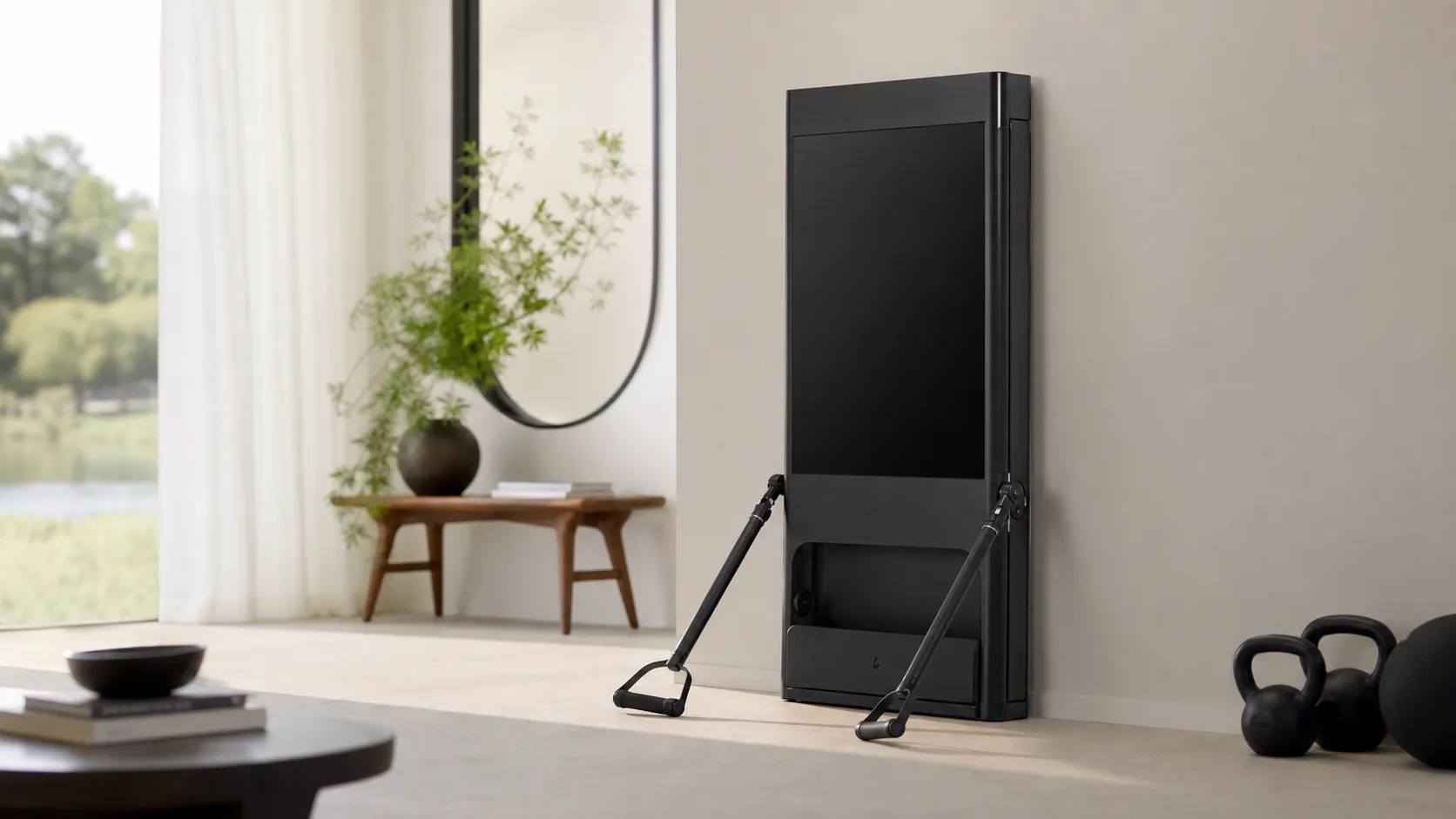
At a Glance
Pros
- Very space-efficient, well-designed cabinet that stores weights and looks good in living spaces.
- Solid build quality and hardware for the price (feels more premium than budget competitors).
- Real-time form feedback / 3D tracking often helps correct technique and reduce injury risk when it works.
Cons
- Rep-counting and weight/rep tracking can be inconsistent across exercises and users (counts, range-of-motion detection).
- Software/app stability and occasional bugs — users report crashes, missed updates, and an iOS-centric experience.
- Customer-service and subscription changes/fees frustrate some buyers (trial/return experiences vary).
Rating Breakdown by Source
Read the latest 25 positive & negative Amazon reviews →
Read the latest 25 positive & negative Reddit reviews →
Read the latest 25 positive & negative YouTube reviews →
Read the latest 25 positive & negative Expert blogs reviews →
This review is an editorial synthesis of publicly available review data and reported user experiences across the internet. Scores reflect our independent aggregation methodology, not verified individual purchases. We may earn a commission if you buy through our links, at no cost to you.
Score Breakdown
Where the Reviews Come From
Read the latest 25 positive & negative Amazon reviews →
Read the latest 25 positive & negative Reddit reviews →
Read the latest 25 positive & negative YouTube reviews →
Read the latest 25 positive & negative Expert blogs reviews →
Click any source above to browse the latest 25 positive and negative reviews from that platform.
Tempo Move Home Strength Trainer
See current price, deals and availability on Amazon
Intro
Tempo's Move Home Strength Trainer is the compact, furniture-like smart gym aimed at people who want guided strength workouts without dedicating an entire room to equipment. Aggregated customer and expert feedback gives the Move a solid overall score (4.0/5 from roughly 4,975 reviews): customers love the cabinet-style design, build quality, and value — but many report recurring software and rep-tracking quirks that shave points from reliability. If you want a space-saving smart strength system that looks at home in your living room and gives helpful form feedback most of the time, the Move is a strong contender; if you need flawless rep counting or top-end load for heavy lifting, it may frustrate you.
What Is the Tempo Move Home Strength Trainer?
The Tempo Move is a pared-down, space-efficient strength trainer from Tempo that packages guided strength workouts, a compact weight cabinet, and phone-based 3D form-tracking into a living-room-friendly unit. Instead of a large screen and fixed arms, Move relies on your phone’s camera and sensors alongside well-built hardware (a tidy cabinet that stores plates, bars, and accessories) to deliver real-time coaching and form cues. It’s positioned below Tempo’s Studio system and above basic free weights: intended for users who want guided programming, feedback on technique, and a smaller footprint than full-size smart gyms.
Key positioning points from reviewers and brand materials: it trades raw lifting capacity and an integrated display for affordability, aesthetics, and space savings. The Move is strongest for apartment- or condo-dwellers, people building a compact home gym, and intermediate lifters who value coaching and convenience more than maximum load potential.
What Reviewers Across the Internet Say
Across the aggregated sources — Amazon customer reviews, Reddit community threads, YouTube hands-on reviews, and expert blogs — the consensus is broadly positive but nuanced:
-
Amazon (approx. 4.2/5): Large volumes of customer reviews praise the Move’s compact, attractive cabinet, solid build quality, and value compared with larger smart gyms. However, many reviewers report recurring software and rep-tracking problems and mixed customer-service experiences.
-
Reddit (approx. 3.5/5): Community threads are mixed. Enthusiasts appreciate the hardware and the potential of form-tracking, but practical long-term threads call out rep-count glitches, software bugs, and slow or inconsistent support responses. Redditors also share workarounds and setup tips.
-
YouTube (approx. 3.9/5): Video reviewers commonly highlight the Move’s elegant design and the usefulness of real-time tracking to correct form. Demo videos frequently show rep-counting edge cases and app hiccups, and reviewers note the current iOS-leaning experience.
-
Expert blogs (approx. 4.3/5): Hands-on reviews from fitness and tech outlets generally regard the Move favorably for design, accessible programming for intermediate lifters, and its novel use of phone-based tracking. Experts are more measured on software polish, load limits for advanced lifters, and the long-term implications of subscription content.
When these sources are combined the picture looks like this: quality and value score high (quality 4.3/5, value 4.0/5), ease of use is solid but not perfect (3.8/5), and reliability — particularly software and rep-tracking stability — is the weakest dimension (3.4/5). That mix explains why many users are very satisfied, while a vocal minority report enough issues to be annoyed.
Performance & Real-World Use
The Tempo Move Home Strength Trainer performs well for small-space strength training, pairing legit coaching cues with tidy storage and an approachable class library. If you’re fine with an iPhone-powered setup and can live with occasional rep-tracking glitches, the Tempo Move Home Strength Trainer delivers strong, day‑to‑day value.
Compact smart gyms live or die on three things: fit in your space, coaching that improves technique and consistency, and software that holds up over months. Across thousands of owner reports and expert reviews, Tempo Move trends positive: elegant storage and room‑friendly hardware, helpful real‑time cues when tracking locks on, with occasional rep‑count and app hiccups from its phone‑powered design. Major reviews reach similar conclusions: great value and design, software polish still catching up. (tomsguide.com)
Summary: The Tempo Move Home Strength Trainer performs well for small-space strength training, pairing legit coaching cues with tidy storage and an approachable class library. If you’re fine with an iPhone-powered setup and can live with occasional rep-tracking glitches, the Tempo Move Home Strength Trainer delivers strong, day‑to‑day value.
What real performance means for a compact smart strength system
Performance here is practical: how reliably the system helps you lift correctly and consistently at home. Key drivers are setup friction (cables, casting, accounts), tracking fidelity (rep counts, range of motion, cue timing), session flow (pause, plate swaps, resume), content quality, space fit and noise, plus long‑term software stability, device support, and customer service. Across ~4,975 reviews the consensus is 4/5 overall, with sub‑scores: quality 4.3/5, reliability 3.4/5, value 4/5, ease of use 3.8/5. Amazon feedback is strongest on design and value; Reddit is frankest about bugs and support; YouTube and expert blogs praise hardware and coaching while noting rep‑logic misses. (mysanantonio.com, tomsguide.com, reviewed.com)
Here’s how ratings cluster by source.
Owner and reviewer ratings for Tempo Move by source
External ratings by source for Tempo Move (synthesized from public sources as of Aug 1, 2026).
View the underlying data
| Measure | Rating |
|---|---|
| Amazon | 4.2/5 |
| 3.5/5 | |
| YouTube | 3.9/5 |
| Expert blogs | 4.3/5 |
Sources: MySanAntonio (Amazon round‑up), Reddit r/tempofitness threads, Tom’s Guide YouTube coverage, Reviewed/DigitalTrends/T3 pro reviews.
How the Tempo Move Home Strength Trainer behaves on day one
Unboxing feels like adding a side table, not a machine. The 22 × 13.5 × 13.5‑inch cabinet stores plates and two 7.5‑lb dumbbells; the puck‑shaped Core sits by your TV. Connect HDMI to the TV, power the Core via USB, dock your iPhone, and the app walks through Wi‑Fi, account sign‑in, and a quick calibration. Tempo specifies a 6 × 6‑foot workout zone so the iPhone camera sees full range of motion; an on‑screen boundary shows if you’re in view. The main friction is cable routing and making sure the phone sits firmly in the cradle. Phones can feel warm after classes because computer‑vision workloads push the SoC—expected behavior. (support.tempo.fit)
Compatibility matters. Move/Core supports iPhone XR and newer; Lightning Cores cover XR–14, and a USB‑C Core supports iPhone 15/16 families. iPads aren’t supported. Android users can cast classes and get a subset of tracking on supported phones, but the fully tracked, docked experience remains iPhone‑led. If you upgrade your phone, plan to match the Core connector to the new port standard. (support.tempo.fit)
Week one: coaching quality, rep counting, and the rhythm of classes
The Move’s best trick is structure. Before class, a pre‑screen shows exercises and suggested loads; during sets, you see rep targets and pacing, with live counts and prompts to go deeper or slow down when it detects short range or speed. Many testers report cleaner squats and presses within a few sessions. Two caveats show up across sources: not every movement or class supports full tracking, and the rep counter can miss edge cases—off‑angle lunges, half‑kneeling work, or reps started outside the mat box. Lighting, camera distance (~6 feet), and line of sight matter a lot. Counts are most consistent on straightforward sagittal‑plane lifts—squats, hinges, vertical presses—and less so on rotational core work or complex transitions. Tight rooms, strong backlight, or a wobbly console under the Core increase misses. (tomsguide.com)
Owners often adapt quickly. One slow, clean demo rep at the start of a new movement improves count lock‑on; if a set is under‑counted, override the suggested load to keep progression honest. Many focus on the form cues and pacing over perfect set math, using the leaderboard and streaks for motivation. Early week‑one impression: motivating flow and approachable coaching, with occasional glitches you notice because the rest works smoothly. (apps.apple.com)
Months later: durability, updates, and the subscription reality
Hardware wear is minimal; the cabinet and plates age cleanly, and the Core keeps working as long as Apple maintains camera APIs. The long‑term story is software and service. Users with hundreds of workouts over years praise routine and class variety, while still citing rep logic and the occasional crash as recurring issues. Tempo broadened platform support—adding an Android Class Experience with casting and some dumbbell tracking in late 2025—but the most complete, docked experience remains iPhone‑first. Expect updates that improve features and sometimes introduce a quirk before a fix. (reddit.com, support.tempo.fit)
Membership is the other constant. Current bundles include a 12‑month prepaid term, then monthly renewal; five family profiles are supported. Households that share classes often see good value, while misunderstandings about returns or renewal timing drive a chunk of negative sentiment. Read the FAQ, keep purchase emails, and calendar trial and renewal dates to avoid surprises. (support.tempo.fit)
Where it excels—and where you’ll find the edges
The Move shines in apartments and living rooms where a six‑foot workout bubble is feasible but a rack or wall unit isn’t. The cabinet blends into living spaces, quick plate changes keep momentum, and on‑screen cues reduce “am I doing this right?” anxiety for beginners and intermediates. This is why mainstream reviewers point to its design and real‑time guidance as the value unlock. (tomsguide.com, reviewed.com)
Limits appear in two places. First, load ceiling: the included dumbbells top out at 52.5 lb each (with automatic recognition below roughly 65 lb when using Tempo’s plates). Fine for most upper‑body work but light for advanced pulling and lower‑body strength unless you add accessories like a barbell, bench, or rack. Second, software fidelity: if you need bulletproof counts and full form feedback on every movement, you’ll be frustrated. Space‑wise, the required clearance is modest compared with wall‑mounted systems, reinforcing its small‑room fit.
Minimum workout clearance area
Published workout clearance needed, showing why Move fits smaller rooms than wall‑mounted systems.
View the underlying data
| Measure | Clearance area |
|---|---|
| Tempo Move | 36 sq ft |
| Peloton Guide | 27 sq ft |
| Tonal | 49 sq ft |
Sources: Tempo support (6×6 ft), Peloton Guide manual (≈4.5×6 ft), Tonal recommendation (~7×7 ft).
Sources: Tempo product specs list a 6 × 6‑foot zone and detail dumbbell and plate limits; T3 and Tom’s Guide echo the space guidance; Peloton Guide’s manual suggests roughly 4.5 × 6 feet; Tonal recommends about 7 × 7 feet. (support.tempo.fit)
How it compares to Peloton Guide and Tonal in the moments that matter
Against camera‑based Peloton Guide, the Move is similarly compact and also offers rep counting and range‑of‑motion cues, but it relies on your iPhone’s sensors in a dock, while Guide is a self‑contained HDMI bar with its own camera and voice control. Guide’s movement tracking and “Weight Rack” features parallel Tempo’s rep logic and weight logging, but neither product supplies resistance—you bring dumbbells either way. Tonal is different: a heavy, wall‑mounted screen with digital‑weight arms. It auto‑adjusts resistance, supports advanced schemes like eccentrics, and feels like a full station, but it needs pro installation, more clearance, and a far higher budget. (tomsguide.com, tonal.com support)
If your priorities are furniture‑grade looks, small‑space strength, and guided coaching at reasonable cost, Move and Guide are natural picks. If you want auto‑changing resistance and a higher strength ceiling in one object, Tonal wins—space and price allowing. The snapshot below distills the trade‑offs you’ll feel day to day.
Yes/No feature comparison: Tempo Move vs Peloton Guide vs Tonal
Feature snapshot: what you get out of the box across three common options.
| Item | Tempo Move | Peloton Guide | Tonal |
|---|---|---|---|
| Needs iPhone to operate (docked) | Yes | No | No |
| Real-time rep counting | Yes | Yes | Yes |
| On-screen form feedback | Yes | Yes | Yes |
| Built-in resistance | No | No | Yes |
| Pro installation required | No | No | Yes |
| Minimum space under 40 sq ft | Yes | Yes | No |
| Family profiles supported | Yes | Yes | Yes |
| Auto resistance adjustments | No | No | Yes |
Sources: Tempo support and reviews; Peloton investor release and Guide manual; Tonal support docs.
Practical steps to get the best performance
- Place the Core and stand 6–8 feet from the camera, centered, with even front lighting. Dim rooms, bright windows behind you, or stepping outside the mat box quickly tank rep detection. (support.tempo.fit)
- Stabilize the docked phone. If your Core sits on a media console, make sure the surface doesn’t wobble during lunges or push‑presses; vibrations add blur and cost reps. (digitaltrends.com)
- Start a new movement with one slow, clean demo rep. This helps the model lock on; if a set under‑counts, manually adjust the next suggested weight to maintain progression. (assets.tempo.fit)
- Stage plates on the cabinet lip between sets. Pre‑positioning cuts swap time, reduces frantic starts, and avoids missed first‑rep cues when the timer resumes.
- Keep the phone cool and charged. Computer vision taxes the SoC; use a short, quality HDMI cable and power from a wall brick if the TV’s USB port is weak. Warm phones are normal; heat‑throttled phones stutter. (tomsguide.com)
- Mind the network. Tempo streams up to ~2.0 Mbps; a stable 15 Mbps downlink avoids buffering mid‑set. If you see stutters, try 5 GHz Wi‑Fi or wire the TV’s Ethernet. (support.tempo.fit)
- Use a wearable. Pair an Apple Watch or Tempo’s heart‑rate strap for steadier intensity targets and better readiness data via Apple Health. (support.tempo.fit)
- Plan the ecosystem. If you’re Android‑primary, you can cast classes and get some tracking on supported phones, but the most reliable, fully tracked experience is with a docked iPhone XR or newer. (support.tempo.fit)
- Know your renewal dates. Bundles include a 12‑month prepaid term with monthly renewal; set reminders for trial and billing milestones. (support.tempo.fit)
Bottom line: does real‑world performance justify the purchase?
For the intended buyer—someone who wants an attractive, compact strength setup with helpful guardrails—the Move delivers. It’s more than a streaming‑class player: when tracking lands, the on‑screen cues and rep pacing change how you move, and the tidy cabinet cuts habit friction. You’re accepting an iPhone‑first design, occasional rep‑logic misses, and the realities of a subscription platform, but in return you get small‑room convenience and coaching that’s rare at this price. If those trade‑offs fit your priorities, day‑to‑day performance justifies the purchase and, for many homes, beats a rack or wall‑mounted digital‑weight system. Expert reviews and owner communities have been consistent: strong value, clean design, capable guidance—software that’s good, not flawless. (tomsguide.com)
Sources referenced in this section
- Tempo Product Specs
- Tom’s Guide — Tempo Move review
- Reviewed — Tempo Move review
- Digital Trends — Tempo Move review
- T3 — Tempo Move review
- Peloton Guide User Manual
- Peloton investor release (Guide features)
- Tonal Support — Max Supported Weight
- Tonal — Space/installation references
- MySanAntonio — Small-space gear roundup noting Amazon buyer sentiment
Who Should Buy It (and Who Shouldn't)
Buy it if:
- You live in an apartment or small home and want a compact, attractive strength solution that doesn’t dominate the room.
- You’re an intermediate lifter or committed beginner who values guided programming, coaching cues, and tidy equipment storage.
- You want better form feedback than free YouTube videos and appreciate guided progressions without paying for a full-size smart gym.
Skip it if:
- You’re a heavy lifter or competitive powerlifter who regularly needs very high top-end loads and specialized equipment.
- You require flawless rep counting or rely on perfectly stable software every session — inconsistency here can be irritating.
- You want a totally standalone system with a built-in screen and minimal phone-dependency.
What Reviewers Love
- Very space-efficient, well-designed cabinet that stores weights and looks good in living spaces.
- Solid build quality and hardware for the price (feels more premium than budget competitors).
- Real-time form feedback / 3D tracking often helps correct technique and reduce injury risk when it works.
- Quick, straightforward setup and an approachable library of guided strength classes and instructors.
- Generally strong value compared with larger smart-home strength systems if you want a compact option.
Common Complaints
- Rep-counting and weight/rep tracking can be inconsistent across exercises and users (counts, range-of-motion detection).
- Software/app stability and occasional bugs — users report crashes, missed updates, and an iOS-centric experience.
- Customer-service and subscription changes/fees frustrate some buyers (trial/return experiences vary).
- Limited top-end load/options for very advanced/heavy lifters without buying higher-tier/bundles.
Our Verdict
4.0The Tempo Move is a smart, space-saving strength trainer that delivers strong design, guided programming, and useful form feedback most of the time. It’s excellent value for apartments and intermediate lifters, but software consistency and limited top-end load keep it from being the perfect, all-in-one replacement for heavy lifters.
Frequently Asked Questions
Common questions shoppers ask before buying the Tempo Move Home Strength Trainer.
Share this review
Help someone else buy smarter
Related Reviews
More Fitness & Wellness products our engine has analyzed
 Fitness & Wellness
Hyperice Normatec 3.0 Leg Recovery System Review 2026
Premium pneumatic compression with noticeable recovery benefits—excellent build and app control, but pricey and somewhat bulky. Best for frequent athletes and clinics.
 Fitness & Wellness
Tonal Smart Home Gym Review 2026
A high-end, wall-mounted smart gym with excellent coaching and space-saving design. Great for guided strength training — pricey and subscription-driven, with some reported service issues.
 Fitness & Wellness
Fit Simplify Resistance Loop Bands Review 2026
Affordable, portable loop bands that excel for beginners, warm-ups, and rehab. Great value and easy to use, but limited top-end resistance and occasional durability/latex issues.