Wyze Cam v3 Review 2026: Budget Camera That Impresses
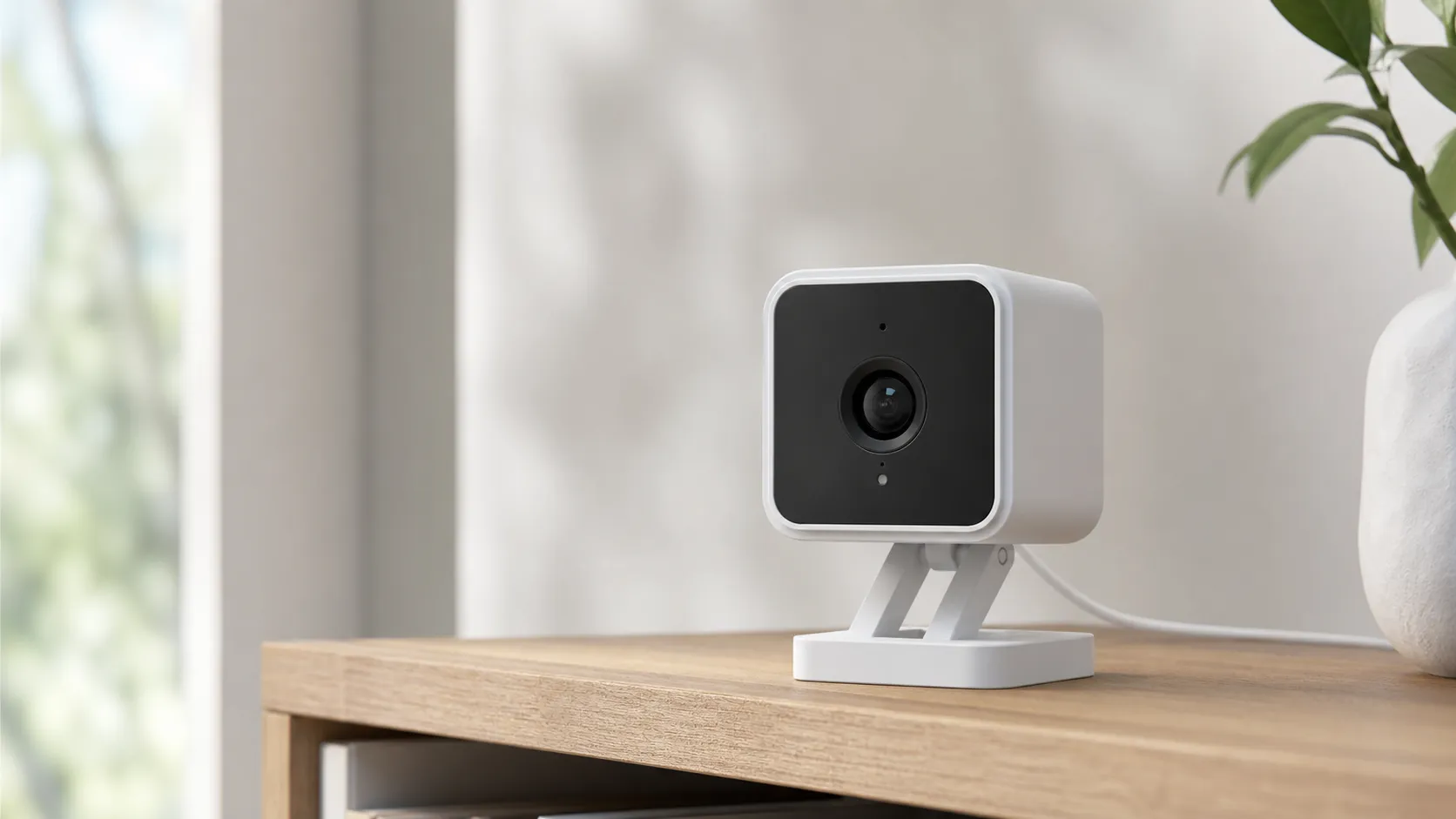
At a Glance
Pros
- Very strong daytime and color night video for the price (clear, usable footage).
- Excellent price/value — feature set rivals much more expensive cameras.
- IP65 weather resistance lets it be used indoors or outdoors.
Cons
- Long‑term reliability concerns (lens/seal fogging and some units failing after months/years).
- Occasional Wi‑Fi disconnects and firmware-related instability reported by community users.
- Audio quality is underwhelming compared with video; two‑way talk can be muffled.
Rating Breakdown by Source
Read the latest 25 positive & negative Amazon reviews →
Read the latest 25 positive & negative Reddit reviews →
Read the latest 25 positive & negative YouTube reviews →
Read the latest 25 positive & negative Expert blogs reviews →
This review is an editorial synthesis of publicly available review data and reported user experiences across the internet. Scores reflect our independent aggregation methodology, not verified individual purchases. We may earn a commission if you buy through our links, at no cost to you.
Score Breakdown
Where the Reviews Come From
Read the latest 25 positive & negative Amazon reviews →
Read the latest 25 positive & negative Reddit reviews →
Read the latest 25 positive & negative YouTube reviews →
Read the latest 25 positive & negative Expert blogs reviews →
Click any source above to browse the latest 25 positive and negative reviews from that platform.
Wyze Cam v3
See current price, deals and availability on Amazon
Quick take
The Wyze Cam v3 punches well above its price class: sharp daytime video, surprisingly good color night vision, and flexible local recording options make it an easy buy for budget‑minded shoppers. Aggregating nearly 99,000 user reviews and multiple expert writeups, our consensus verdict is positive—great value with some reliability caveats. Overall rating (aggregated): 4.2/5 from ~98,964 reviews.
What Is the Wyze Cam v3?
The Wyze Cam v3 is a compact wired security camera from Wyze that’s designed for both indoor and outdoor use. It offers 1080p video, color night vision (using a starlight sensor), two‑way audio, local microSD storage for continuous recording, and cloud clip options. Physically, it’s rated IP65 for weather resistance, letting you mount it outside under typical conditions without a secondary housing. Wyze positions the v3 as an ultra‑affordable option that brings features normally found on more expensive cameras.
What reviewers across the internet say
When we synthesize scores and themes from Amazon, Reddit, YouTube and professional blogs, a consistent picture emerges:
- Aggregate rating: 4.2/5 (from ~98,964 reviews). Subscores from the aggregated dataset: quality 4.0, reliability 3.2, value 4.7, ease of use 4.4.
- Amazon (large sample): ~4.4/5 — customers praise image quality, night performance and the low price. Many verified buyers highlight easy setup and value for money; a minority report returns or dead units.
- Reddit (community threads): ~3.6/5 — threads celebrate the camera’s picture quality and price but frequently surface reliability complaints (disconnects, occasional lens or seal fogging) and firmware troubleshooting discussions.
- YouTube: ~4.3/5 — video reviewers repeatedly demonstrate the color night vision and daytime clarity; creators call out audio limitations and recommend microSD or Wyze’s subscription for extended cloud features.
- Expert blogs (Tom’s Guide, TechRadar, GearLab, SafeWise): ~4.2/5 — pros call out exceptional value and night performance while noting feature and audio limitations compared with pricier rivals.
What that adds up to: you get a camera that outperforms its price tag in image quality and features, but a measurable share of users experience intermittent reliability issues over the long term.
Performance & Real-World Use
Wyze Cam v3 delivers strong daytime and especially color night video for the money, simple setup, and flexible local recording—but its long‑term reliability is only average and audio is just OK. If you plan for local storage or Cam Plus and accept occasional Wi‑Fi hiccups, the Wyze Cam v3 remains a budget camera that performs above its price.
A security camera’s job is simple to state and tough to execute: capture usable footage when it matters, send timely alerts without noise, and keep working through weather, updates, and daily life. Here’s how Wyze Cam v3 behaves day and night—picture quality, alerts, recording, durability, smart‑home behavior, and long‑term quirks.
Wyze Cam v3 delivers genuinely good video for very little money and is easy to live with, but its long‑term reliability is only average. If you can accept occasional Wi‑Fi hiccups and plan for local storage or a budget cloud plan, the Wyze Cam v3 is a budget camera that performs above its price.
What “performance” means for a budget cam
For a wired indoor/outdoor cam like the Wyze Cam v3, performance hinges on seven things you notice immediately: daytime detail (faces, packages, plates at close range), color night vision clarity, motion alerts that avoid false alarms, two‑way audio intelligibility, recording reliability (local microSD or cloud), outdoor survivability (IP rating and temperatures), and smart‑home responsiveness. On paper the v3 is IP65 with an operating range of about −5°F to 113°F and supports 24/7 microSD recording. It connects only on 2.4 GHz Wi‑Fi and requires wired power, so it isn’t for spots without an outlet. (Manufacturer specs: wyze.com)
Across ~98,964 owner impressions and pro reviews, users rate it 4.2/5 overall, with sub‑scores matching daily experience: quality 4/5, reliability 3.2/5, value 4.7/5, ease of use 4.4/5. Amazon buyers skew most positive about picture and price (4.4/5); Reddit threads are more mixed due to reliability chatter; YouTube demos praise color night vision but note audio limits. These patterns echo expert outlets like Tom’s Guide and TechRadar that lauded video and value while flagging trade‑offs. Aggregated sources: device.report, tomsguide.com.
Wyze Cam v3 owner‑satisfaction sub‑scores (1–5)
Satisfaction patterns mirror what owners notice: video and ease of use are strong; reliability is middling.
View the underlying data
| Measure | Score |
|---|---|
| Quality | 4/5 |
| Reliability | 3.2/5 |
| Value | 4.7/5 |
| Ease of use | 4.4/5 |
Scores synthesized from ~98,964 owner/pro impressions across major platforms cited in this review.
Wyze Cam v3: day‑one setup and the first week
Setup is straightforward: power it, scan a QR code in the Wyze app, connect to 2.4 GHz Wi‑Fi, and apply updates. First‑week tasks—defining motion zones, event schedules, and Color Night Vision—sit in one menu. For continuous recording without a subscription, insert a microSD card; firmware 4.36.8.15 or newer adds exFAT support so 64–256 GB cards work, extending retention. (Guides: support.wyze.com)
Outdoors, the camera is IP65 but the standard power brick is not; use Wyze’s Outdoor Power Adapter or a sheltered outlet. Spend a few days tuning motion sensitivity and drawing zones to ignore sidewalks or tree shadows. For voice control, v3 integrates with Alexa and Google Assistant for live‑view on smart displays; IFTTT enables simple automations. (Outdoor/power and integrations: support.wyze.com, support.wyze.com)
Video and audio in daily life
In bright light, the 1080p sensor and 121° field of view deliver a broad, detailed scene—clear faces at porch distance and enough context for deliveries. At night, the Starlight sensor’s Color Night Vision often keeps color under porch or street lighting without switching to IR; reviewers highlight this as the v3’s signature strength for usable low‑light footage at a very low price. Wyze specifies 20 fps by day and 15 fps with IR at night, adequate for people walking but not fast action. Two‑way audio works but sounds thin and can be muffled outdoors or through glass; critics rate it behind the video. (Specs and charts: support.wyze.com; pro takes: tomsguide.com)
Color Night Vision has one caveat: direct bright bulbs in frame can blow out highlights. Angle the camera to avoid bare bulbs, or switch that view to B&W IR mode for more uniform exposure. The app’s night settings make this quick to toggle. (How‑to: support.wyze.com)
Reliability over months: what changes and how to prevent issues
Long‑term reliability is mixed. Many owners report set‑and‑forget operation, but community threads also mention periodic Wi‑Fi disconnects (“device offline”) and a minority of outdoor units showing lens/seal fogging after temperature swings or heavy rain. Disconnects are often fixed by improving signal strength (closer access point, cleaner 2.4 GHz channel), replacing a marginal 5V/1A power cube, or power‑cycling after firmware updates; Wyze’s forums and Reddit document these steps. Fogging appears most on fully exposed mounts aimed into prevailing weather. Mount under an eave, add a small shield, and create a drip loop to reduce ingress. (Community threads: forums.wyze.com)
Local recording is robust if you use a high‑endurance microSD and format it in‑camera. Wyze documents exFAT support (64–256 GB tested) for longer retention, and its product page notes “up to 28 days” on a 128 GB card recording 24/7 at 1080p—handy when a notification is missed. Plan to reformat the card a few times a year and replace cards used for continuous recording every 12–24 months. If a local NVR feed is required, note that RTSP for v3 was a beta path that Wyze has paused, so official ONVIF/NVR support is not a strength. (Card and RTSP pages: support.wyze.com, support.wyze.com)
Storage and alerts: microSD vs. Cam Plus in the real world
You can run Wyze Cam v3 entirely on local storage with a microSD card for 24/7 or event‑only recording, preserving footage through brief internet hiccups and costing nothing after the card. Wyze’s guidance says a 128 GB card can store up to about 28 days of continuous 1080p video; larger exFAT cards extend that proportionally. The companion path is Cam Plus, a low‑cost subscription that unlocks longer cloud clips and AI detection (person, package, pet, vehicle) to search events faster and reduce false alarms. (Specs and plan info: wyze.com)
How long your microSD actually lasts on Wyze Cam v3
Estimates for continuous 1080p recording; your mileage varies with scene motion. Larger cards require exFAT and firmware 4.36.8.15+ per Wyze.
View the underlying data
| Measure | Days (est.) (d) |
|---|---|
| 32 GB | 7 |
| 64 GB | 14 |
| 128 GB | 28 |
| 256 GB | 56 |
Scaled from Wyze’s claim of “up to 28 days with 128 GB” on the v3 product page and microSD/exFAT guidance on Wyze Support.
In practice, a hybrid setup works best: continuous local recording plus Cam Plus for searchable events. If the app struggles to load a live view after an update—a complaint that pops up—the local timeline still has everything. If you stick to local only, turn on motion tagging, set tight zones, and test at different times so your alert volume stays reasonable. (Example community thread: reddit.com)
Where Wyze Cam v3 excels—and where it hits limits
The v3 shines on fixed‑view areas within its 121° scene: front doors, driveways, pets/cribs, and small business counters. It’s strong at dawn/dusk when Color Night Vision can keep color with minimal ambient light. The IP65 body and −5°F to 113°F rating cover typical U.S. seasons when the power path is protected; live‑view on smart displays via Alexa or Google Assistant is convenient, and simple IFTTT automations tie motion to lights or announcements. (Specs and integrations: support.wyze.com, support.wyze.com)
Its limits track the price and platform: audio is serviceable rather than great for conversations at a noisy porch; fast night motion softens at 15 fps; third‑party NVRs aren’t officially supported; and occasional app/firmware rough patches demand patience or a rollback. If you need battery power or subscription‑free smart detection, plan on a different model—and likely a higher price. (Context: tomsguide.com)
How it stacks up against common alternatives
Among budget wired cameras with local storage, TP‑Link’s Tapo C120 is a standout: 2K video, IP66 rating, ONVIF/RTSP support, and strong on‑device detection while staying inexpensive. Among battery cams, Blink’s Outdoor 4 is the easy‑install foil: IP65, Alexa‑friendly, and battery powered, but it lacks Google Assistant and uses a Sync Module for any “local” storage rather than a microSD in the camera. Versus these, Wyze Cam v3 holds its own on daylight clarity for 1080p, keeps wiring simple, and wins on price, but it can’t match Tapo’s open‑protocol support or Blink’s untethered mounting. (Docs: TP‑Link datasheet, Blink specs, Blink local storage)
Budget camera alternatives: what you actually get (yes/no features)
Specs/features from manufacturer pages;
| Item | Wyze Cam v3 | TP‑Link Tapo C120 | Blink Outdoor 4 |
|---|---|---|---|
| On‑camera microSD | Yes | Yes | No |
| Color Night Vision | Yes | Yes | No |
| Weather rating ≥ IP65 | Yes | Yes | Yes |
| Works with Alexa | Yes | Yes | Yes |
| Works with Google Assistant | Yes | Yes | No |
| Official RTSP/ONVIF support | No | Yes | No |
| 2.4 GHz Wi‑Fi only | Yes | Yes | Yes |
| Wired power (no battery) | Yes | Yes | No |
Sources: Wyze support/product pages; TP‑Link Tapo C120 datasheet; Blink Outdoor 4 tech specs/support.
Practical steps to get the best performance
- Mount smart: aim slightly downward to avoid sky glare and direct bulbs; outdoors, tuck it under an eave to reduce spray and fogging risk. Use a drip loop and the weather‑rated outdoor adapter. (support.wyze.com)
- Tame alerts: start with medium motion sensitivity, draw narrow detection zones excluding sidewalks/streets, and review a week of events to fine‑tune.
- Use the right card: choose a high‑endurance microSD, format in‑camera, and update to firmware 4.36.8.15+ for exFAT so 64–256 GB cards are easy. Reformat every few months. (support.wyze.com)
- Choose your night mode: prefer Color Night Vision when there’s ambient light; switch to B&W IR if you see blown highlights or want more uniform exposure. (support.wyze.com)
- Keep Wi‑Fi happy: the v3 is 2.4 GHz only; place it within strong signal range, pick a clean channel, and power it with a solid 5V/1A cube.
- Know the cloud trade‑offs: without Cam Plus you’ll lean on microSD for long clips; with Cam Plus you gain richer AI filters and longer cloud recordings. (wyze.com)
- If you need NVR feeds: the v3’s RTSP path has been paused; if RTSP/ONVIF is must‑have, consider a camera like Tapo C120 that explicitly supports them. (support.wyze.com)
The outdoor claim, decoded
“IP65” means the enclosure is dust‑tight and protected from low‑pressure water jets—fine for rain and windblown dust, not for submersion or pressure wash. Wyze Cam v3 carries this rating, and owners see the best results when it’s under cover rather than facing a sprinkler or driving storm. For the formal definition, IEC 60529 is the governing standard. (Guidance and standard: support.wyze.com, IEC 60529)
Conclusion: does this budget camera earn its keep in 2026?
If your priorities are clear video, simple setup, and flexible local recording without a mandatory subscription, the Wyze Cam v3 still justifies its 4.2/5 consensus despite only average long‑term reliability. For the price, few cameras match its mix of day‑one simplicity, night clarity, and practical storage choices; expect occasional firmware/app hiccups and use the placement and storage tips above to keep it steady.
Sources referenced in this section
- Wyze Cam v3 product page: specs, IP65, temp range, Cam Plus info
- Wyze Support — Can I use Wyze Cam v3 outdoors? (IP65, power adapter note)
- Tom’s Guide — Wyze Cam v3 review (video quality and limitations)
- TechRadar — Wyze Cam v3 review (value, strengths/weaknesses)
- TechHive — Wyze Cam v3 review (Color Night Vision, IP65)
- 9to5Toys — Wyze Cam v3 review (video demo of color night vision)
- Wyze Forum — Condensation/fogging discussion for v3
- Reddit r/wyzecam — recurring disconnect complaints and fixes
- TP‑Link Tapo C120 datasheet — IP66, ONVIF/RTSP, FOV, frame rate, microSD up to 512 GB
- Blink Outdoor 4 technical specs — FOV, operating temp, Wi‑Fi, local storage via Sync Module
- IEC 60529 publication (degrees of protection, IP Code)
Pros and cons
Pros
- Excellent value: feature set rivals cameras that cost much more.
- Strong daytime and color night video—clear, usable footage for both indoor and outdoor scenes.
- IP65 weather resistance for outdoor mounting without extra housing.
- Local microSD continuous recording (no subscription required for local storage).
- Easy setup and solid integrations with Alexa and Google Assistant.
Cons
- Long‑term reliability is mixed—some users report lens/seal fogging or unit failures after months/years.
- Occasional Wi‑Fi disconnects and firmware instability reported by community members.
- Audio is functional but not high fidelity; two‑way talk can be muffled.
- Advanced cloud features (unlimited clip length, person detection history) require a subscription (Cam Plus) for the best experience.
Who should buy it (and who shouldn't)
Buy the Wyze Cam v3 if:
- You want the best video and night performance you can buy on a tight budget. The color night vision alone is a major selling point.
- You prefer the option of local continuous recording to avoid monthly fees. A microSD card covers basic continuous recording needs.
- You need a simple, inexpensive camera to add to an Alexa/Google smart home setup.
- You want an outdoor‑capable camera without buying a high‑end outdoor model.
Skip it (or choose something else) if:
- You need enterprise‑grade reliability and guaranteed long lifespan for mission‑critical monitoring.
- You rely heavily on high‑quality two‑way audio or require advanced built‑in analytics without a subscription.
- You plan to mount the camera in an exposed, high‑humidity environment with no shelter—some users report fogging concerns over long timelines.
Final verdict
The Wyze Cam v3 is a standout value: excellent daytime and color night video, flexible local recording, and strong smart‑home compatibility make it an excellent pick for budget shoppers. Just weigh its mixed long‑term reliability record against the price—if you accept a small risk for huge savings, this camera delivers more than you’d expect.
What Reviewers Love
- Very strong daytime and color night video for the price (clear, usable footage).
- Excellent price/value — feature set rivals much more expensive cameras.
- IP65 weather resistance lets it be used indoors or outdoors.
- Local microSD continuous recording available (no subscription required if you use SD).
- Simple setup and integrations with Alexa / Google Assistant; widely supported in smart‑home ecosystems.
Common Complaints
- Long‑term reliability concerns (lens/seal fogging and some units failing after months/years).
- Occasional Wi‑Fi disconnects and firmware-related instability reported by community users.
- Audio quality is underwhelming compared with video; two‑way talk can be muffled.
- Advanced continuous cloud features require a low‑cost subscription (Cam Plus) — otherwise you must use microSD for continuous recording.
Our Verdict
4.2The Wyze Cam v3 is one of the best value security cameras you can buy in 2026—excellent video and color night vision for a very low price. If you accept modest reliability tradeoffs and the option to use local microSD storage, it’s a smart, budget‑friendly pick.
Frequently Asked Questions
Common questions shoppers ask before buying the Wyze Cam v3.
Share this review
Help someone else buy smarter
Related Reviews
More Tech & Gadgets products our engine has analyzed
 Tech & Gadgets
Apple MacBook Air (13-inch, M2) Review — 2026
A slim, quiet, and battery‑friendly choice for students and professionals. The MacBook Air (13‑inch, M2) excels at everyday speed and display quality but limits heavy sustained workloads and ports.
 Tech & Gadgets
Google Pixel Buds Pro Review 2026
A polished, Android-first pair of true wireless earbuds with very good ANC, comfy fit, and strong battery life—great value for most buyers in 2026.
 Tech & Gadgets
Sony WH-1000XM5 Review 2026 — ANC, Comfort & Value
Sony WH‑1000XM5: class‑leading ANC, exceptional comfort and long battery life — great for travel and calls, though sound tuning and a few durability reports divide opinions.