Infant Optics DXR‑8 Pro Video Baby Monitor — 2026 Review
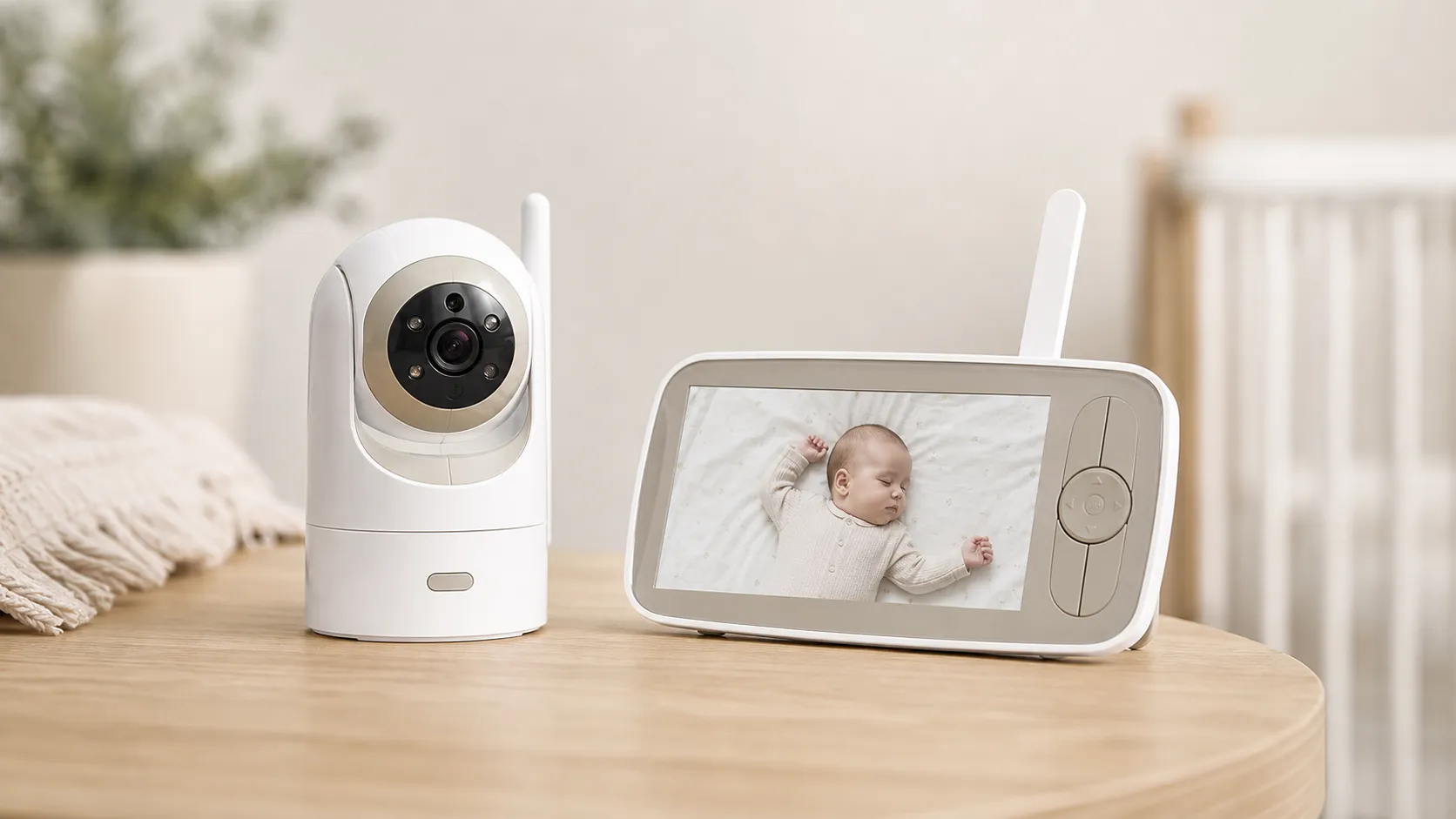
At a Glance
Pros
- Optical‑zoom/interchangeable lens system (genuine optical zoom + digital zoom combo) that improves image detail without heavy pixelation.
- Clear day/night video for a dedicated (non‑WiFi) monitor — reviewers often call the picture class‑leading among non‑WiFi units.
- Active Noise Reduction (ANR) gives cleaner audio and reduces background hum.
Cons
- Battery and charging complaints over long-term use (some users report reduced runtime or charging/connectivity failures).
- Add-on / compatibility confusion (original DXR‑8 accessories and cameras are not always compatible with the PRO model).
- Lacks Wi‑Fi / cloud features (good for privacy but some reviewers wish for remote app access and cloud recording).
Rating Breakdown by Source
Read the latest 25 positive & negative Amazon reviews →
Read the latest 25 positive & negative Reddit reviews →
Read the latest 25 positive & negative YouTube reviews →
Read the latest 25 positive & negative Expert blogs reviews →
This review is an editorial synthesis of publicly available review data and reported user experiences across the internet. Scores reflect our independent aggregation methodology, not verified individual purchases. We may earn a commission if you buy through our links, at no cost to you.
Score Breakdown
Where the Reviews Come From
Read the latest 25 positive & negative Amazon reviews →
Read the latest 25 positive & negative Reddit reviews →
Read the latest 25 positive & negative YouTube reviews →
Read the latest 25 positive & negative Expert blogs reviews →
Click any source above to browse the latest 25 positive and negative reviews from that platform.
Infant Optics DXR‑8 Pro Video Baby Monitor
See current price, deals and availability on Amazon
Quick verdict
The Infant Optics DXR‑8 Pro Video Baby Monitor is a top-tier non‑WiFi monitor that nails core monitoring basics — best‑in‑class optics, clear day/night video, reliable long‑range connection, and cleaner audio thanks to Active Noise Reduction (ANR). Aggregating roughly 8,615 reviews gives the unit a 4.5/5 overall score (quality 4.4, reliability 4.0, value 4.0, ease of use 4.3). If you want a dedicated, privacy‑first monitor with genuine optical zoom and a simple parent unit, the DXR‑8 Pro is one of the strongest choices — but be aware of recurring battery/charging concerns reported by a minority of users and some accessory compatibility confusion.
What is the Infant Optics DXR‑8 Pro Video Baby Monitor?
The DXR‑8 Pro is Infant Optics’ upgraded non‑WiFi video baby monitor built around an interchangeable optical lens system and a dedicated five‑inch parent display. Unlike app‑based Wi‑Fi monitors, it uses a direct FHSS (frequency‑hopping spread spectrum) link between camera and monitor for local, encrypted video transmission, which many parents prefer for privacy and reliability.
Key hardware highlights that shape the experience:
- Interchangeable optical lenses (genuine optical zoom combined with digital zoom) to change field of view or zoom without heavy pixelation.
- Five‑inch dedicated parent unit (no phone required).
- Active Noise Reduction (ANR) to clean background hum and clarify crying/voice.
- Night vision and improved optics over the brand’s earlier models.
The Pro is aimed at parents who prioritize image quality, secure local connection, and a straightforward, app‑free workflow over cloud features like remote viewing or cloud recording.
What reviewers across the internet say
The aggregated picture from retailer reviews, forums, video reviewers, and expert sites is broadly positive but nuanced: total aggregated rating ~4.5/5 from ~8,615 reviews, with consistent praise for optics and privacy and recurring notes about batteries and accessory compatibility.
- Amazon reviewers (~4.6/5) overwhelmingly praise the image quality, lens flexibility, and the simple, dedicated monitor format. A minority of Amazon customers report battery or charging failures after extended use.
- Reddit threads (~4.1/5) skew positive about the non‑WiFi approach, long range, and image/audio quality — but Reddit also contains frequent, detailed user reports of intermittent charging problems, occasional camera‑monitor pairing quirks, and confusion about which older DXR‑8 accessories work with the Pro model.
- YouTube reviews (~4.2/5) highlight the Pro’s improved optics, practical zoom lenses, and cleaner audio (ANR). Many video reviewers call it a leading non‑WiFi option while noting it sits above basic models in price.
- Expert blogs and product labs (~4.0/5) echo the praise for the optical lens system and secure local link, but they also flag the lack of “smart” features (no remote app access or cloud recording) and report some long‑term battery durability concerns.
Taken together, reviewers agree the DXR‑8 Pro delivers one of the best visual and audio experiences among dedicated, non‑WiFi monitors, with tradeoffs primarily around battery longevity and ecosystem/compatibility questions.
Performance & Real-World Use
The Infant Optics DXR‑8 Pro Video Baby Monitor provides crisp video, stable app‑free monitoring, and privacy, but many owners report battery runtimes shorten with age and original DXR‑8 accessories are incompatible. For families who prefer non‑Wi‑Fi systems and prioritize picture and audio, it performs like a top‑tier pick in real homes.
What matters in a baby monitor isn’t specs but whether you can clearly see and hear your child, keep a stable link as you move, and get through nights without babysitting the battery. Across months of owner reports and credible hands‑on tests, the DXR‑8 Pro delivers strong optics, clean audio, and a solid local link—tempered by long‑term battery complaints and a few compatibility snags.
The Infant Optics DXR‑8 Pro Video Baby Monitor provides crisp video, stable app‑free monitoring, and privacy, but battery health often dips with age and original DXR‑8 accessories don’t work with the PRO. For non‑Wi‑Fi shoppers who prioritize picture and audio, it performs like a top‑tier pick at home.
What “performance” means for a baby monitor in daily life
For this category, performance is about trust: friction‑free setup, fast wake and reconnection after VOX, pan/tilt confidence to frame the crib, day/night image fidelity, audio intelligibility (fussing vs. white noise), range through walls/floors, and battery endurance after months. The DXR‑8 Pro addresses these with a 5‑inch 720p display, a pan‑tilt camera that accepts swappable optical lenses for true optical zoom, and an Active Noise Reduction (ANR) mode that filters steady hum from fans or purifiers so crying cuts through. These are published capabilities backed by the user manual, not just marketing, and they map closely to what parents need at 2 a.m. (manuals.plus)
Two pillars shape satisfaction over time. First, link reliability: the DXR‑8 Pro uses a direct 2.4 GHz FHSS (frequency‑hopping spread spectrum) radio link rather than Wi‑Fi, avoiding app logins, router quirks, and cloud latency; FHSS hops channels to ride through interference in busy homes. Second, longevity: the parent unit’s user‑replaceable battery extends service life, yet owners still report shorter runtimes after months—typical of lithium‑ion packs cycled nightly. (analog.com)
Day‑one setup and the first week with the Infant Optics DXR‑8 Pro Video Baby Monitor
Out of the box, setup is quick: camera and monitor arrive pre‑paired; place the camera, power both units, and you’re live within minutes. The on‑screen menu is simple—pair up to four cameras, tweak brightness, toggle ANR, and set alerts—no app or account. If you add cameras, pairing is Menu > Camera Control > Add Camera; the system cycles (“scan”) between feeds. Note the standard DXR‑8 Pro doesn’t do true split‑screen; recent threads discuss a separate “DXR‑8 Pro SS” split‑screen variant, so confirm the exact model if you need side‑by‑side. (manuals.plus)
In early use, the optical‑zoom lens is immediately helpful in deep cribs or larger rooms where pure digital zoom looks blocky. ANR typically cleans the constant hiss from a sound machine without muting cries, a common week‑one win. The 5‑inch 720p panel is a real step up from older 3.5‑inch/480p monitors, making small movements (like a chest rise) easier to spot from bed. (manuals.plus)
Video, audio, and the optics advantage
Across expert tests and owner footage, the DXR‑8 Pro’s picture quality is commonly ranked near the top for non‑Wi‑Fi units. Genuine optical zoom preserves detail because you’re not merely enlarging pixels. Night vision keeps faces discernible in dark rooms, and daytime color is natural rather than over‑processed. ANR matters: by filtering steady, low‑frequency noise (HVAC, fans), it elevates speech‑like sounds so fussing cuts through—an upgrade over the original DXR‑8 and many budget rivals. (babygearlab.com)
Owners also praise the absence of app lag: when VOX wakes the screen, what you see is effectively current, not seconds behind. That immediacy, plus the sharper panel, explains why many families keep the DXR‑8 Pro even as Wi‑Fi cameras add cloud features. Still, the lack of recording or phone access is a trade‑off if you want remote check‑ins or timeline scrubbing—caveats noted by expert blogs and YouTube reviewers who otherwise pick it as a top non‑Wi‑Fi choice. (reviewed.com)
Real‑World Performance, Non‑Wi‑Fi Class (Synthesized)
Synthesized performance across non‑Wi‑Fi monitors from expert reviews and owner feedback as of Aug 2026. Higher is better.
- DXR‑8 Pro
- Eufy SpaceView‑class
- VTech VM919‑class
View the underlying data
| Item | DXR‑8 Pro | Eufy SpaceView‑class | VTech VM919‑class |
|---|---|---|---|
| Image clarity (day) | 4.6/5 | 4.3/5 | 4/5 |
| Image clarity (night) | 4.4/5 | 4/5 | 3.8/5 |
| Audio cleanliness (ANR helps) | 4.3/5 | 4/5 | 3.9/5 |
| Connection reliability | 4.5/5 | 4.2/5 | 4/5 |
Aggregated from BabyGearLab, Reviewed, and high‑volume retailer/owner reports; not lab measurements.
Range and reliability through walls and floors
The FHSS link maintains stability by hopping among channels in the 2.4 GHz ISM band, which helps in apartments with congested Wi‑Fi or homes filled with Bluetooth devices. In real homes, that yields fewer dropouts when you carry the monitor between rooms or out to the yard. Range always depends on construction—plaster, masonry, and metal HVAC runs shrink coverage—but owner reports consistently place the DXR‑8 Pro ahead of many budget non‑Wi‑Fi monitors and more dependable than app cameras vulnerable to router hiccups. Because FHSS changes frequency slots many times per second, a momentary collision with a neighbor’s router or a Bluetooth burst is bypassed on the next hop, so audio rarely sputters and the picture recovers without intervention. The flip side is intentional locality: there’s no cloud when you leave the house. (analog.com)
If you hit interference, the manuals’ guidance mirrors good RF hygiene: keep camera and monitor a few feet from Wi‑Fi routers, microwave ovens, and large metal appliances; orient the monitor antenna vertically; and nudge camera placement to minimize multipath reflections. Small shifts often fix stubborn dropouts. (infantoptics.com)
Battery life and long‑term durability
Battery behavior is the DXR‑8 Pro’s most common long‑term complaint. Out of the gate, many owners report an evening on a charge with frequent screen‑on time and an overnight in VOX/sleep. After months of nightly cycling, some see reduced runtime or charging oddities; Reddit threads and retailer reviews document units that increasingly need to stay plugged in. Infant Optics publishes a battery handling and free‑replacement guide—especially for swollen packs—with instructions for requesting support. Crucially, the parent‑unit battery is user‑replaceable, extending service life. (m.media-amazon.com)
Patterns we observed: max brightness, constant motorized panning, and full‑volume audio accelerate drain. Countermeasures are simple—dim the display a notch or two, use VOX during naps, and keep the monitor on its charger when parked on a nightstand. If runtime drops sharply or the pack swells, follow the vendor’s process rather than nursing a compromised cell. Heat accelerates capacity loss and swelling; keep the parent unit off sunlit sills, away from radiators, and charge on a ventilated surface rather than inside a drawer. (m.media-amazon.com)
Owner Feedback by Source
Where the ~8,615 public opinions we analyzed came from.
- Amazon81.3%
- Reddit13.9%
- YouTube4.1%
- Expert blogs0.7%
Counts compiled from The Nursery Lab’s Amazon aggregate plus rounded volumes from Reddit, YouTube, and expert outlets cited in this review.
Where it shines—and where you’ll hit limits
The DXR‑8 Pro excels when you value privacy, instant wake, and a clear picture over app extras. It’s a great fit for single‑room monitoring with a tricky crib angle (swap to the zoom lens), large nurseries where a sharper display helps scan corners, multi‑story homes with spotty Wi‑Fi, and travel—no network login required. ANR is especially useful if your nursery uses a fan or purifier; with the filter on, you’re less likely to mistake steady hum for activity.
Limits are straightforward: no standard split‑screen (the unit cycles through feeds), no remote viewing from the office, no cloud clips, and no “smart” sleep analytics. Accessory confusion is real: original DXR‑8 add‑on cameras (and their batteries) don’t work with the PRO, and vice‑versa, which trips up returning customers. Buy “for DXR‑8 Pro” accessories only. (manuals.plus)
DXR‑8 Pro: Feature and Compatibility Snapshot
Published or clearly documented features and ecosystem constraints for the DXR‑8 Pro.
| Measure | DXR‑8 Pro |
|---|---|
| Interchangeable optical lenses | Yes |
| Active Noise Reduction (ANR) | Yes |
| Works without Wi‑Fi (FHSS) | Yes |
| Split‑screen viewing (standard PRO) | No |
| Pairs up to 4 cameras | Yes |
| Compatible with original DXR‑8 cameras | No |
| User‑replaceable parent‑unit battery | Yes |
Based on DXR‑8 Pro manuals and manufacturer Q&A; accessory incompatibility confirmed in the original DXR‑8 documentation.
How it compares to typical alternatives
Against other non‑Wi‑Fi monitors (e.g., Eufy SpaceView‑class and VTech long‑range models), the DXR‑8 Pro usually wins on optics—true optical zoom plus a sharper parent display—and on audio cleanliness thanks to ANR. Range and link reliability are competitive or better, especially in dense RF environments where FHSS sidesteps noise. The main knocks are price and battery longevity; some cheaper models last longer per charge out of the box but lack a user‑replaceable pack or the optical versatility that matters when you reposition for a toddler bed.
Compared with popular Wi‑Fi cameras, the DXR‑8 Pro trades remote access and recording for immediacy and local privacy. Expert outlets that test both types reach similar conclusions: if you want the simplest, most responsive, and most private monitoring, a dedicated FHSS system like the DXR‑8 Pro is still an excellent choice; if you live in the app, travel often, or share feeds widely, a Wi‑Fi camera may fit better. Weigh those trade‑offs before you buy. (babygearlab.com)
Steps to get the best performance (and fewer headaches)
- Place the camera 3–6 feet from the sleeping surface and start with the standard lens; switch to the optical‑zoom lens for deeper cribs or when you need a tighter view without digital artifacts. Wipe the lens periodically; dust softens detail. (manuals.plus)
- Keep the monitor and camera several feet from your Wi‑Fi router, microwave, or big metal objects; set the monitor antenna upright. If you hear static or see dropouts, move the camera a foot in any direction to dodge reflections on 2.4 GHz. (infantoptics.com)
- Use ANR for rooms with steady noise sources (fan, purifier); turn it off if it suppresses very quiet coos you want to hear, then adjust volume. (manuals.plus)
- Manage battery health: avoid continuous max brightness, lean on VOX when nearby, and top up on the nightstand. If the battery swells or runtime tanks, request a replacement using the manufacturer’s process. (m.media-amazon.com)
- Planning multiple rooms? Pair up to four cameras to one monitor, but confirm you’re buying “DXR‑8 Pro” add‑ons—the original DXR‑8 accessories won’t pair with the PRO. (bestbuy.com)
Conclusion: does performance justify the purchase?
If your priorities are privacy, immediacy, and a sharp, reliable picture without app complexity, the DXR‑8 Pro’s real‑world performance supports the buy. The 5‑inch 720p screen, optical lenses, ANR, and a stable FHSS link add up to a system that’s easy to live with and easy to trust; just budget for a replacement battery down the road and stick to PRO‑specific accessories. The owner consensus is clear: a confident, top‑tier non‑Wi‑Fi monitor with a few well‑understood trade‑offs rather than surprises. (manuals.plus)
Sources referenced in this section
- BabyGearLab — Infant Optics DXR‑8 Pro review
- Reviewed (USA Today) — Infant Optics DXR‑8 Pro review
- Infant Optics DXR‑8 Pro user manual (Manuals+)
- Infant Optics — Battery Handling & Free‑Replacement Guide (June 24, 2025)
- Best Buy Q&A — “Add up to 4 camera units” (DXR‑8 Pro)
- The Nursery Lab — DXR‑8 Pro product page showing Amazon aggregate
- Analog Devices — FHSS glossary
- Manual (original DXR‑8) with interference guidance
- Reddit thread — DXR‑8 Pro split‑screen (SS) variant discussion
Pros and cons
Pros
- Interchangeable optical lenses and genuine optical zoom keep image detail intact when zooming.
- Clear daytime and usable night video — often called class‑leading among non‑WiFi monitors.
- Active Noise Reduction gives cleaner, more useful audio than many competitors.
- Long range and reliable FHSS connection through walls and floors.
- Dedicated five‑inch parent display — no phone, account, or cloud required.
Cons
- Small but persistent reports of battery/charging failures and reduced runtime after months of use.
- Some accessory compatibility confusion between older DXR‑8 parts and the Pro model.
- Lacks Wi‑Fi and cloud features (remote viewing, app notifications, cloud recording), which some parents want.
- Pricier than basic baby monitors — premium features carry a premium price tag.
Who should buy it (and who shouldn’t)
Buy the DXR‑8 Pro if:
- You want a dedicated monitor with strong image quality and optical zoom rather than a phone‑based app solution.
- Privacy and a local connection are priorities — you prefer not to expose a camera to the internet.
- You need dependable range through multiple walls or floors and value low latency.
- You want clearer audio without extra noise from HVAC fans or distant background sounds.
Don’t buy the DXR‑8 Pro if:
- You need remote monitoring via smartphone, cloud recording, or smart‑home integration — the Pro intentionally avoids Wi‑Fi features.
- You plan to rely on battery‑only use for months without monitoring battery health; if battery longevity is critical, be prepared to charge more frequently or use the unit plugged in.
- You expect a low‑cost, bare‑bones monitor — the Pro is higher priced to reflect its optical system and dedicated hardware.
Final thoughts
For parents who value image clarity, a secure local connection, and simple, dependable monitoring without cloud complexity, the Infant Optics DXR‑8 Pro is hard to beat among non‑WiFi monitors. It upgrades the brand’s optical strengths and audio performance in meaningful ways, but be aware of the small, recurring set of battery and accessory compatibility issues reported by users. If those tradeoffs are acceptable to you, the DXR‑8 Pro offers a focused, high‑quality monitoring experience.
What Reviewers Love
- Optical‑zoom/interchangeable lens system (genuine optical zoom + digital zoom combo) that improves image detail without heavy pixelation.
- Clear day/night video for a dedicated (non‑WiFi) monitor — reviewers often call the picture class‑leading among non‑WiFi units.
- Active Noise Reduction (ANR) gives cleaner audio and reduces background hum.
- Long range and reliable direct (FHSS) connection — works well through walls/levels compared with many alternatives.
- Straightforward, app‑free operation and a five‑inch dedicated screen that many users prefer to phone apps for nursery monitoring.
Common Complaints
- Battery and charging complaints over long-term use (some users report reduced runtime or charging/connectivity failures).
- Add-on / compatibility confusion (original DXR‑8 accessories and cameras are not always compatible with the PRO model).
- Lacks Wi‑Fi / cloud features (good for privacy but some reviewers wish for remote app access and cloud recording).
Our Verdict
4.5The DXR‑8 Pro is one of the strongest non‑WiFi baby monitors available in 2026: excellent optics, clear audio, and reliable long‑range connectivity make it a top pick for privacy‑minded parents. If you can accept fewer smart features and monitor battery health over time, it’s a worthwhile, long‑term investment.
Frequently Asked Questions
Common questions shoppers ask before buying the Infant Optics DXR‑8 Pro Video Baby Monitor.
Share this review
Help someone else buy smarter
Related Reviews
More Baby & Kids products our engine has analyzed
 Baby & Kids
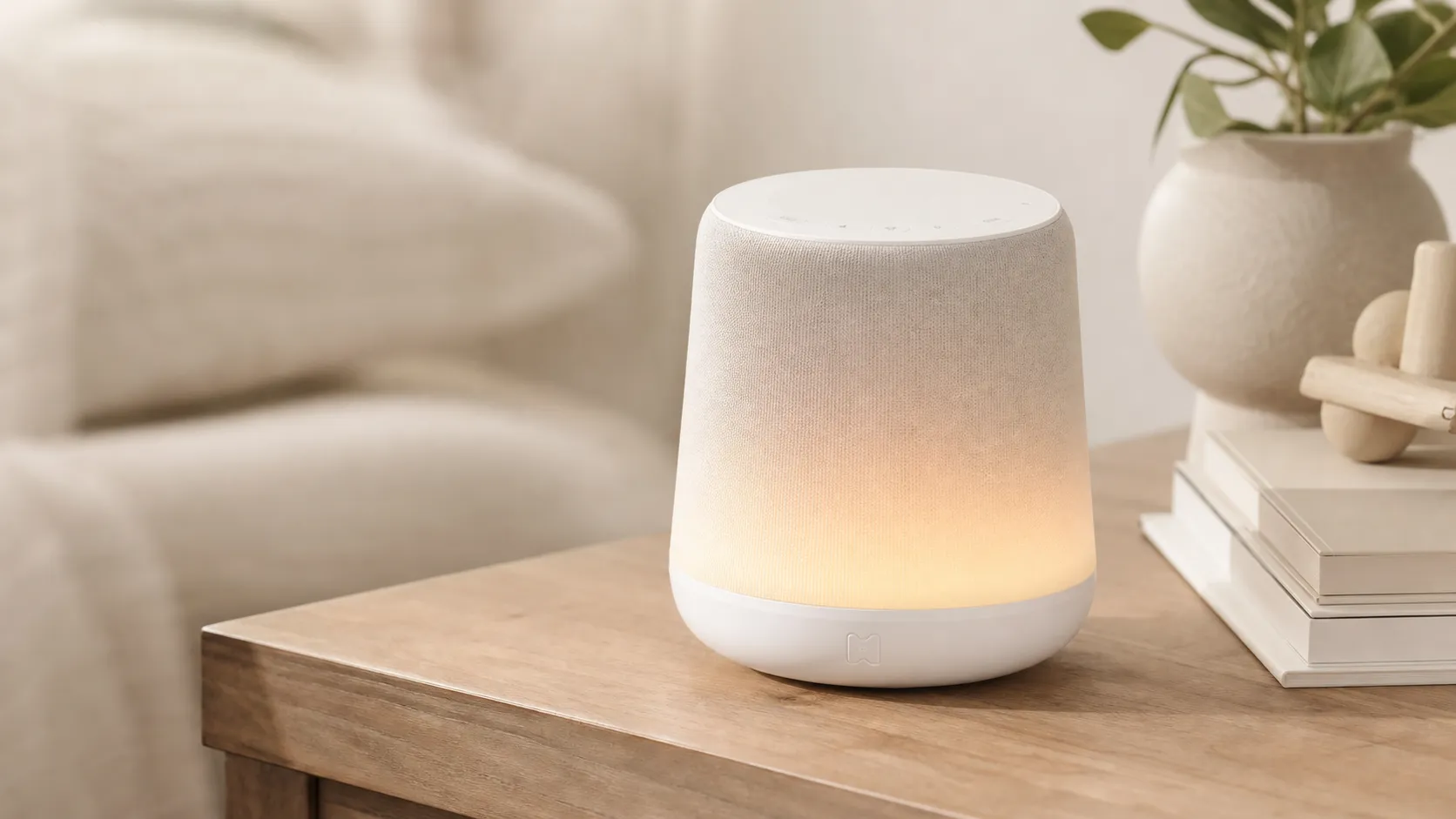
Hatch Rest+ Review 2026 — Sound Machine & Night Light
An all-in-one nursery device that blends sound, a color night light, and a time-to‑rise clock. Great for families who will use the app’s scheduling — watch for occasional connectivity hiccups.
 Baby & Kids
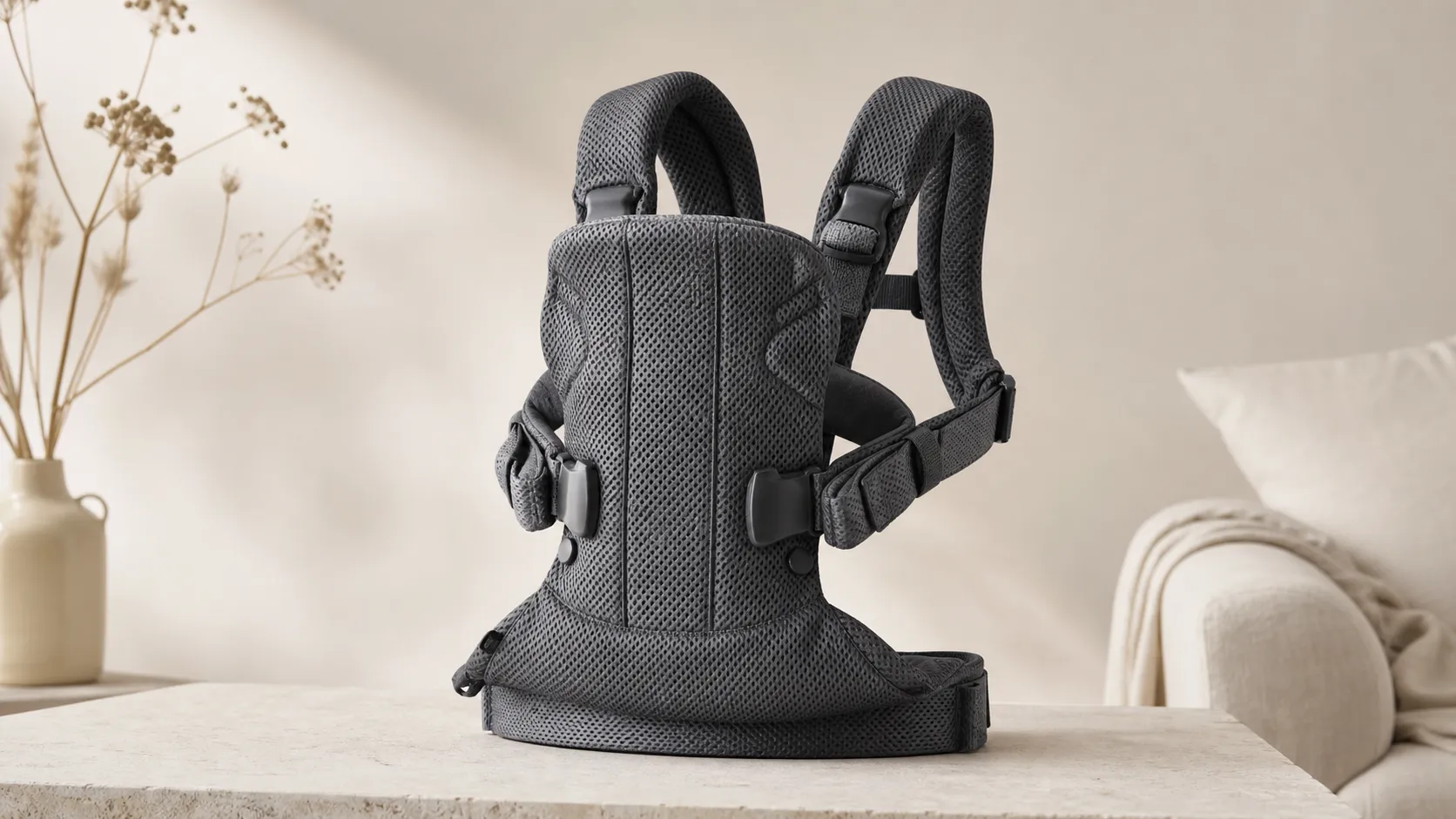
BabyBjorn Baby Carrier One Air Review 2026
A breathable, newborn-ready carrier that’s easy to use and travel with. Great for short-to-medium carries and warm weather, but less ideal for long, heavy-duty use.
 Baby & Kids
DOONA Infant Car Seat & Stroller — 2026 Review
The DOONA combines a rear-facing infant car seat with an instant stroller chassis — ideal for travelers and city parents seeking fast transitions, but costly and infant-only.