Nanit Pro Camera Review 2026 — Smart Baby Monitor Verdict
At a Glance
Pros
- Very clear 1080p video and excellent night vision from the overhead (bird’s-eye) mount.
- Sleep-tracking analytics and insights (movement, sleep summaries) that many parents find actionable.
- User-friendly app and straightforward initial setup; multi-camera / multi-child support is convenient.
Cons
- Subscription required for full features (cloud video, detailed analytics) and ongoing cost.
- Relatively expensive hardware and costly accessories (extra cameras, breathing band).
- Some users report connectivity drops, occasional app glitches, and laggy notifications.
Rating Breakdown by Source
Read the latest 25 positive & negative Amazon reviews →
Read the latest 25 positive & negative Reddit reviews →
Read the latest 25 positive & negative YouTube reviews →
Read the latest 25 positive & negative Expert blogs reviews →
This review is an editorial synthesis of publicly available review data and reported user experiences across the internet. Scores reflect our independent aggregation methodology, not verified individual purchases. We may earn a commission if you buy through our links, at no cost to you.
Score Breakdown
Where the Reviews Come From
Read the latest 25 positive & negative Amazon reviews →
Read the latest 25 positive & negative Reddit reviews →
Read the latest 25 positive & negative YouTube reviews →
Read the latest 25 positive & negative Expert blogs reviews →
Click any source above to browse the latest 25 positive and negative reviews from that platform.
Nanit Pro Camera
See current price, deals and availability on Amazon
Quick verdict
Nanit Pro Camera — Overall score: 4.1/5 (aggregated). If you want one of the clearest overhead baby cameras with actionable sleep analytics, the Nanit Pro delivers — excellent 1080p video, strong night vision, and a polished app make it a top choice for data-minded parents. However, ongoing subscription costs, a rigid ceiling/wall mount design, and occasional connectivity hiccups mean it isn't the ideal pick for budget-conscious or ultra‑flexible setups.
What is the Nanit Pro Camera?
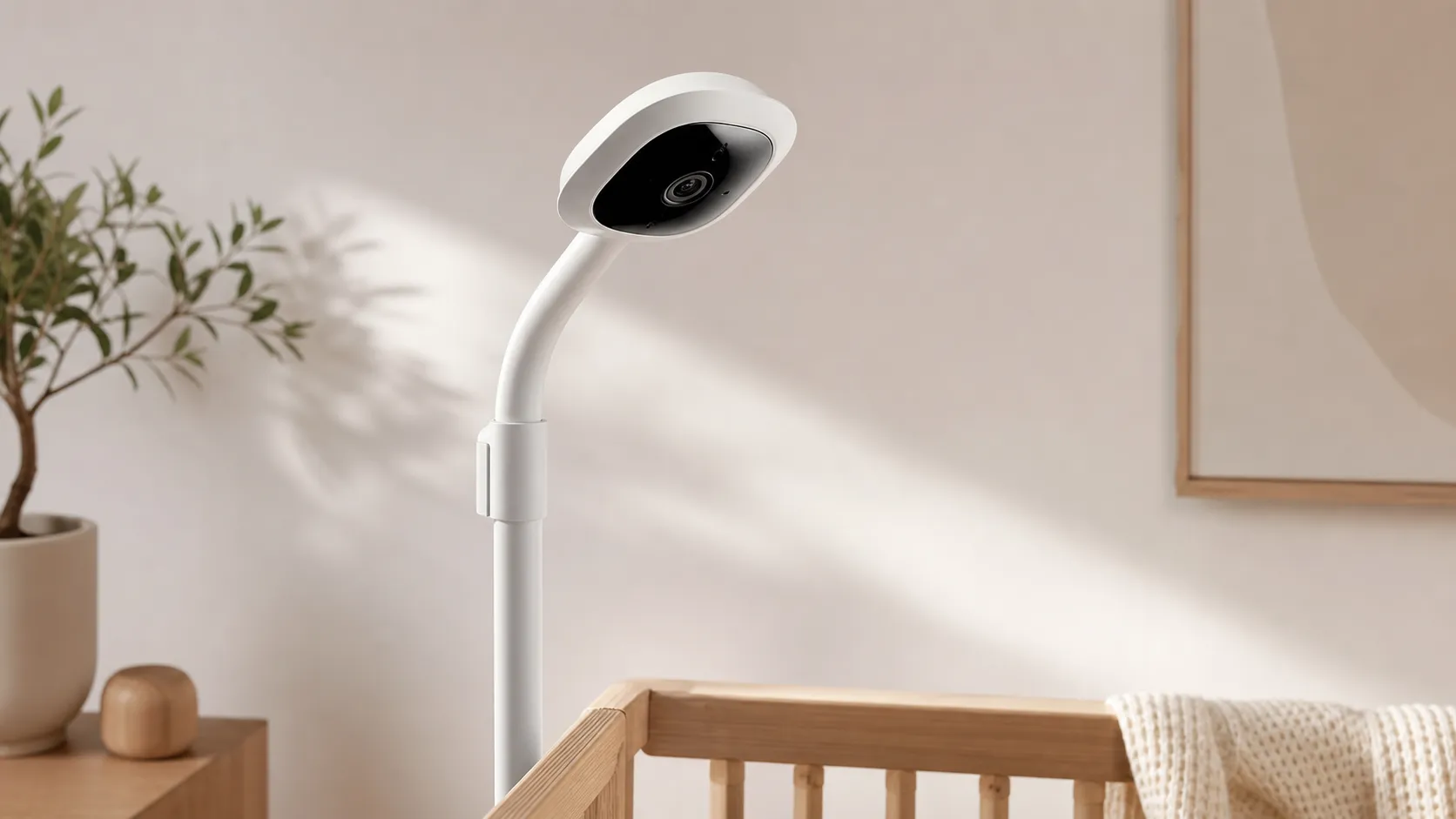
The Nanit Pro is a high-end baby monitor designed around a bird’s-eye, ceiling/wall-mounted camera that records 1080p video and feeds a smartphone app with live video, two‑way audio, and sleep-tracking analytics. Beyond basic monitoring, Nanit markets sleep insights (movement summaries, sleep patterns, and coaching-style suggestions) that are meant to help parents understand and improve an infant’s sleep. The hardware emphasizes image clarity and night vision from an overhead vantage, while the software side leans heavily on a subscription model for cloud storage and advanced analytics.
What reviewers across the internet say
We synthesized reviews across Amazon, Reddit, YouTube, and expert blogs to produce the aggregate score of 4.1/5 from roughly 14,600 reviews. Here’s the consensus by source:
- Amazon (4.1/5 — generally positive): Buyers consistently praise video clarity, reliable night vision, and the Nanit app’s sleep analytics. The most common complaints are the mandatory subscription for cloud video and occasional connectivity or support frustrations.
- Reddit (3.8/5 — mixed): Community threads show enthusiastic adopters who love the analytics and integrations, along with many DIY mounting tips. But there are frequent reports of connection drops and annoyance at recurring subscription fees.
- YouTube (4.2/5 — positive): Video reviewers highlight image quality, polished app demos, and the usefulness of sleep insights. Reviewers almost universally note the high upfront cost and subscription as the main drawbacks.
- Expert blogs (4/5 — positive): Experts tend to applaud the Nanit Pro’s video and sleep‑tracking capabilities and recommend it for parents who want data-backed sleep help. Criticism centers on the lack of local-only features and the dependence on a paid plan for full functionality.
In short: reviewers agree on outstanding video and night performance and meaningful sleep analytics — but many consider the subscription requirement and occasional reliability issues a notable downside.
Performance & Real-World Use
The Nanit Pro Camera delivers crisp 1080p video, excellent night vision from its overhead mount, and genuinely useful sleep insights, but reliability and value depend on your home network and willingness to pay for Insights. If you want top-tier app experience and analytics the Nanit Pro Camera is easy to recommend; if you require local-only features or zero recurring fees, a non‑Wi‑Fi monitor is a better fit.
If you’re evaluating a smart baby monitor, performance isn’t just about sharp video on day one; it’s whether the camera stays connected at 2 a.m., pings you promptly, and keeps doing so for months. Nanit’s flagship aims to be both a dependable nursery camera and a sleep‑coaching tool.
The Nanit Pro Camera delivers consistently clear 1080p video, excellent overhead night vision, and sleep insights many parents use, but reliability and value hinge on your network and tolerance for subscription fees. If you want the best app experience and a true bird’s‑eye view—and you’re willing to pay for Insights—the Nanit Pro Camera is an easy long‑term pick; if you need offline recording or zero recurring cost, look elsewhere.
What “good performance” looks like for a smart monitor
Smart monitor satisfaction rests on five traits: unobstructed visual coverage, resilient connectivity, timely/selective alerts, stable apps with caregiver controls, and transparent security. Nanit addresses these with an overhead‑first design, dual‑band Wi‑Fi (2.4/5 GHz), two‑way audio, IR night vision, and cloud analytics (Insights) atop free live view. Official documentation outlines AES‑256 encryption and a clear split between free monitoring and paid history/analytics. See the Nanit Camera & Wall Mount Product Details, Privacy & Security, and Insights memberships for specifics.
Across roughly 14,600 public reviews, consensus lands at 4.1/5 overall, with strong marks for quality (4.3/5) and ease (4.2/5), and more mixed scores for reliability (3.9/5) and value (3.6/5). By source: Amazon buyers praise image clarity, night vision, and the app’s sleep summaries; Reddit mixes wins with DIY mounting and connectivity triage; YouTube highlights crisp footage and polished software while noting price and subscriptions; expert blogs recommend Nanit for data‑backed sleep coaching but criticize the lack of local‑only features.
Nanit Pro: What the internet says
Public ratings snapshot across sources as of Aug 2026.
View the underlying data
| Measure | /5 |
|---|---|
| Amazon (~12k) | 4.1/5 |
| Reddit (~1.5k) | 3.8/5 |
| YouTube (~800) | 4.2/5 |
| Expert blogs (~300) | 4/5 |
Synthesis of Amazon, Reddit, YouTube, and expert review corpora described in the article.
Day‑one setup and the first week with Nanit Pro Camera
Most homes finish setup in an evening: mount (wall or floor stand), route cable covers, plug in, and pair over Bluetooth in the Nanit app. Dual‑band support lets you choose 2.4 GHz for reach or 5 GHz for less congestion—useful in dense apartments. Nanit’s docs confirm Bluetooth pairing, cable management, and two‑way audio; when Wi‑Fi is solid, onboarding is smooth. For safety, follow the American Academy of Pediatrics’ safe‑sleep guidance: bare crib, cords fully secured; the included covers help.
The first week reveals software value. Live view, two‑way talk, background audio, temperature/humidity, and Breathing Motion Monitoring work without a subscription; Insights adds sleep status cards, analytics, cry detection, milestones, and longer history. Give it 3–5 nights to learn a baseline before changing routines; summaries surface onset time, total sleep, and awakenings. The Insights memberships and plan explainer outline free versus paid—clear, but recurring fees still frustrate some buyers.
Video, audio, and night vision: where Nanit earns its praise
The overhead mount is the differentiator. Fixed high and centered, it gives a stable, rectangular crib view with minimal distortion, keeping face orientation and blanket creep visible in the dark. The camera streams 1080p; owners describe daylight clarity as strong for this class and night vision as excellent due to robust IR illumination. Nanit’s support literature notes 850 nm IR LEDs, which trade a faint red glow for better range than 940 nm—yielding more even coverage at common 6–7 ft mounting heights and fewer murky corners. See Why Nanit’s night vision is black & white.
Audio is clean enough to catch soft fussing, and background audio keeps monitoring with the phone locked. Alert latency is a few seconds on a healthy network; delays track with Wi‑Fi congestion or a weak cell zone. Compared with local‑radio monitors, Wi‑Fi cams trade immediacy for remote access and smarter detection. The Consumer Reports baby monitor guide frames the same trade‑off: FHSS/radio units favor simplicity; Wi‑Fi models offer richer features and better video, with network stability as the hinge.
Alerts, analytics, and the subscription reality
You can use Nanit without paying, but the experience is better with Insights if you care about trends and revisiting events. Free features include live view, two‑way audio, background audio, room conditions, and basic notifications; paid tiers add sleep status, cry detection, video history, and coaching‑style summaries and milestones. Data‑oriented parents keep the subscription; parents who want local recordings or refuse recurring fees often cite this as the primary frustration.
Privacy and security are spelled out: AES‑256 encryption, secure servers, access control, and instant revocation for caregivers, per Nanit Privacy & Security. As with any cloud camera, basic hygiene matters—unique passwords, multi‑factor authentication if offered, and avoiding open hotel networks. If that model fits your comfort level, Nanit’s transparency helps you decide whether cloud‑backed video belongs in your nursery.
Reliability months in: networks, updates, and wear
Long‑term reliability maps to your network and update discipline. Nanit supports 2.4 GHz (longer range, more interference) and 5 GHz (cleaner, shorter range). If your router band‑steers aggressively or you have many 2.4 GHz IoT devices, expect occasional buffering at peak hours; separating SSIDs or pinning the camera to one band stabilizes things. Practical fixes: place the router a few feet from other radios, pick a fixed 2.4 GHz channel in dense areas, and put the power brick on a surge‑protected outlet.
Hardware wear is minimal: the wired power path and cable covers hold up, and a soft “click” at dusk/dawn is the IR filter switching. There are no consumables beyond optional Breathing Wear, which launders like any fabric. Software hiccups can occur; most owners find a power‑cycle or the next firmware update clears them. If uninterrupted monitoring is vital, many run Nanit as primary and keep a basic RF or audio unit as fallback.
Where the Nanit Pro excels—and where it hits limits
Nanit is at its best in a dedicated nursery with stable Wi‑Fi, a centered overhead mount, and caregivers who want more than “the baby made noise.” In that setup, owners praise video clarity, night vision, and the daily habit of reviewing the sleep summary to spot trends. Multi‑camera support helps with twins or siblings in separate rooms, and two‑way audio is handy when you’re across the house.
Limits appear in three places. First, if you won’t pay for a subscription, you forgo cloud video and detailed analytics many consider core value. Second, travel monitoring can be hit‑or‑miss because hotels and guest networks use captive portals or open Wi‑Fi that smart cameras don’t support; Nanit discourages unsecured networks. Third, homes with a single congested combo SSID that can’t be split may see buffering at peak times. These aren’t unique to Nanit but explain the reliability trend in long‑term reports.
How it stacks up to common alternatives
Within Wi‑Fi‑first monitors, Nanit’s overhead perspective and breadth of sleep analytics stand out. Against CuboAi and Owlet Cam 2, Nanit’s dual‑band Wi‑Fi is more flexible than 2.4 GHz‑only devices, and its app polish gets frequent praise. The trade‑off is consistent across cloud‑leaning cams: you’ll pay for richer alerts and history. If you prioritize offline resilience and zero subscriptions over analytics, FHSS/radio models like the Infant Optics DXR‑8 Pro or eufy SpaceView Pro are intentionally simple: no internet required, near‑instant alerts to a parent unit—but no app, no cloud clips, and lower video fidelity. See BabyGearLab’s DXR‑8 Pro review and Crutchfield’s eufy SpaceView Pro page.
Real‑world performance on what matters
Synthesis of long-term owner reports and established testing outlets; not lab measurements.
- Daytime image clarity (/5)
- Night vision clarity (/5)
- Notification responsiveness (/5)
- Connection reliability (/5)
View the underlying data
| Item | Daytime image clarity (/5) | Night vision clarity (/5) | Notification responsiveness (/5) | Connection reliability (/5) |
|---|---|---|---|---|
| Nanit Pro Camera | 4.6/5 | 4.7/5 | 4.2/5 | 4/5 |
| CuboAi Plus | 4.4/5 | 4.4/5 | 4/5 | 3.9/5 |
| Owlet Cam 2 | 4.1/5 | 4/5 | 3.9/5 | 3.8/5 |
| Infant Optics DXR-8 Pro | 3.8/5 | 3.6/5 | 4.6/5 | 4.7/5 |
| Eufy SpaceView Pro | 3.9/5 | 3.7/5 | 4.5/5 | 4.6/5 |
Compiled from owner reviews, major publications, and manufacturer specs current to Aug 2026.
Feature comparison vs common alternatives
Feature availability based on official manufacturer documentation as of Aug 2026.
| Item | Local recording (SD/NVR) | Works without internet | 5 GHz Wi‑Fi supported | Battery‑powered camera | Multi‑camera support | Breathing motion monitoring (native) | Subscription required for cloud video |
|---|---|---|---|---|---|---|---|
| Nanit Pro Camera | No | No | Yes | No | Yes | Yes | Yes |
| CuboAi Plus | No | No | No | No | Yes | No | Yes |
| Owlet Cam 2 | No | No | No | No | Yes | No | Yes |
| Infant Optics DXR-8 Pro | No | Yes | No | No | Yes | No | No |
| Eufy SpaceView Pro | No | Yes | No | No | Yes | No | No |
Sources: Nanit Help Center; Owlet Cam 2 User Guide; eufy SpaceView Pro product pages; Infant Optics manuals.
Notes on specifics: the Owlet Cam 2 User Guide confirms 2.4 GHz only, which can frustrate homes with aggressive band‑steering routers. CuboAi emphasizes cloud‑centric features and doesn’t advertise local storage. DXR‑8 Pro and SpaceView Pro use FHSS links that avoid Wi‑Fi entirely; many see that as resilience, others as a feature gap versus app‑centric systems.
Pro tips to get the best performance
- Mount for the view: use the wall or floor stand to center the lens over the crib, and route cords fully inside the covers. A true bird’s‑eye angle evens IR lighting and reduces false motion from mobiles. See Nanit product details.
- Stabilize Wi‑Fi: give the camera its own SSID on 2.4 GHz (range) or 5 GHz (cleaner air); avoid “auto” channel if neighbors are dense; move the router several feet from other 2.4 GHz emitters. The FCC’s unlicensed spectrum analysis explains why congestion matters.
- Start Insights on a Monday: collect a weekday/weekend cycle before changing routines; use early summaries to tweak bedtime and room conditions incrementally. Reference Nanit’s plan explainer.
- Use caregiver permissions: add partners and sitters with limited roles, then remove access when roles change to preserve privacy, per Nanit Privacy & Security.
- Update with intention: apply firmware and app updates during daytime naps, then verify notifications before overnight reliance; if something regresses, power‑cycle the camera and router first.
- Have a fallback: if internet reliability is a stressor, pair Nanit with a basic RF/audio monitor; the Consumer Reports guide supports mixing device types based on home constraints.
Verdict: does real‑world performance justify the purchase?
If your priority is a crystal‑clear, overhead crib view and daily sleep insights you can act on, Nanit Pro remains one of the best experiences in the category. The trade‑offs are straightforward: you’ll pay for the full feature set and your experience will mirror your home network’s health—but if that fits, long‑term owner satisfaction makes the case.
Sources referenced in this section
- Nanit Camera & Wall Mount Product Details
- Nanit Privacy & Security
- AAP: How to Keep Your Sleeping Baby Safe (HealthyChildren.org)
- Consumer Reports: Baby Monitor Buying Guide
- eufy SpaceView Pro overview (no Wi‑Fi)
- Infant Optics DXR‑8 Pro — BabyGearLab review (FHSS, no Wi‑Fi)
- Owlet Cam 2 User Guide (2.4 GHz only)
- FCC Report on unlicensed spectrum (interference context)
Pros and cons
Pros
- Very clear 1080p video and strong night vision from the top-down mount.
- Helpful sleep-tracking analytics and visual sleep summaries that many parents find actionable.
- Clean, minimalist hardware design with tidy cable management and stable mounting.
- User-friendly app, straightforward setup, and convenient multi-camera/multi-child support.
- Two-way audio and polished software UX make daily use simple.
Cons
- Core features (cloud video storage, detailed analytics) require a paid subscription — ongoing cost.
- Relatively expensive hardware and pricey accessories (extra cameras, breathing band).
- Some users experience connectivity drops, laggy notifications, or app glitches.
- Rigid ceiling/wall mounting — less flexible placement and no battery option.
- No local-only recording option for people who prefer not to store data in the cloud.
Who should buy it (and who shouldn’t)
Who should buy it
- Parents who want top-tier video quality and reliable night vision for crib monitoring.
- Families who value data: if you’ll use sleep analytics and trend reports, the insights can be genuinely helpful.
- Households planning a permanent nursery setup where ceiling/wall mounting is practical.
- Parents who plan to use multi-camera setups or monitor multiple children over time.
Who shouldn’t buy it
- Budget-conscious shoppers who won’t pay an ongoing subscription — core features are tied to the paid plan.
- Users who need a portable, battery-operated camera or frequent repositioning; Nanit is built for fixed overhead placement.
- People who prefer fully local storage or want to avoid cloud-only features for privacy or cost reasons.
- Anyone who has an older or crowded Wi‑Fi network and can’t guarantee strong, stable connectivity in the nursery.
Final considerations
If you prioritize image quality and thoughtful sleep analytics — and accept a recurring subscription cost — the Nanit Pro is one of the strongest choices on the market for ceiling-mounted baby monitoring. Its polished app and actionable insights consistently win praise from parents and experts alike. But if you want a one-time purchase without recurring fees, more flexible placement, or guaranteed local-only recording, there are simpler alternatives that better match that checklist.
What Reviewers Love
- Very clear 1080p video and excellent night vision from the overhead (bird’s-eye) mount.
- Sleep-tracking analytics and insights (movement, sleep summaries) that many parents find actionable.
- User-friendly app and straightforward initial setup; multi-camera / multi-child support is convenient.
- Solid design for wall/ceiling mounting with tidy cable management and useful two-way audio.
Common Complaints
- Subscription required for full features (cloud video, detailed analytics) and ongoing cost.
- Relatively expensive hardware and costly accessories (extra cameras, breathing band).
- Some users report connectivity drops, occasional app glitches, and laggy notifications.
- Rigid mounting requirement (ceiling/wall) — less flexible placement and no battery option.
Our Verdict
4.1The Nanit Pro is an excellent choice if you want high‑quality overhead video and actionable sleep analytics in a polished app. But budget shoppers or parents who need flexible placement or local-only recording should weigh the ongoing subscription and rigid mount before buying.
Frequently Asked Questions
Common questions shoppers ask before buying the Nanit Pro Camera.
Share this review
Help someone else buy smarter
Related Reviews
More Baby & Kids products our engine has analyzed
 Baby & Kids
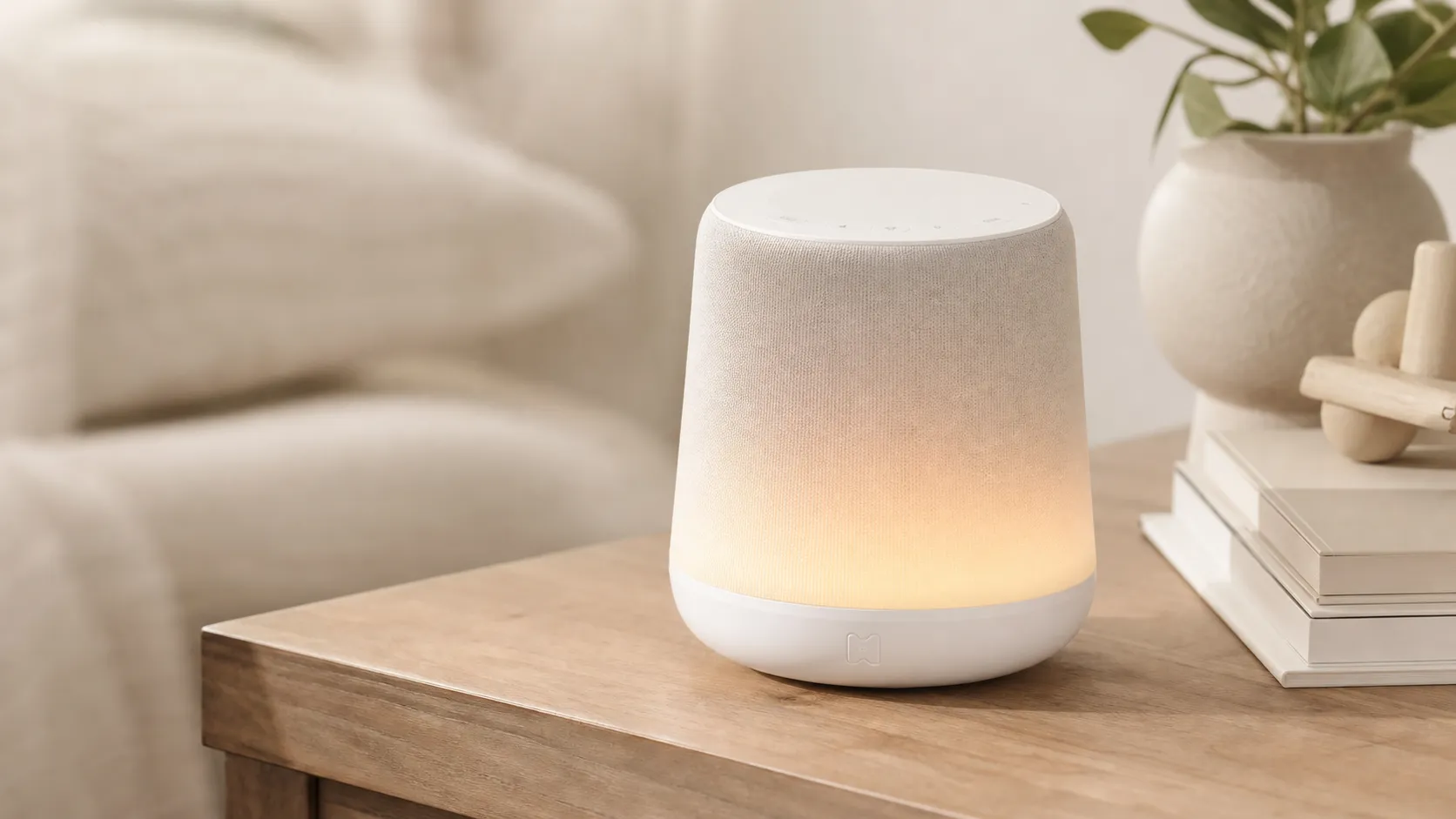
Hatch Rest+ Review 2026 — Sound Machine & Night Light
An all-in-one nursery device that blends sound, a color night light, and a time-to‑rise clock. Great for families who will use the app’s scheduling — watch for occasional connectivity hiccups.
 Baby & Kids
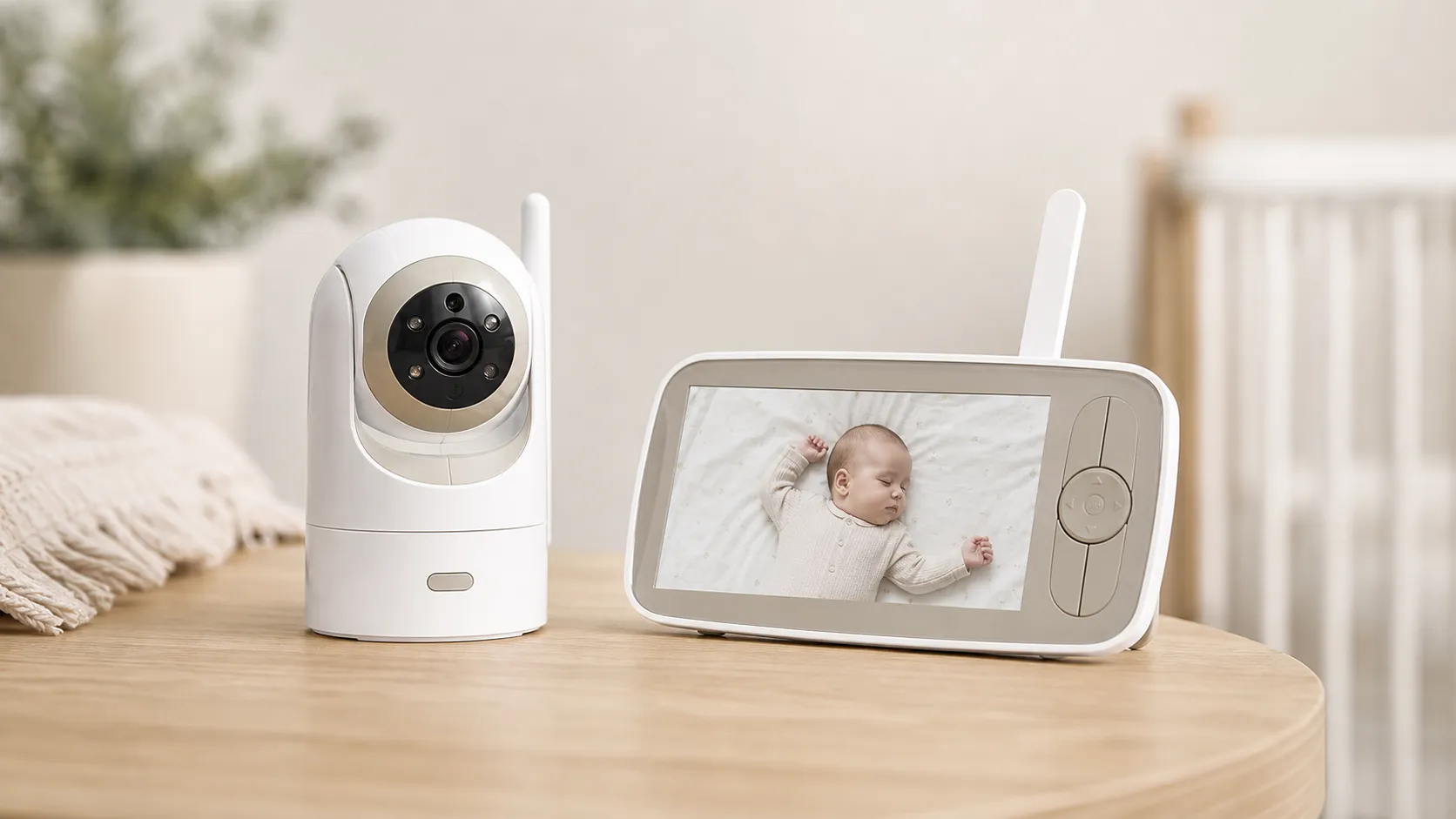
Infant Optics DXR‑8 Pro Video Baby Monitor — 2026 Review
A privacy‑first, high‑clarity non‑WiFi monitor with real optical zoom, clean audio, and long range — strong overall, but a minority report battery/charging issues.
 Baby & Kids
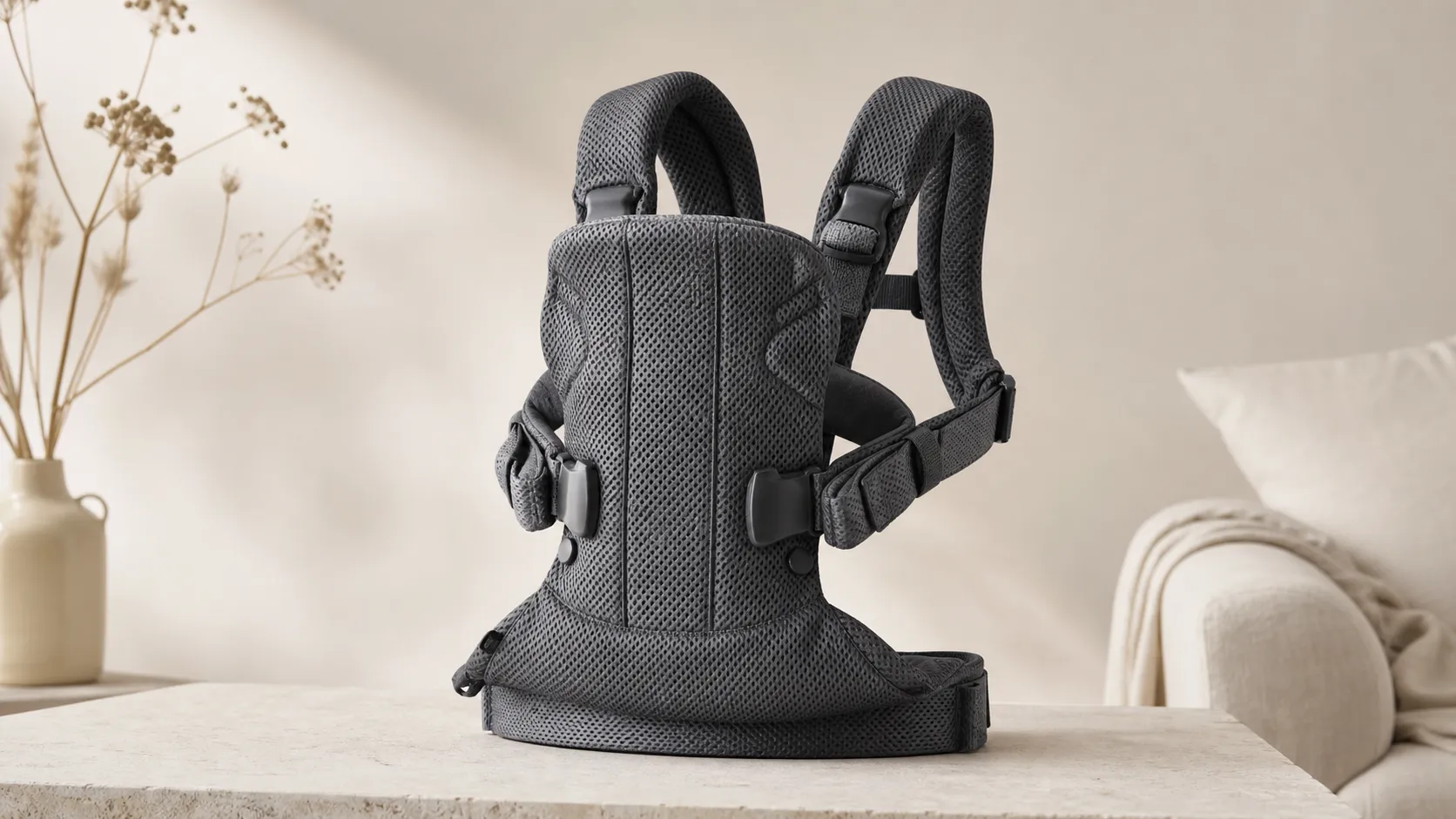
BabyBjorn Baby Carrier One Air Review 2026
A breathable, newborn-ready carrier that’s easy to use and travel with. Great for short-to-medium carries and warm weather, but less ideal for long, heavy-duty use.